Clone a Pathway
This article explains how to Clone a Pathway in order to create a new Pathway without having to completely start over.
Last updated About 6 hours ago
Clone a Pathway
You can Clone a Pathway to create a new Pathway with minor changes. This is most useful if your State or District makes minor changes to graduation requirements for future graduating classes.
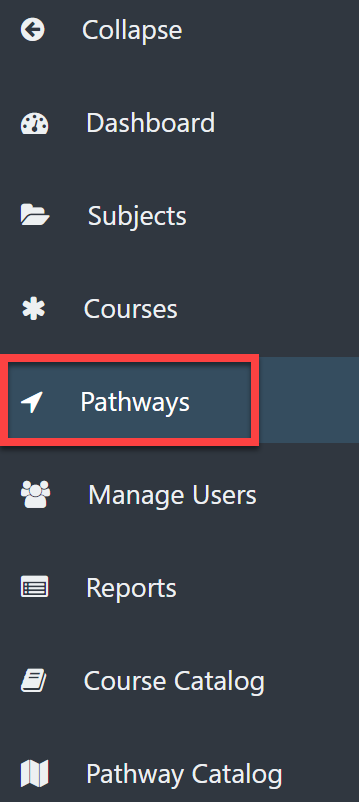
Select Pathways on the left menu.
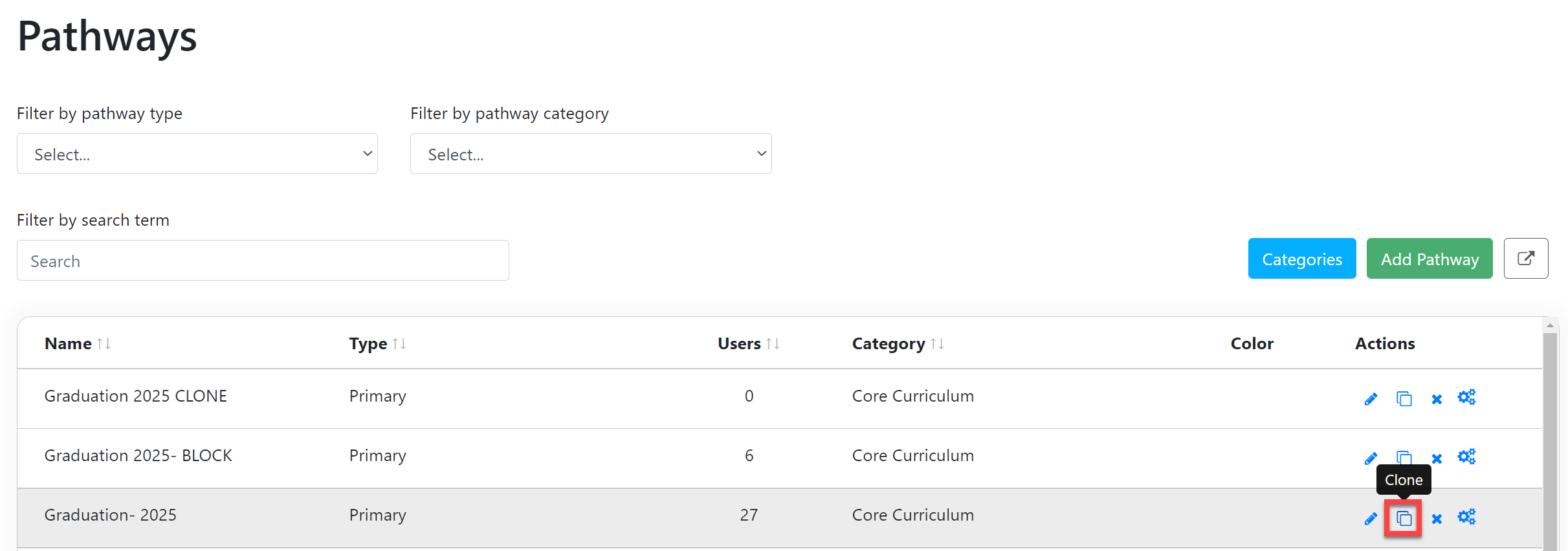
Select the Clone icon to the right of the desired Pathway.
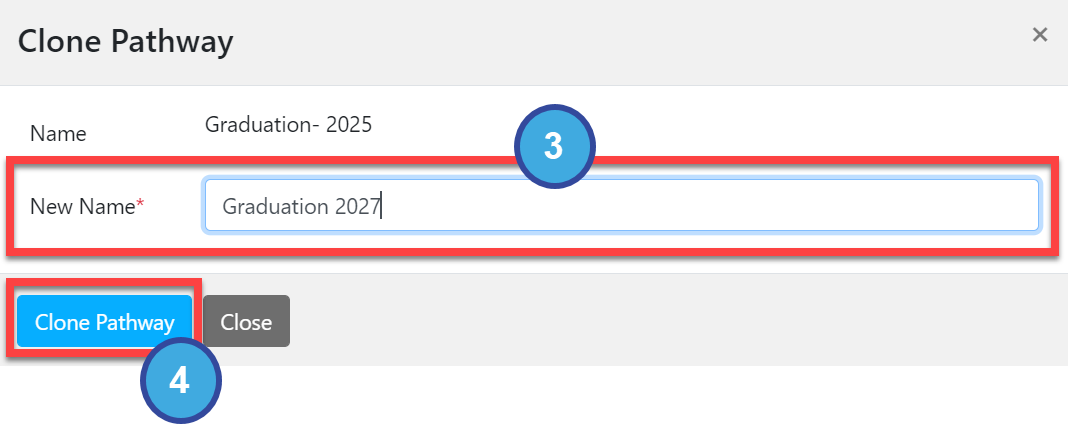
In the Clone Pathway popout window, enter the New Name.
Select Clone Pathway to save.
You will get a confirmation popup when the Clone process is complete.The newly cloned Pathway will appear in the Pathway table and in the Pathway Catalog.You can now edit the newly cloned Pathway as needed. Refer to Edit Pathway Requirements and Create and Edit Pathway Scaffolding for more information.