School Specific Settings
This article provides an overview of the school-level settings and links to articles about each setting.
Last updated About 5 hours ago
School Specific Settings
All settings in Pathful Planner default to the District Settings.
However, individual schools can change these settings. Once a school changes a setting, the school setting overrides the district setting.
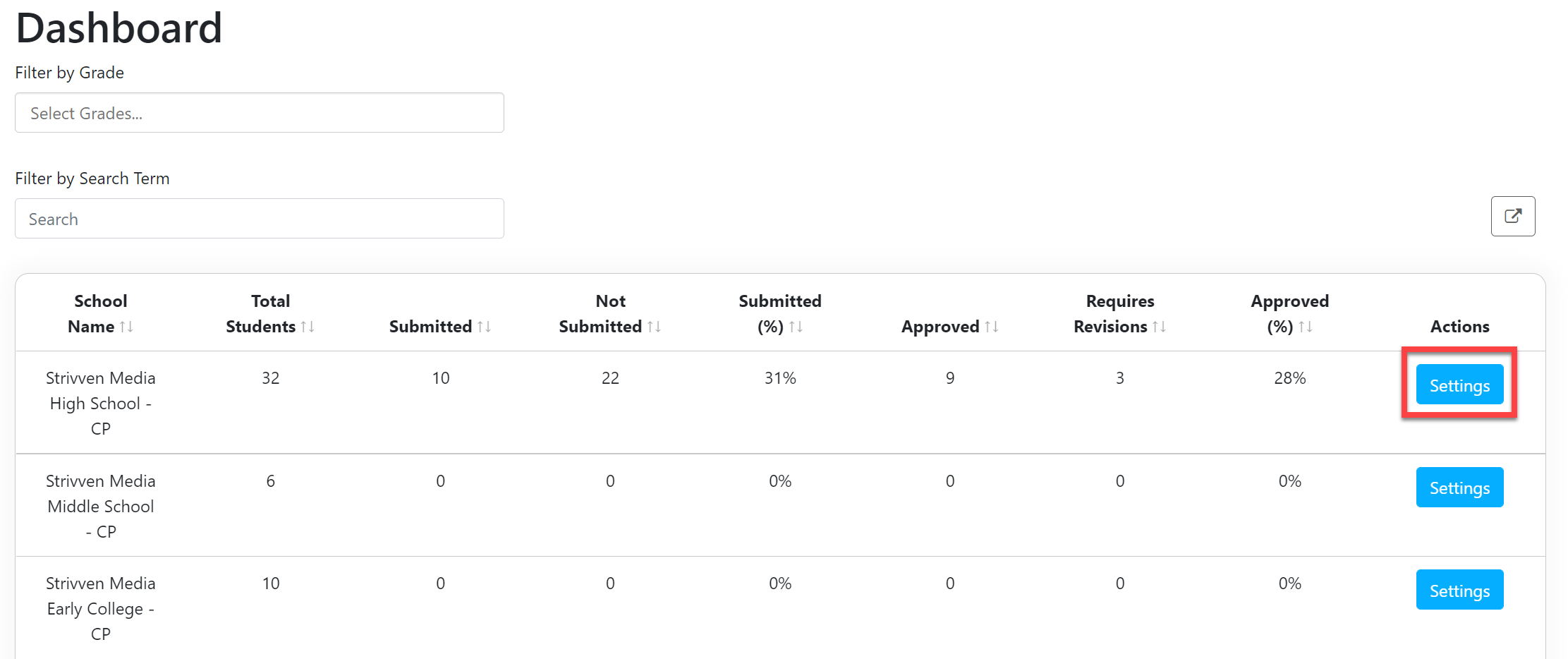
School Settings are accessed by a School Admin user and are located on the School Admin Dashboard.
From the School Admin Dashboard, select Settings.
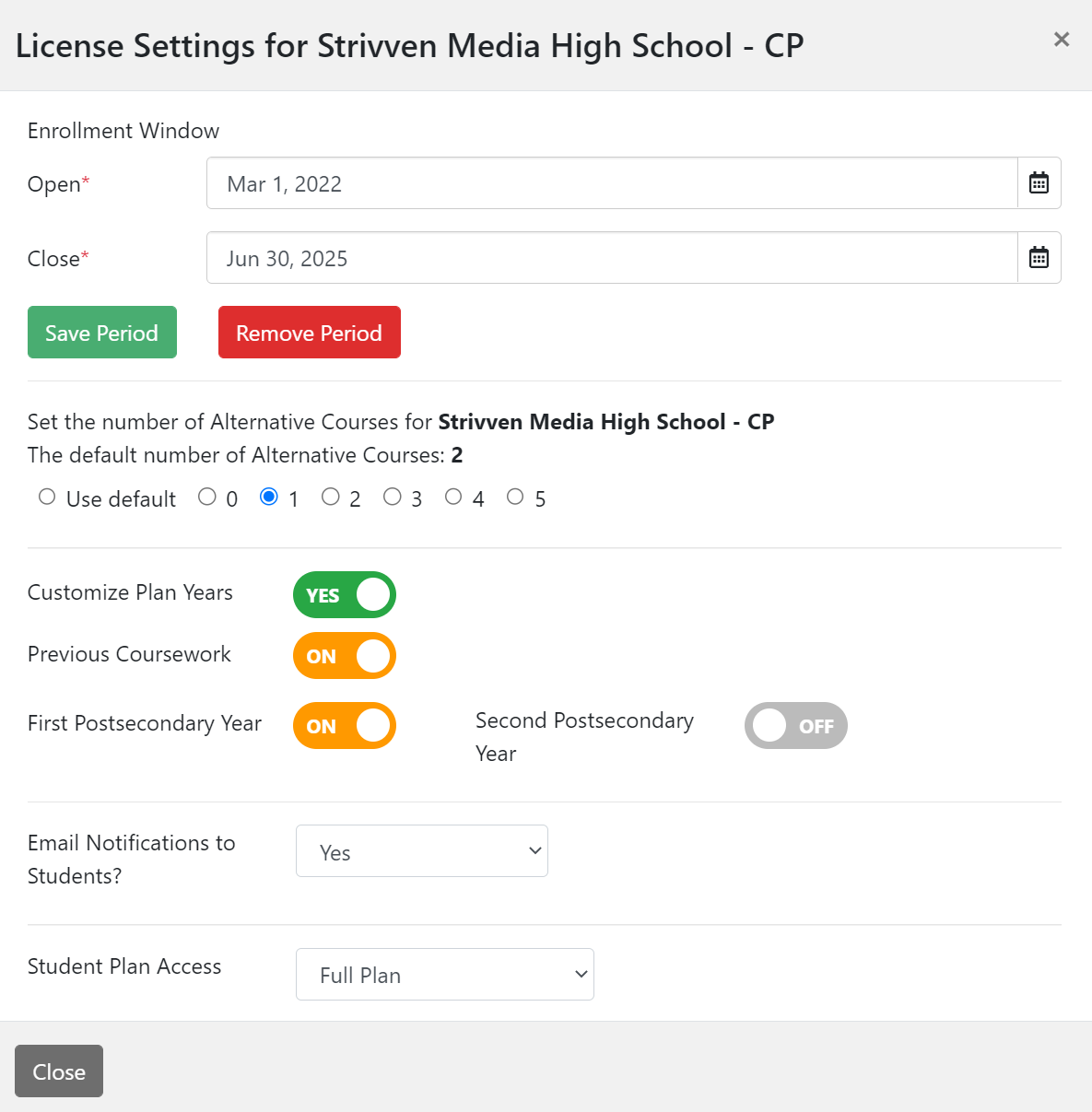
The License Settings window will display. From here, you can change any of the following settings:(Note: the list below are links to the corresponding articles that provide detailed information about each setting).
Customize any additional years on the Student Plan (i.e., Previous Coursework or Postsecondary Coursework)