District Settings- General
This page provides an overview of the general District Settings page with links to additional articles that further explain each of the settings.
Last updated About 6 hours ago
District Settings- General
District Settings are applied to all schools within your district.
Individual schools can change these settings and, thus, override the District settings.
Refer to School Specific Settings and the individual links on that page for additional information and definitions of each setting.
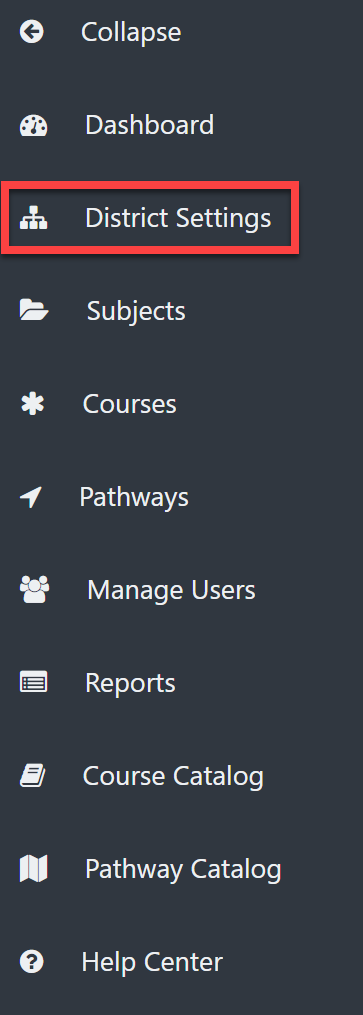
From the District Admin Dashboard, select District Settings on the left menu.
Under the General tab, you can set the following:
Alternative Courses
Enrollment Window
Previous Coursework
First and Second Postsecondary Years
Student Plan Access
Email Notifications
Period Type (a descriptor of course length- full year, semester, etc.)
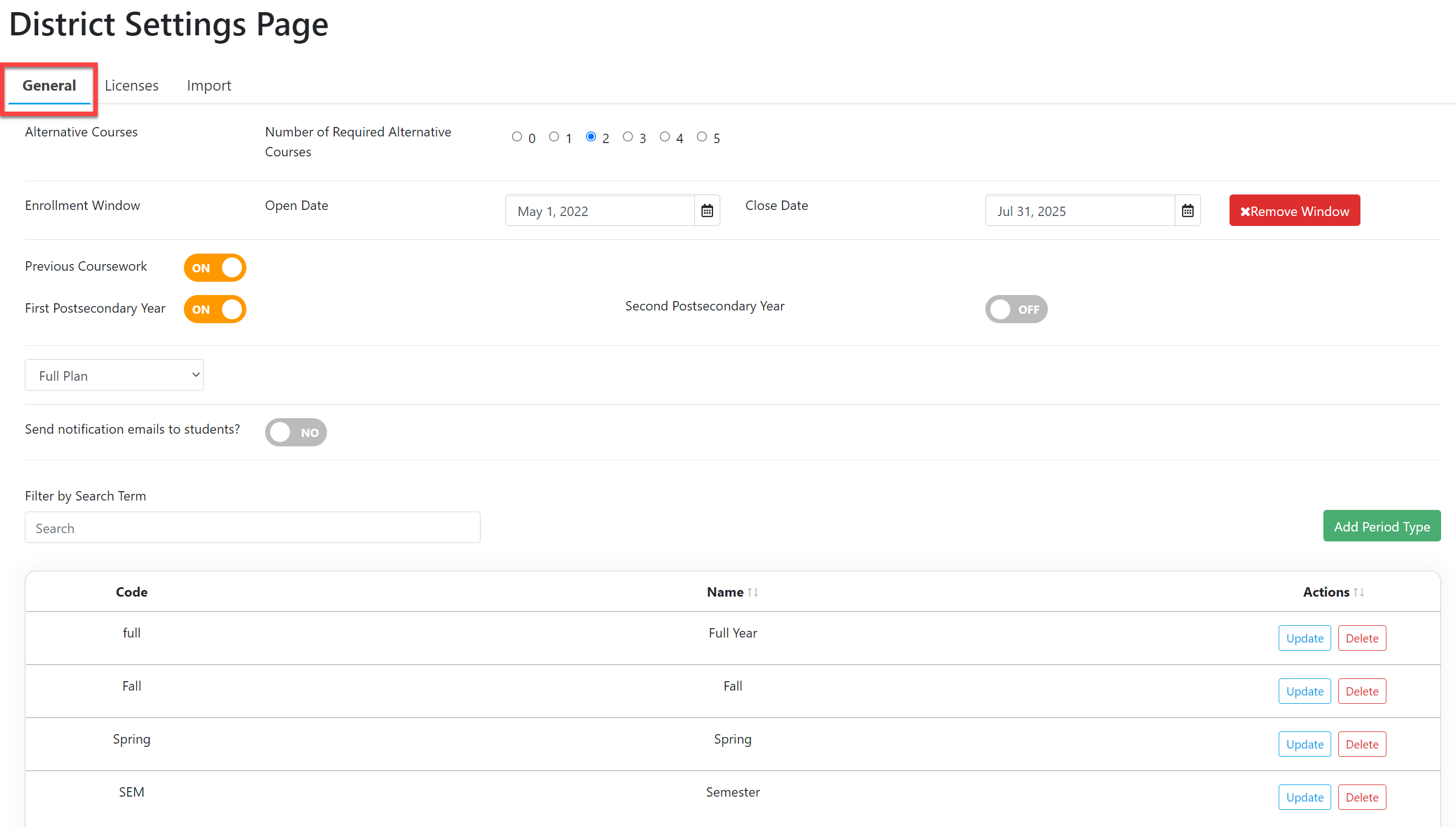
These settings are defined and explained on the School Specific Settings page.