Admin Dashboard Overview
This article provides an overview of the Admin Dashboard with links to related articles for each of the Admin functions.
Last updated About 5 hours ago
Admin Dashboard Overview
The District Admin Dashboard provides an overview of Pathful Planner statuses for each school in your district.
The dashboard also has several settings that default to the district settings but can be customized by individual schools.
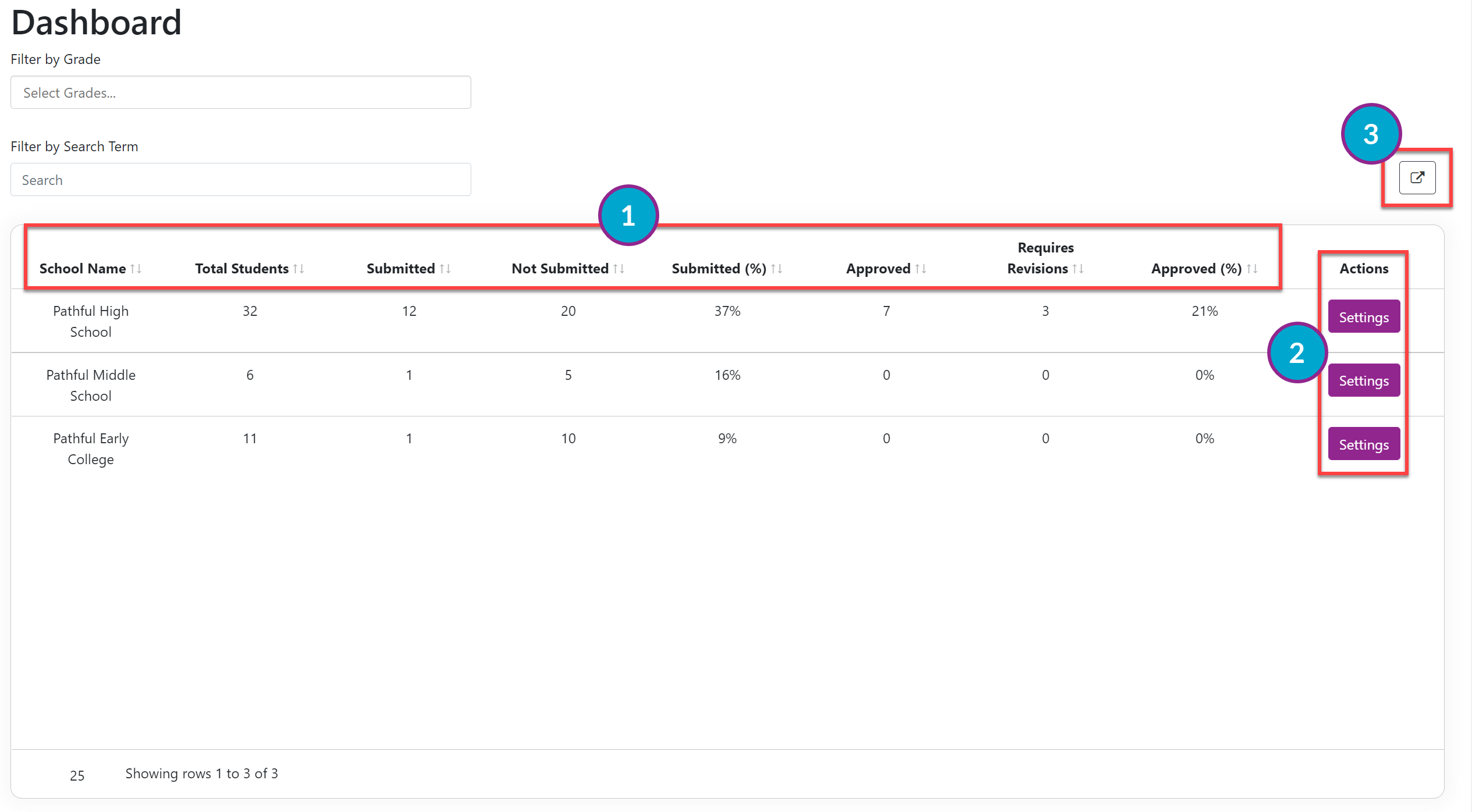
District Data by School:
School Name
Total Students
Submitted: the number of students who have submitted their Course Plan for review.
Not Submitted: the number of students who have not submitted their Course Plan for review.
Submitted (%): the percentage of students who have submitted their Course Plan for review.
Approved: the number of student Course Plans that have been approved.
Requires Revisions: the number of student Course Plans that need revision before they can be approved.
Approved (%): the percentage of submitted Course Plans that have been approved.
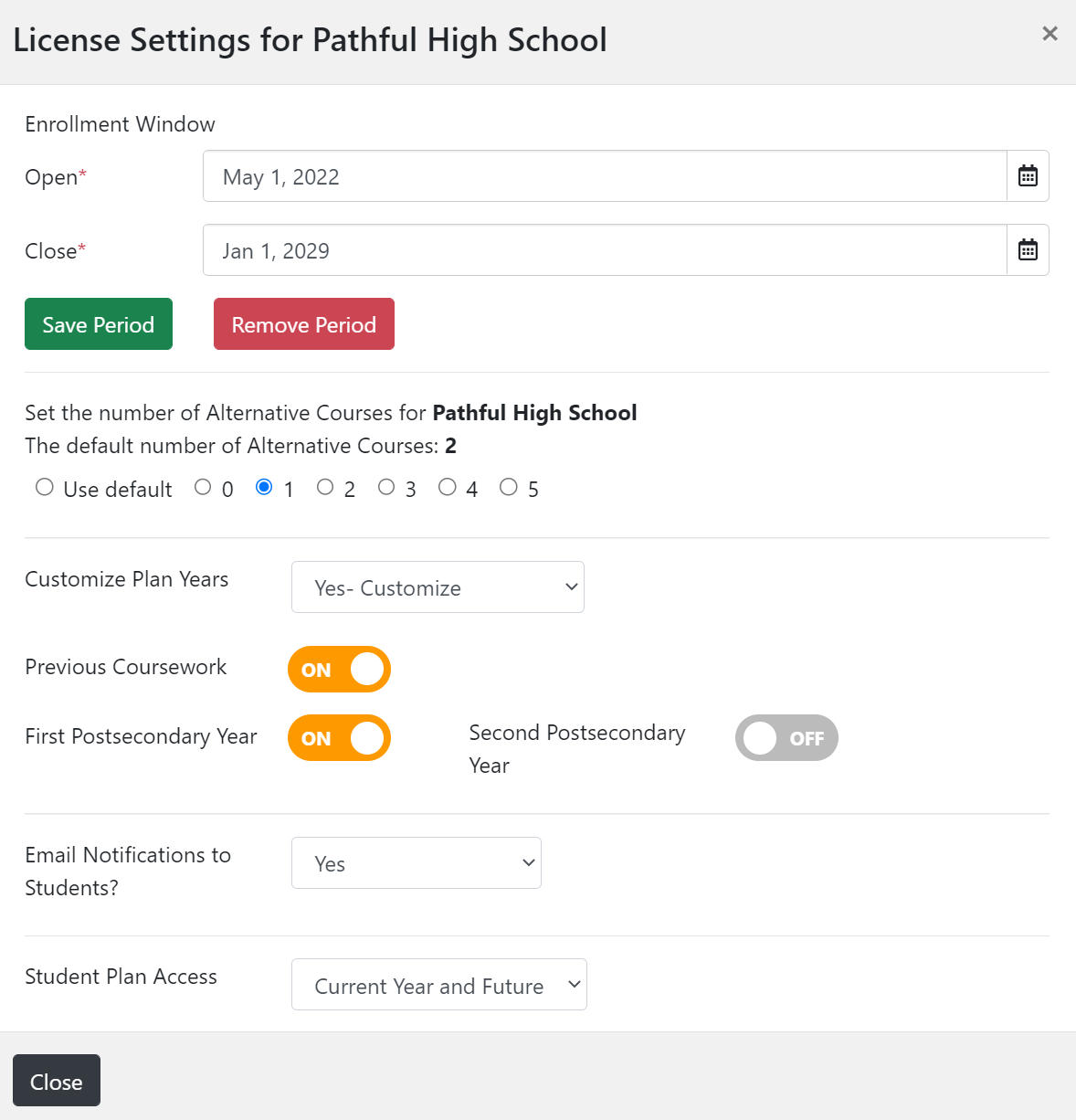
Admin Actions- Settings The following License Settings can be adjusted for the individual school or remain set to the district defaults:
Enrollment Window: this allows you to set the time period for students to edit and submit their Course Plans. Refer to Set the Enrollment Window- School Level for more information.
Number of Required Alternative Courses: this allows you to see the number of required alternative courses at the chosen school. Refer to Set the Number of Required Alternative Courses- School Level for more information.
Customize Plan Years: this allows you to add/remove additional plan years visible on students' Course Plans. Refer to Display Additional Plan Years- School Level for more information.
Email Notifications: this allows you to change the email notifications setting for students. Refer to Change Email Settings- School Level for more information.
Student Plan Access: this allows you to set how much of the Plan students can edit during the Enrollment Window. Refer to Plan Access Settings- School Level for more information.
Export
You can export the data on the dashboard to Excel.