Update a Course
A step-by-step guide for how to update an existing Course.
Last updated 3 months ago
Update a Course
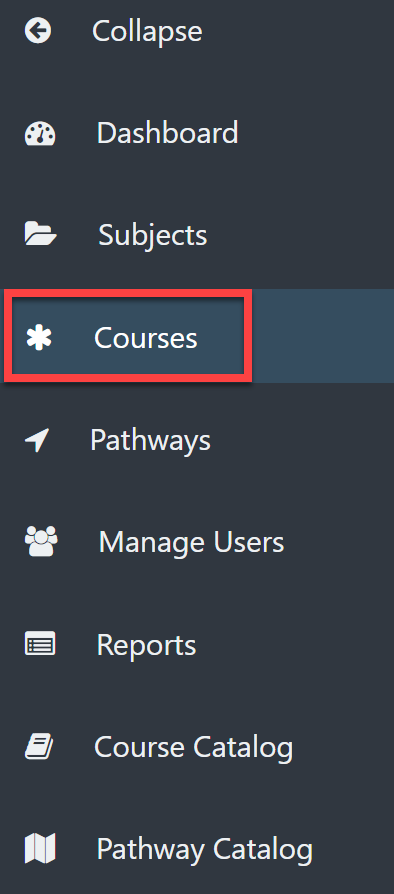
Select Courses from the left menu.
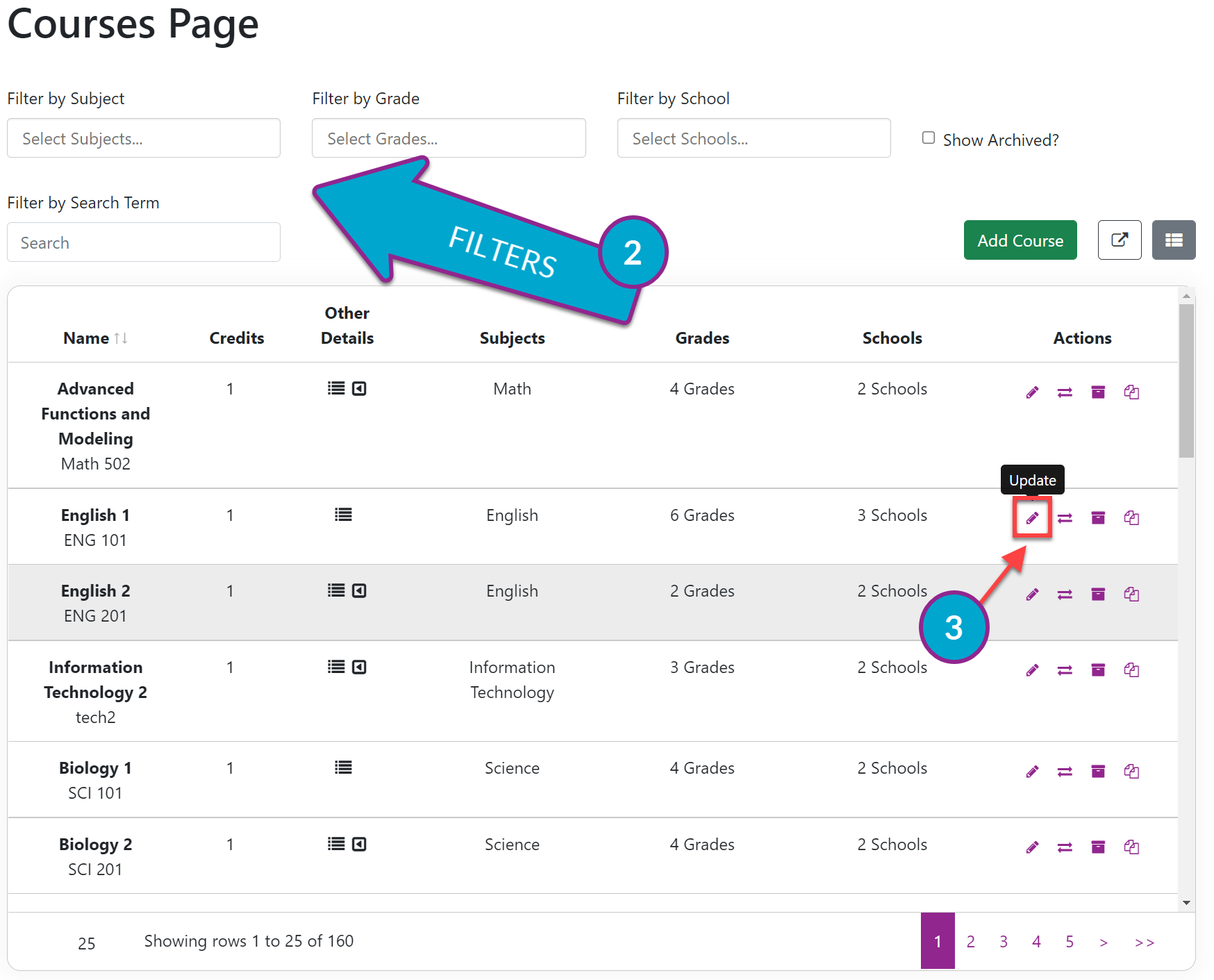
Locate the Course you want to update using the filters or by scrolling.
Under the Actions column, select Update.
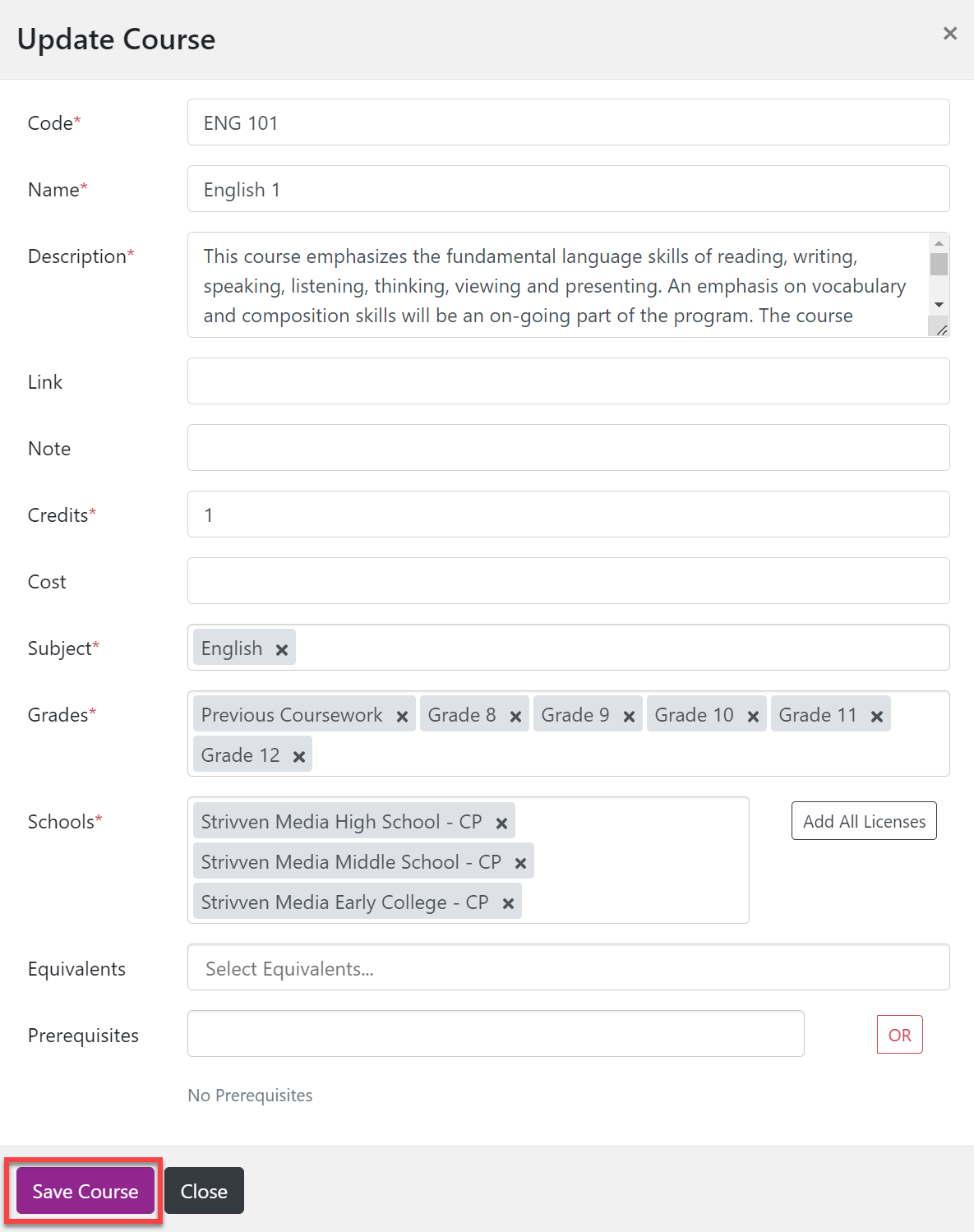
Make the necessary changes.
Select Save Course.