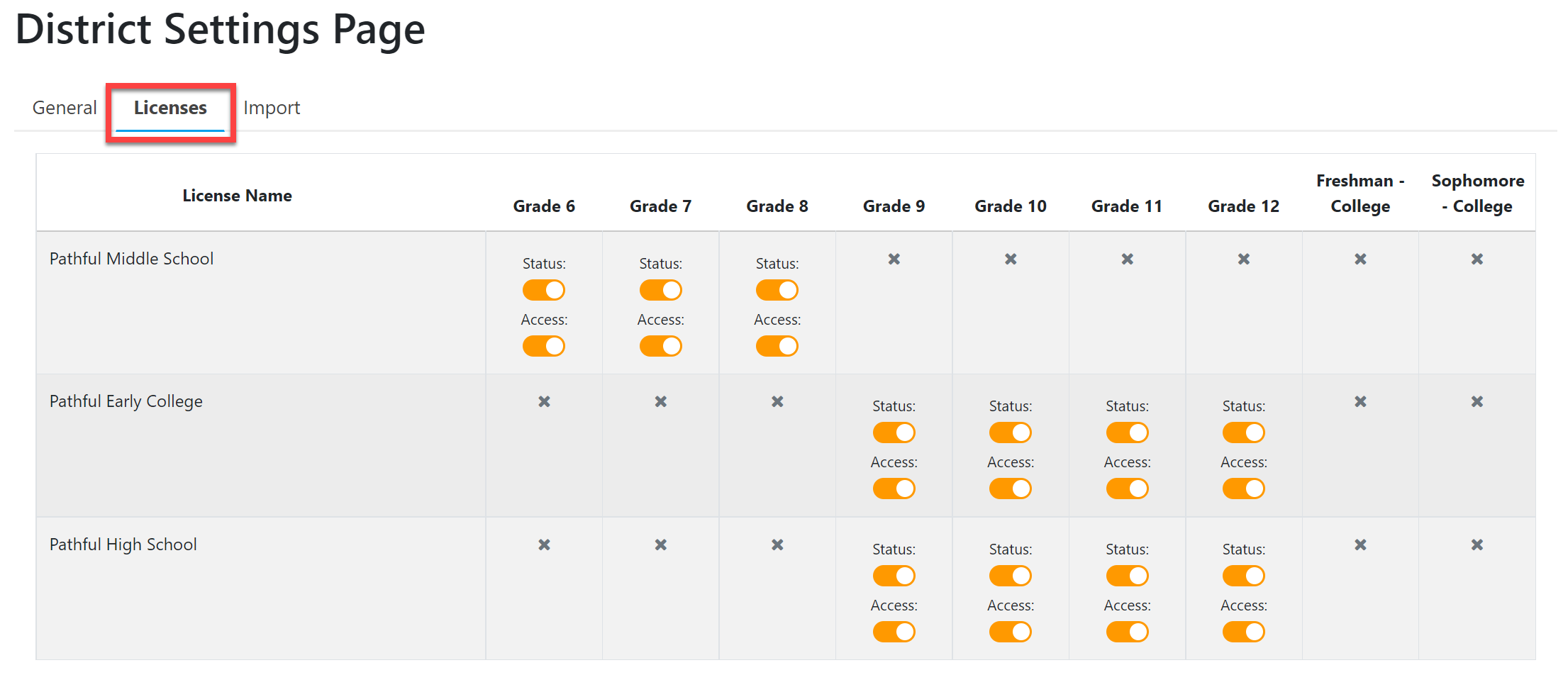
District Settings- Licenses
This article explains how to toggle on/off grade levels in Planner and which grade levels have access to Planner.
Last updated About 5 hours ago
District Settings- Licenses
The Licenses tab allows you to set each school's Status and Access level.
Status is whether or not you want that grade level column visible to students.
For example, a high school may have grades 9-12, but you want rising 9th graders only to see the 9th-grade column.
This is different from Plan Access, where students can see the entire Plan, but you choose how much of the Plan they can edit.
Access is whether or not you want students in a certain grade level to have access to Pathful Planner (i.e., be able to log in).
For example, a high school that is not tracking any postsecondary courses may not want students in Grade 12 to be able to log in to Pathful Planner.
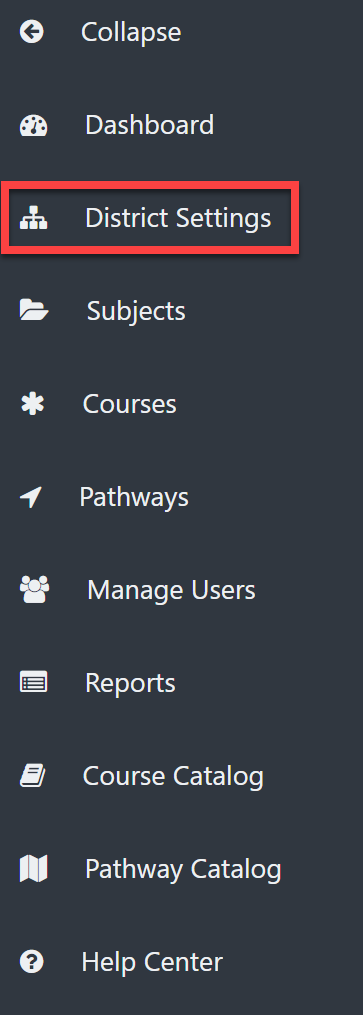
From the District Admin Dashboard, select District Settings on the left menu.
Select the Licenses tab.
Toggle on/off the desired grade levels for each school in your district.