View a Student's Activity Log
A step-by-step guide for Counselors on viewing and exporting a student's Activity Log.
Last updated About 6 hours ago
View a Student's Activity Log
The Activity Log:
Is a history of all the changes made to a student's Plan, regardless of who made the changes.
Shows live data, so any changes made are immediately displayed.
Is visible to the individual student, Counselors, and Admin level users as permitted by their license.
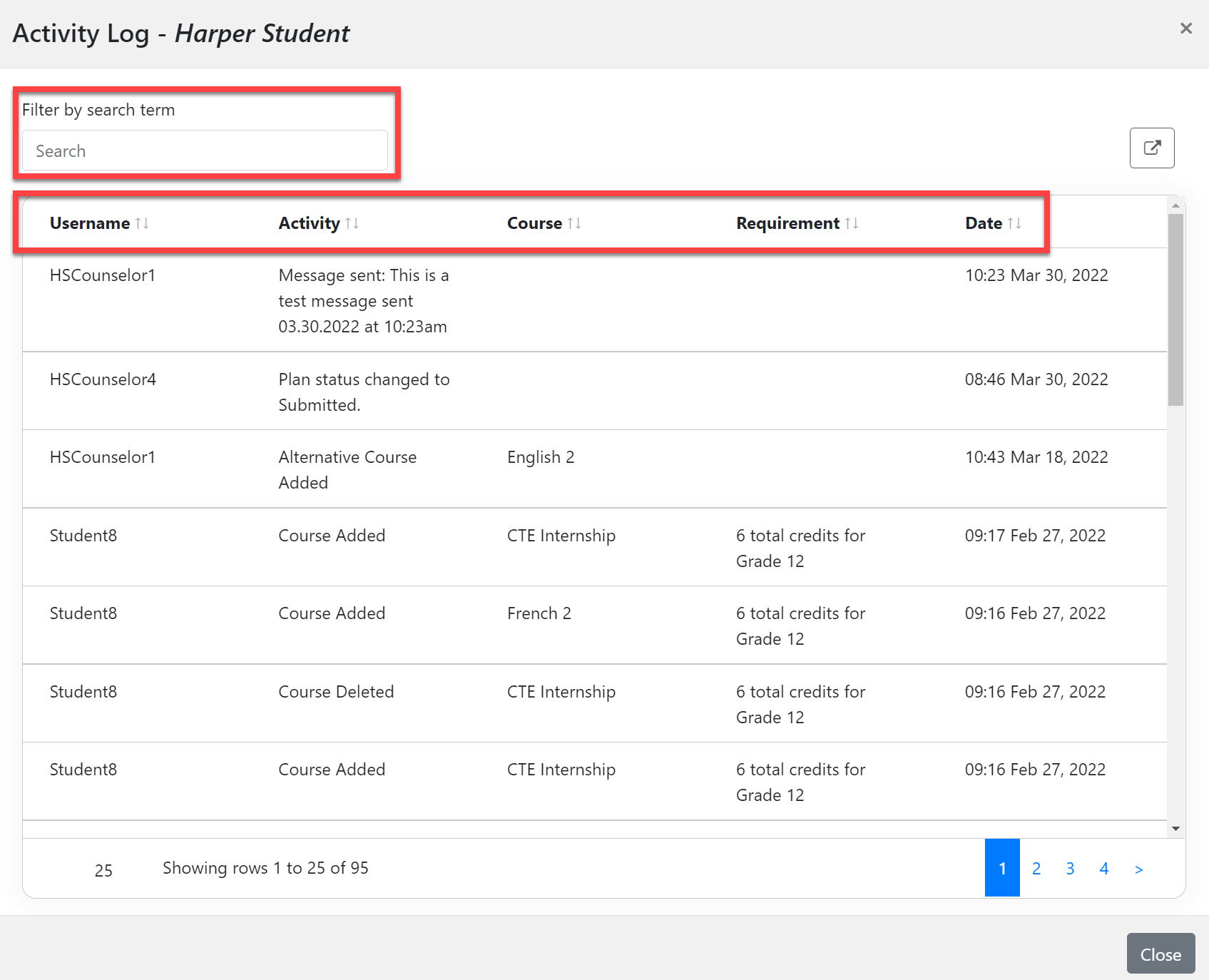
The Activity Log can be Filtered by search term and shows the following information:
Username: the person who made the change.
Activity: a course was added or deleted, or a message was sent to the student.
Course: the course that was impacted by the change.
Requirement: the Pathway requirement that was impacted by the change.
Date: the date and time the change was made.
Counselor Actions to View and Export the Activity Log
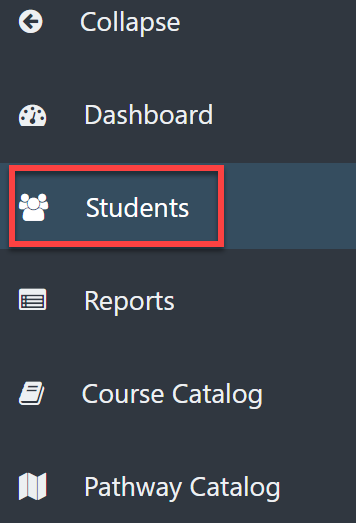
From your Dashboard, select the Students icon on the left menu.
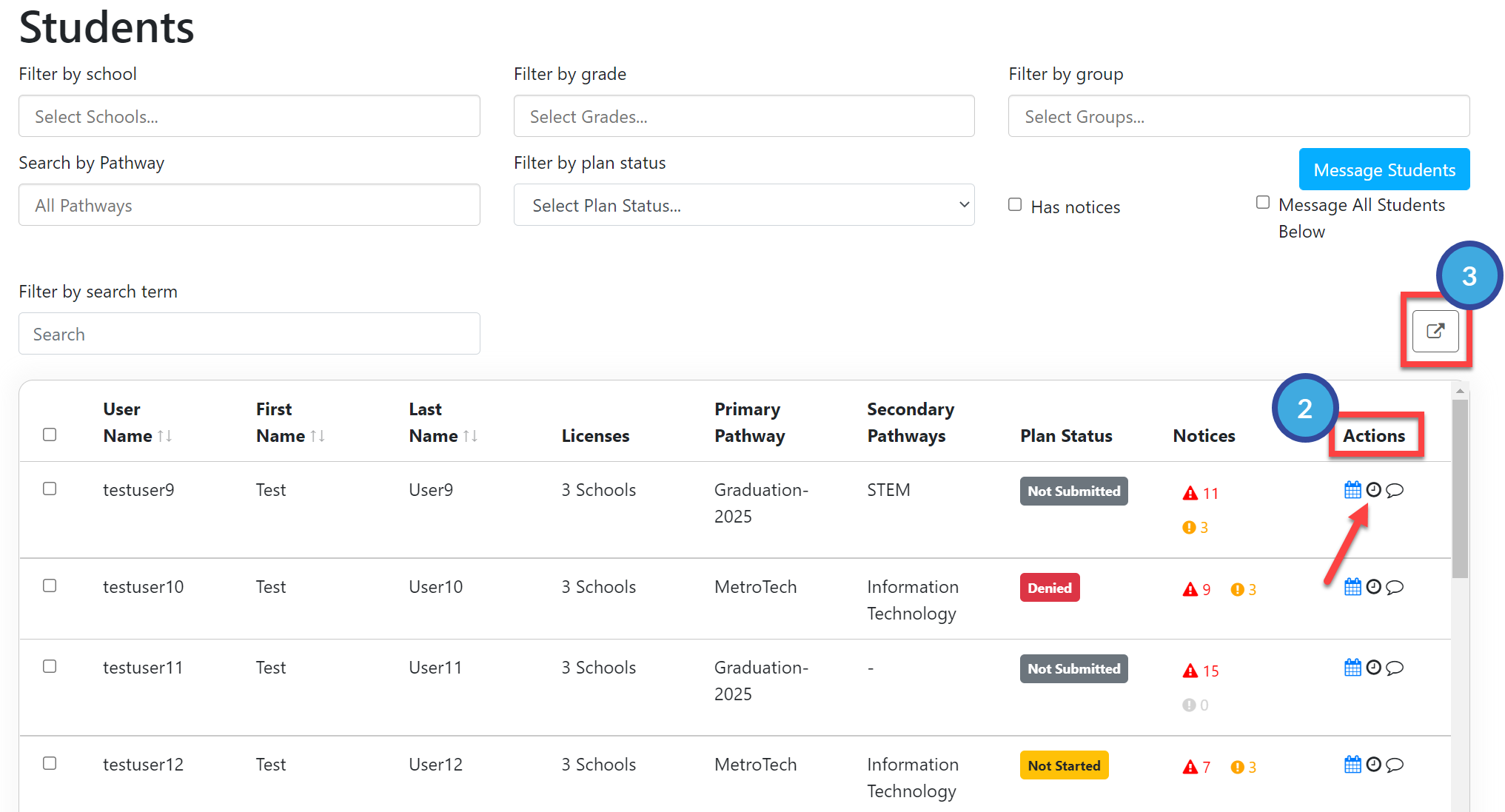
To the right of the desired student's name, under the Actions menu, select the clock icon.
Select the export icon on the upper right to export the Change Log to Excel.