Create Pathway Categories
This article provides an explanation of Categories and how to create a Pathway Category.
Last updated About 5 hours ago
Create Pathway Categories
You should think of Categories as containers for Pathways.
It is best to create Categories before creating Pathways.
You can have as many Categories as needed for a Pathway.
Categories can be used in multiple Pathways.
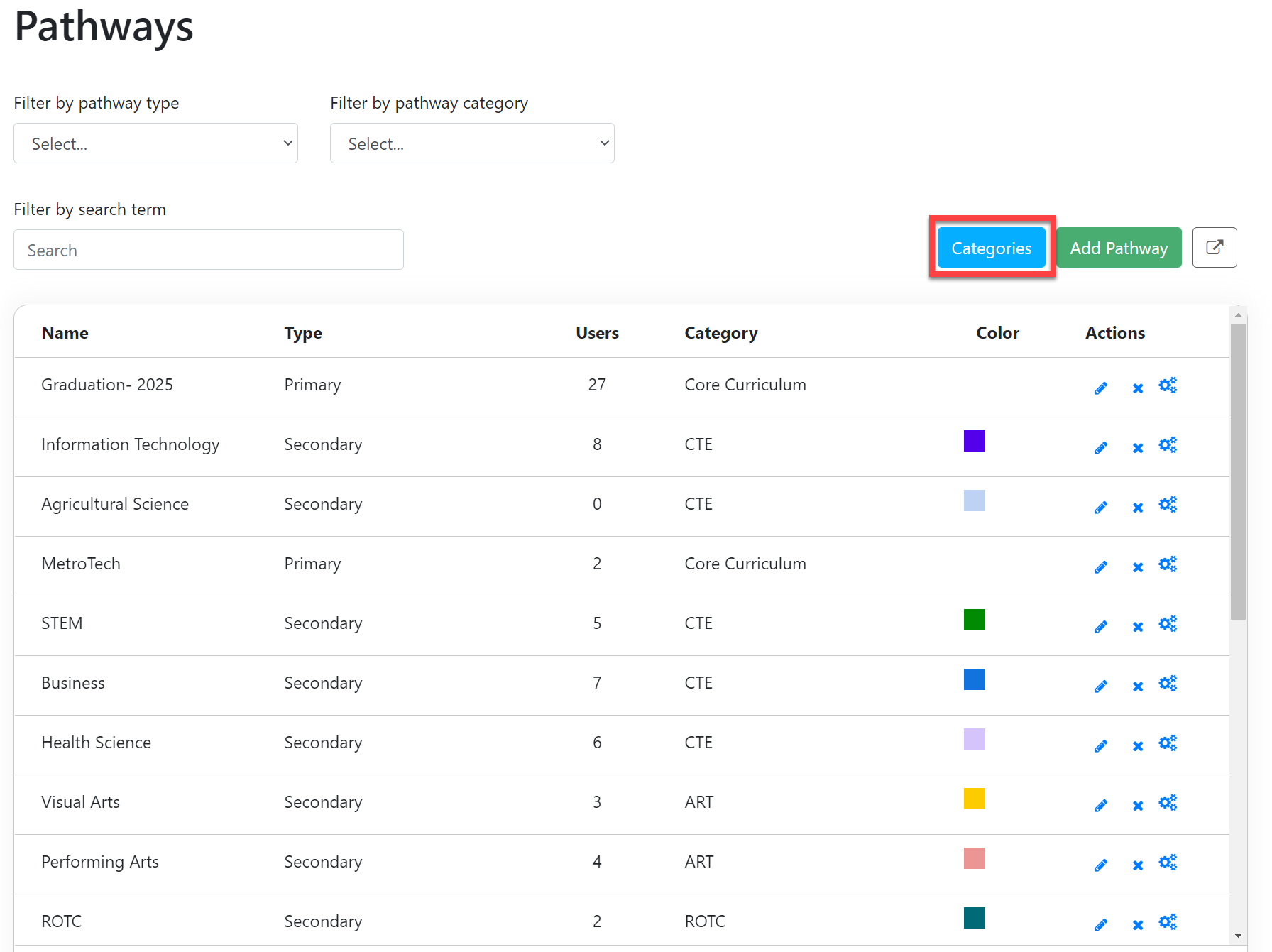
Example: The CTE Category may have Pathways related to Business, Nursing, STEM, etc.
Create a New Pathway Category
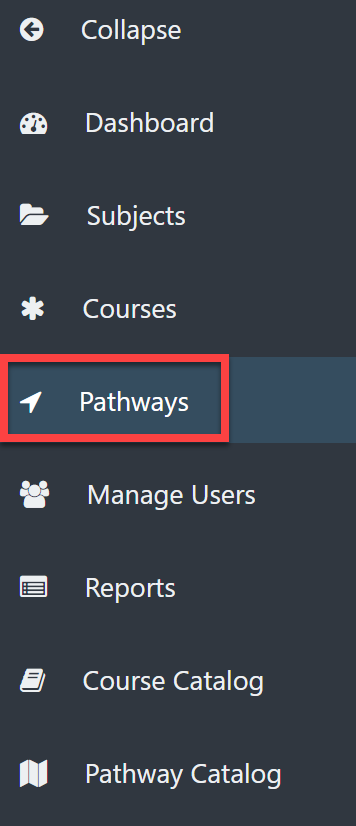
Select Pathways on the left menu.
Select the Categories button in the upper right.
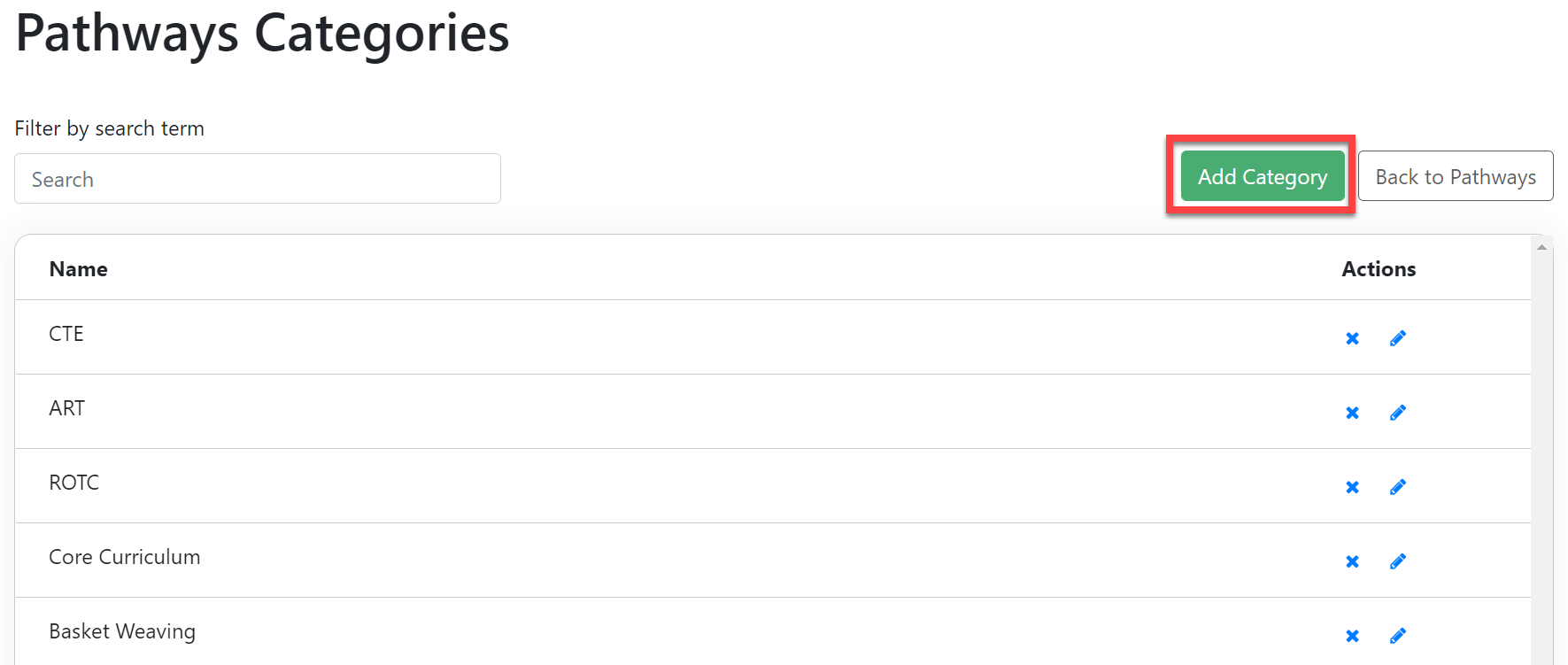
The Pathways Categories Page shows a list of all of the Categories you have created thus far.
Select Add Category to create new categories.
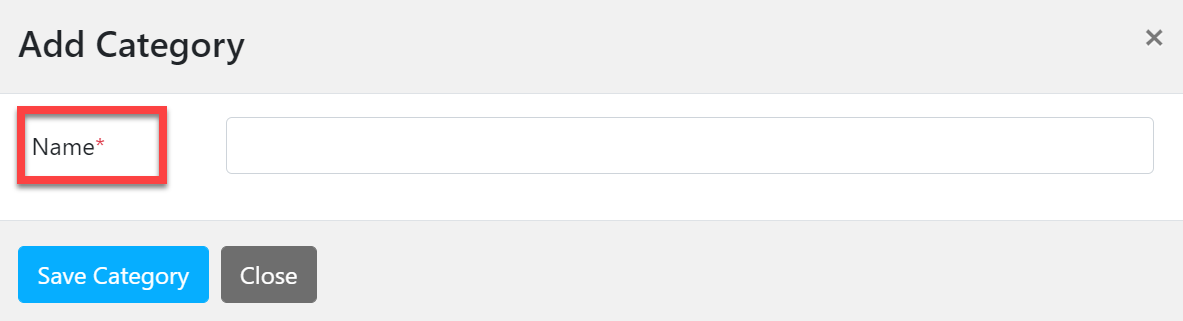
In the Add Category pop-out window:
Type the name of the Category.
Select Save Category.