Change Email Settings- School Level
This article explains how to change the Email settings for an individual school.
Last updated About 5 hours ago
Change Email Settings- School Level
Pathful Planner can email students when they have a notification from their counselor. Notifications can be direct messages to individual students, group messages to multiple students, or indicate a change in plan status.
Email settings automatically default to the district setting. However, this setting can be changed at the school level.School-level changes automatically override the district default setting.
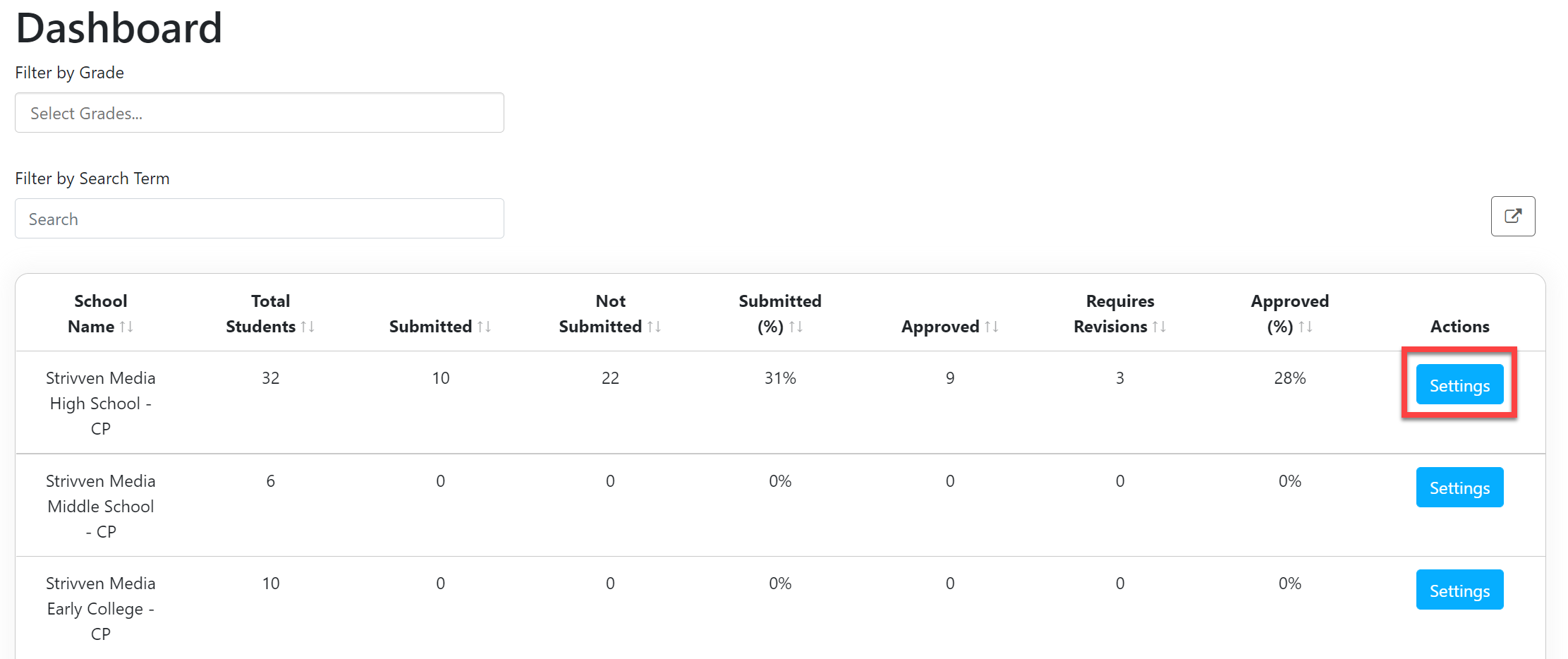
From the District Admin or School Admin Dashboard, select Settings.
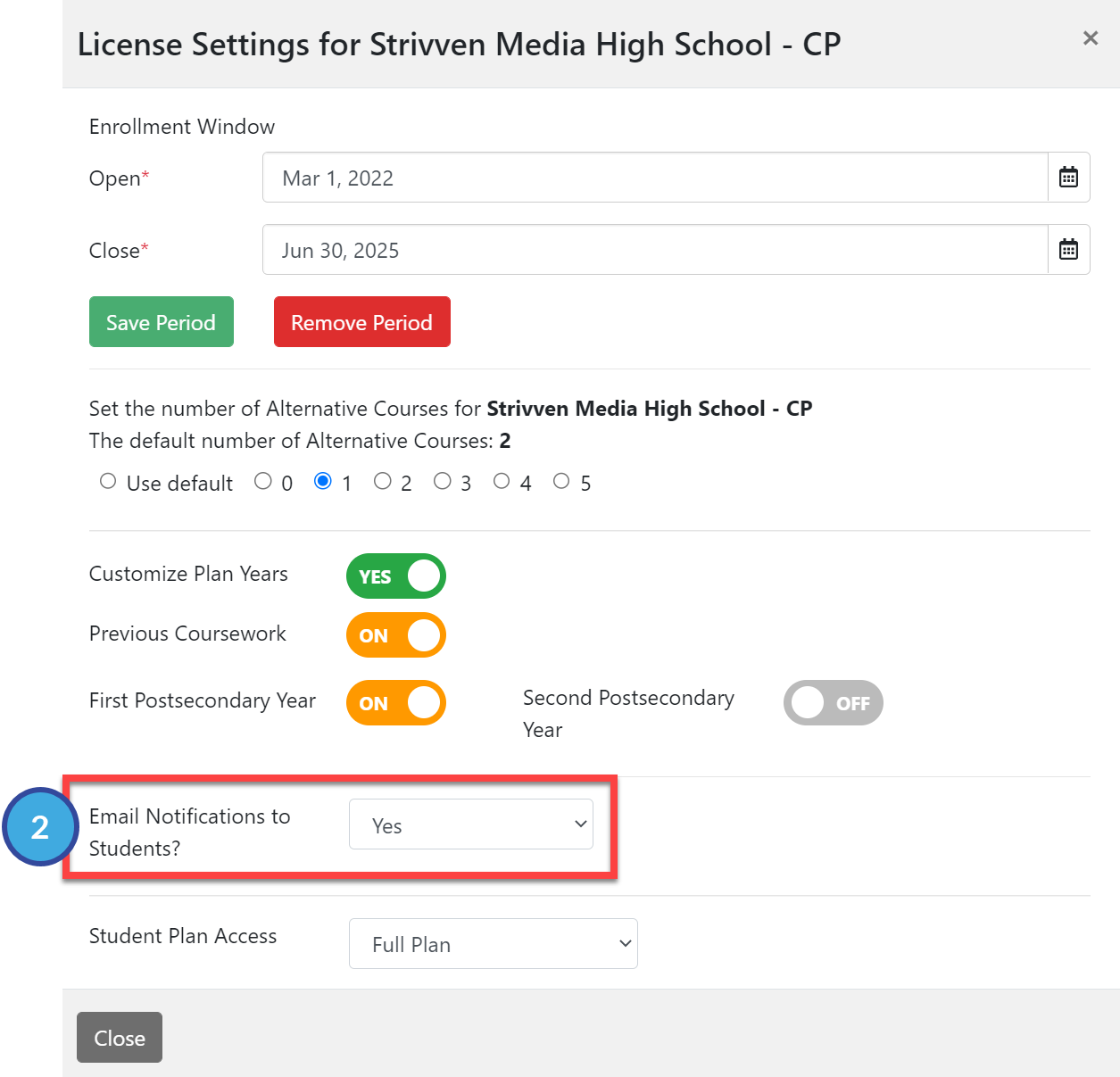
In the License Settings window, scroll down to the Email Notifications to Students section.
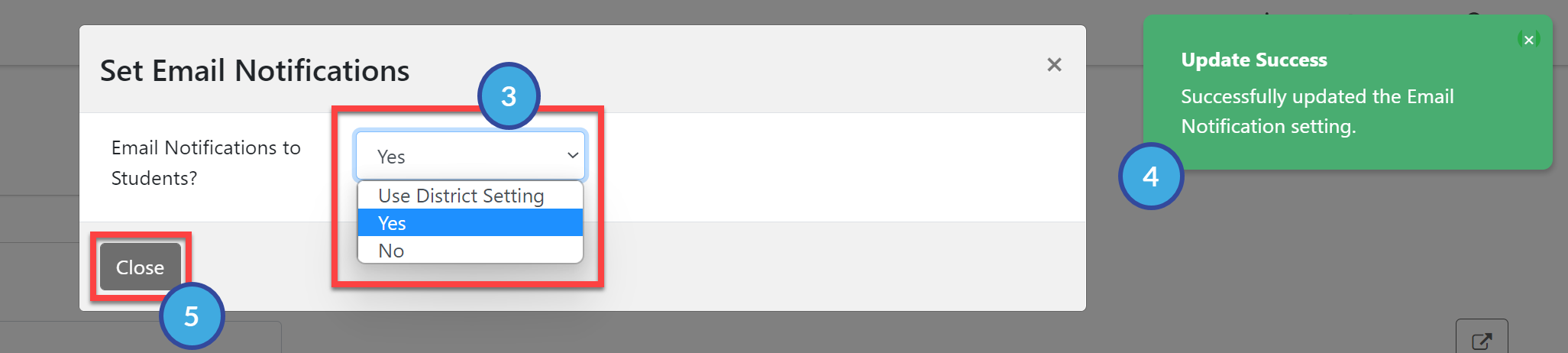
Select the desired option from the dropdown menu:
Use District Setting
Yes
No
Once you make a selection, you will get an Update Success confirmation.
Select Close to return to the Dashboard.