Overview of Pathways
This article provides an overview of Primary and Secondary Pathways and how to view and edit Pathways.
Last updated About 5 hours ago
Overview of Pathways
There are two types of Pathways: Primary and Secondary.
A Primary Pathway is typically all of the requirements needed for graduation.
A Secondary Pathway is a way to specialize in a particular area.
Pathways Page Overview
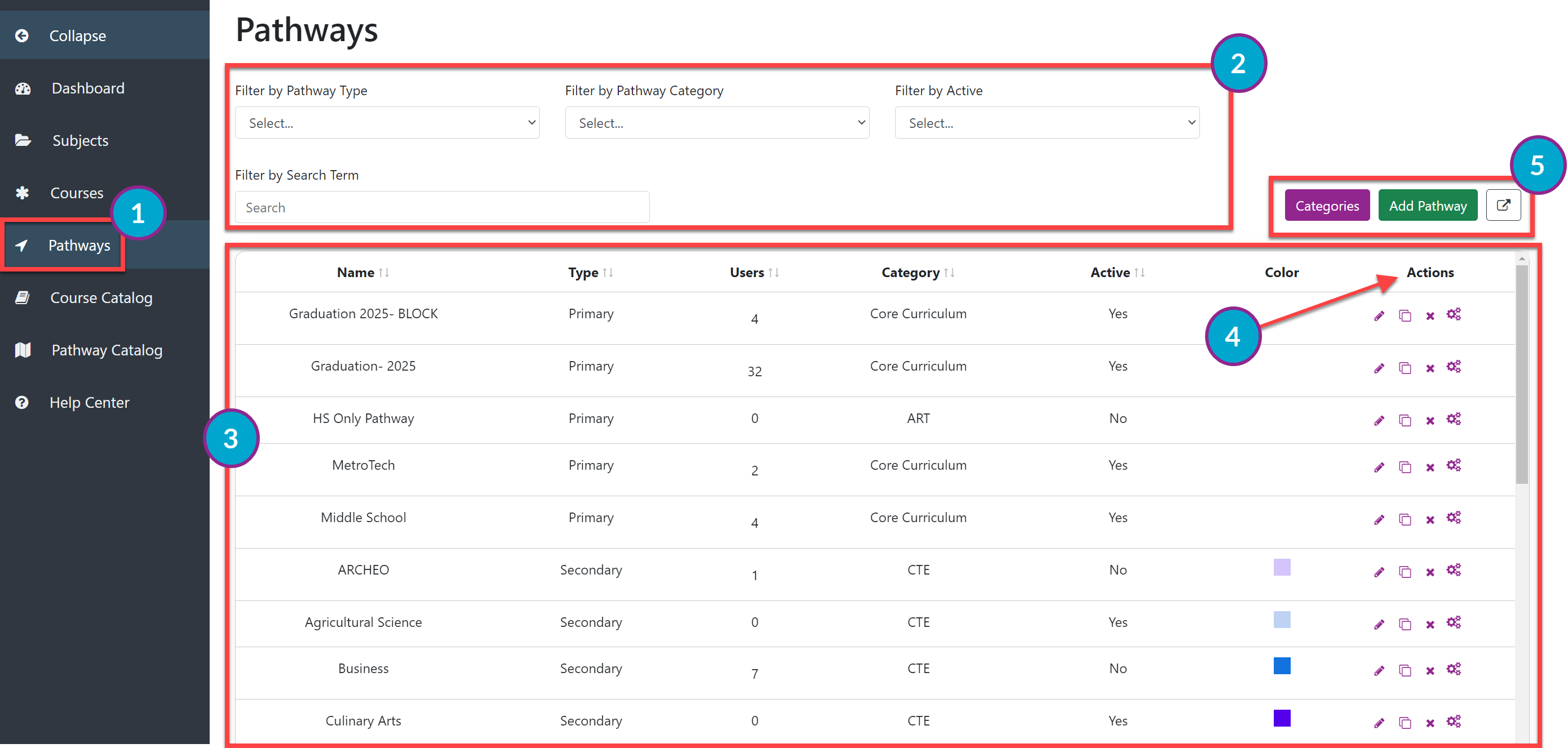
From the Dashboard, select Pathways on the left menu.
The Pathways page shows a list of all of the Primary and Secondary Pathways available in a district. You can filter the table by Pathway Type, Pathway Category or type directly into the Search box.
The table shows the following information:
Name of the Pathway
Type
Users- the number of users actively using that Pathway
Category
Active
Color coding (available on Secondary Pathways only)
The Actions column allows you to do the following:
Edit a Pathway's basic information (pencil icon).
Delete a Pathway ("x"). A Pathway cannot be deleted if a student is officially following it via an approved Plan.
Edit the actual Pathway (gear icon).
You can view Categories by selecting the Categories button.
You can also add a Pathway from this page by selecting the Add Pathway button.
To export data as it is filtered on the screen, click the export button in the upper right. The exported file can be downloaded and opened in Excel.