Set the Enrollment Window- School Level
This article explains how to set the Enrollment Window at the School level.
Last updated About 5 hours ago
Set the Enrollment Window- School Level
The Enrollment Window is the period when students can freely edit their Course Plans.
At times outside of the Enrollment Window, students can still access the Course and Pathway Catalogs, but they cannot edit their Course Plan.
The Enrollment Window dates default to the District setting but can be changed at the school level. The School setting will override the District setting.
NOTE: Counselors are NOT bound by the Enrollment Window. Counselors can freely edit and submit student Plans as needed.
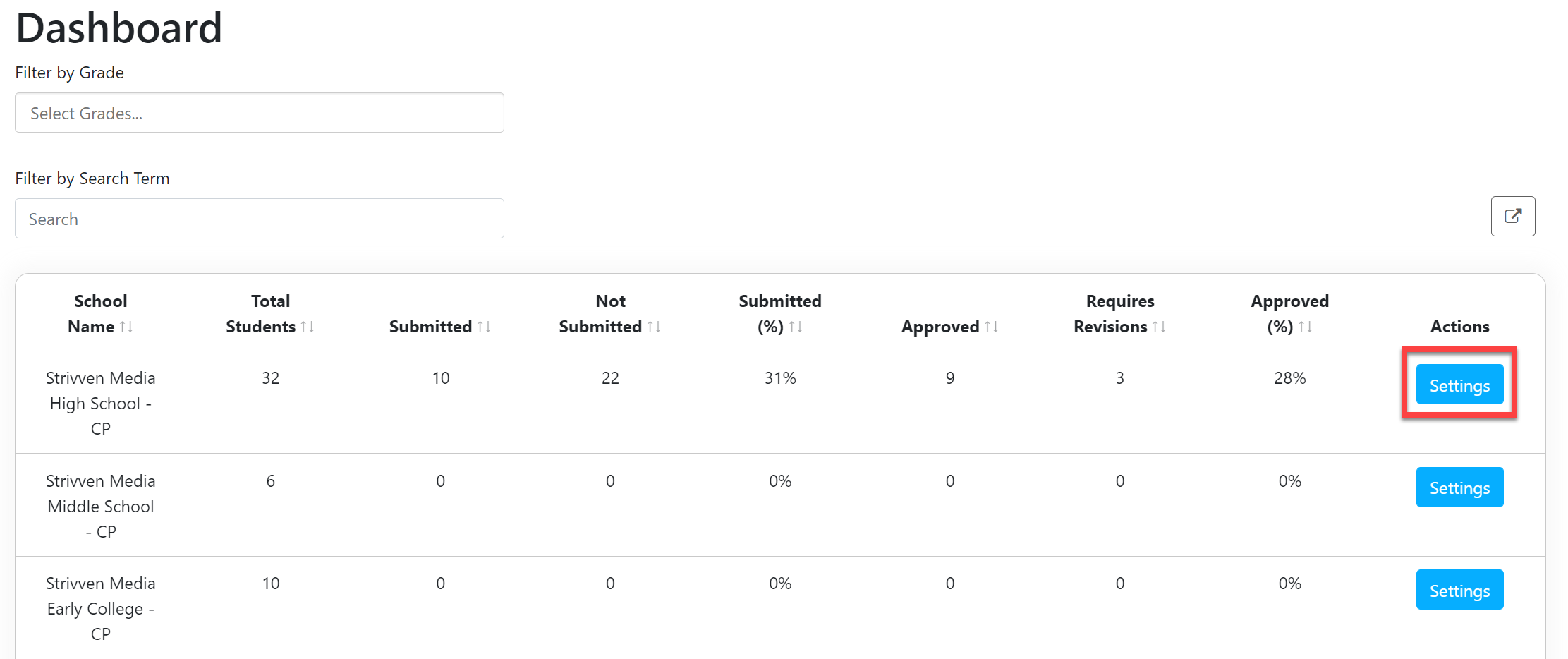
From the School Admin Dashboard, select Settings.
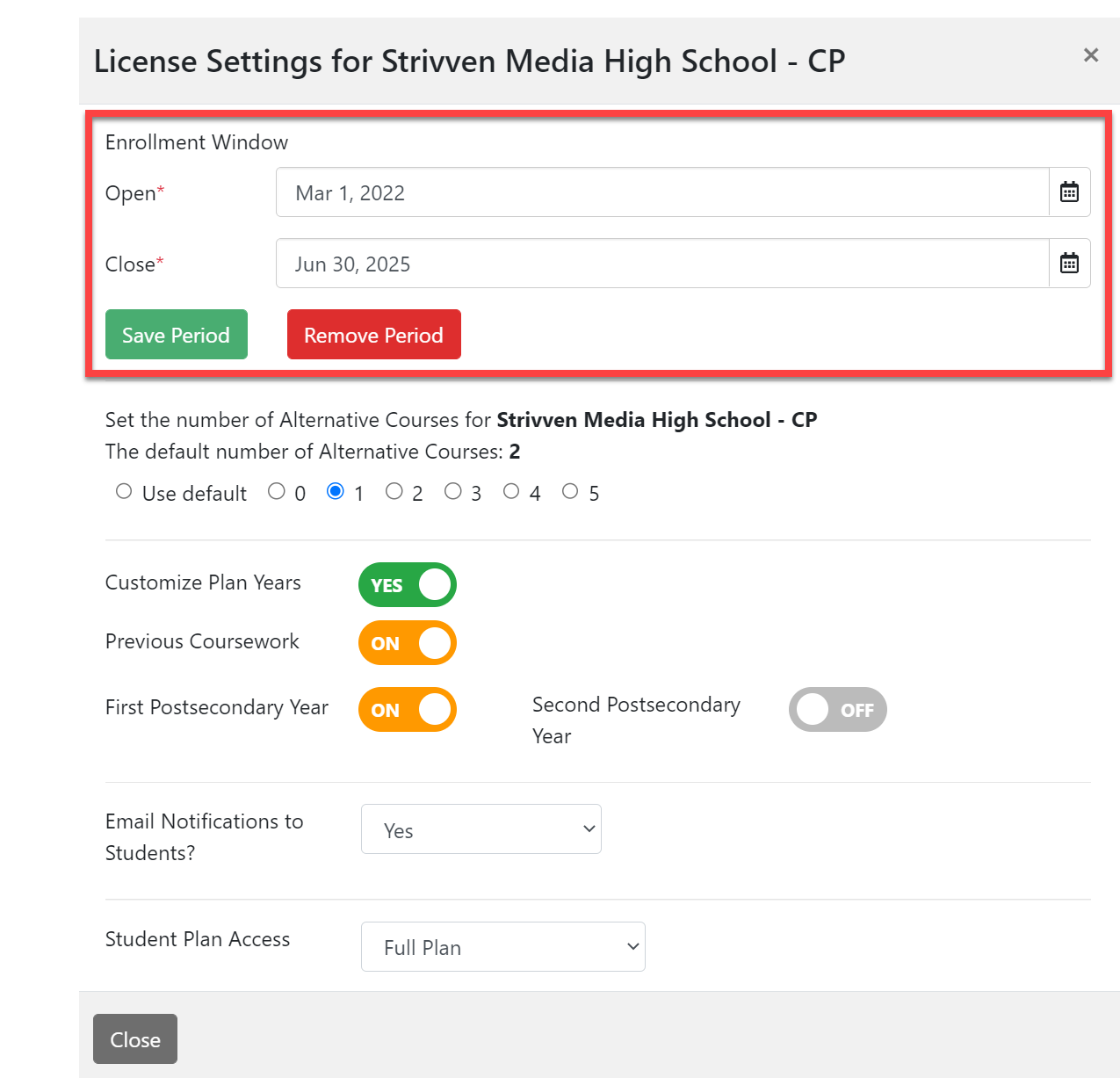
In the License Setting window, scroll down to the Enrollment Window section.
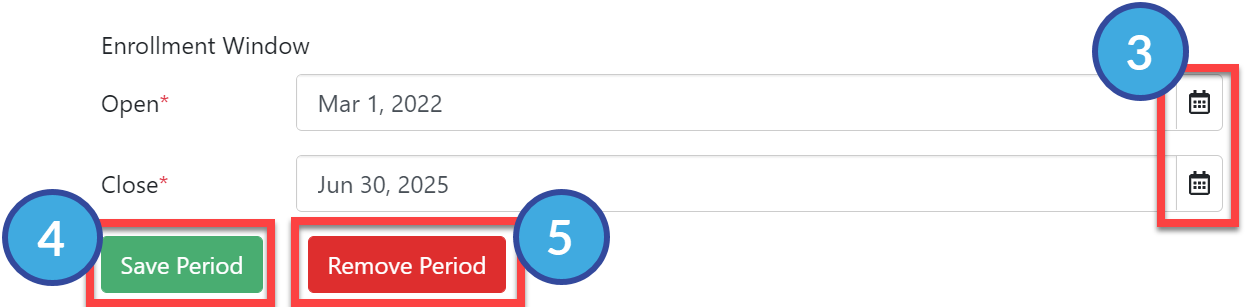
Select the desired dates using the calendar icon buttons.
Select Save Period.
To Remove an existing Enrollment window, select Remove Period.NOTE: your changes are immediate and will be enforced the next time students log in to Course Planner.