Delete an Instance
Remove an Instance from an Experience.
Last updated 4 months ago
Delete an Instance from an Experience
Experiences refer to the type of experience.
Instances are hours you want to log to an Experience.
Reflections allow you to explain what you learned from a particular Instance or the overall Experience.
From the My Tracker menu, select My Experiences.

From your dashboard, open the desired Experience by clicking on it.
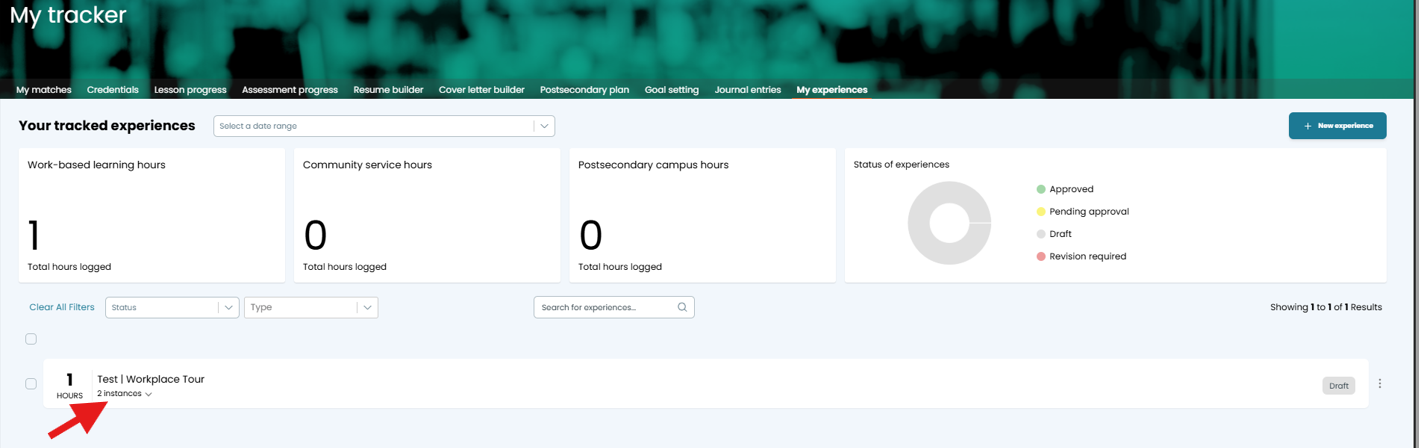
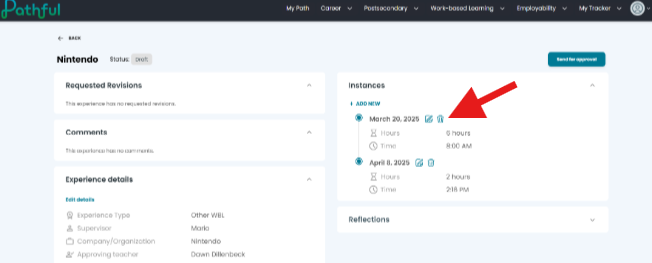
Select the Delete icon (trash can) next to the Instance you want to remove.
In the confirmation popup, select Yes, Delete It.
Select Cancel to return to the Experience without deleting the Instance.
Was this helpful?
Still need help? Ask the team