Google - How to Verify Application Settings
Last updated 4 months ago
Google - How to Verify Application Settings
This article will describe how to navigate to the VirtualJobShadow.com application, and verify the settings.
Step 1: Go to Google Workspace (G-Suite) and Login. https://workspace.google.com/
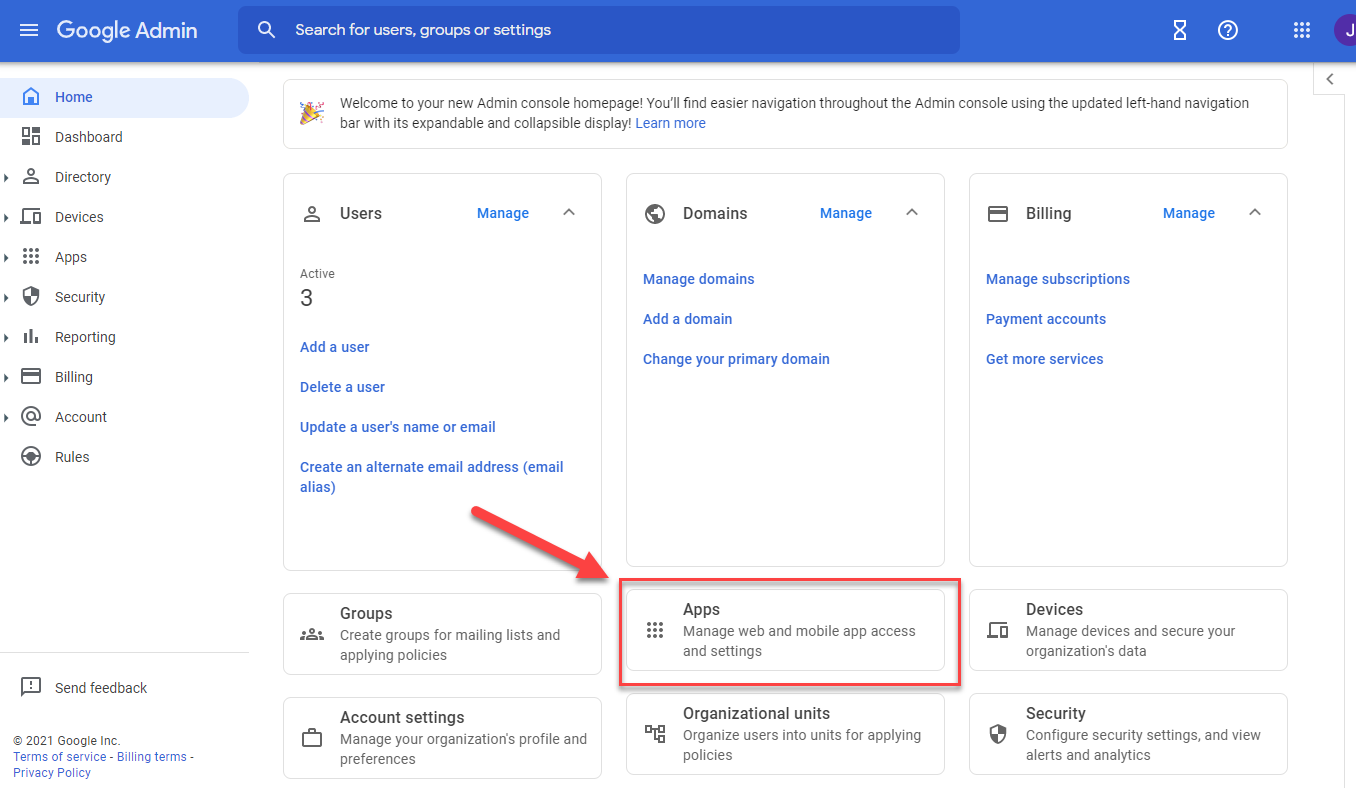
Step 2: Navigate to Apps, on the dashboard.
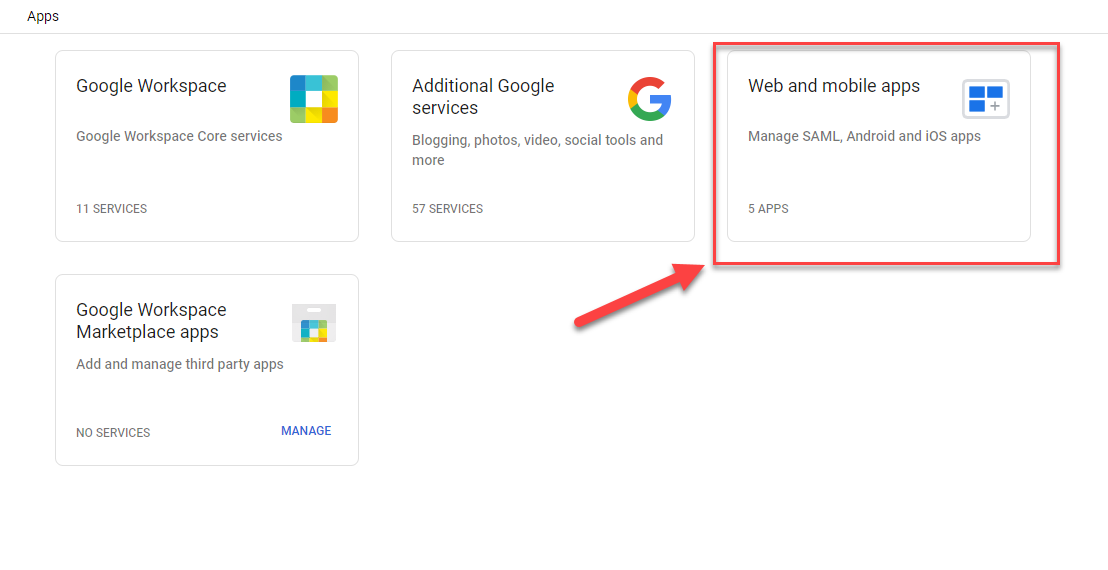
Step 3: Navigate to Web and Mobile Apps. (If using the old system, it would say Custom SAML Apps)
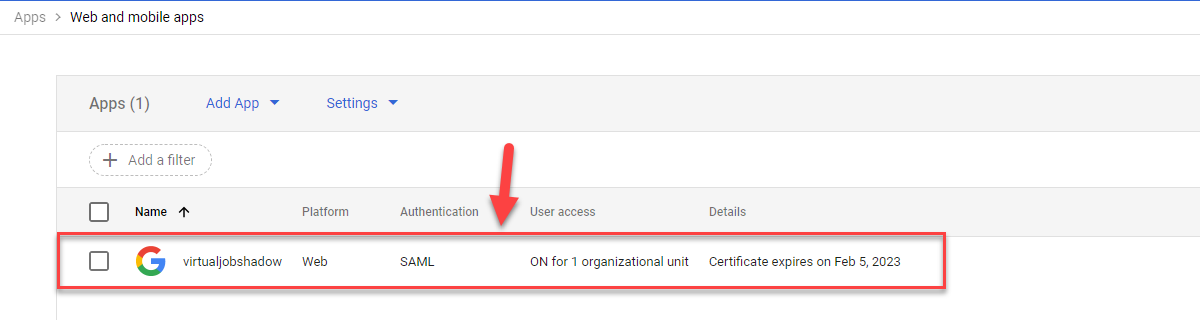
Step 4: Find the VirtualJobShadow.com application in the list, and click on the application.
Step 5: Click on Service Provider Details.
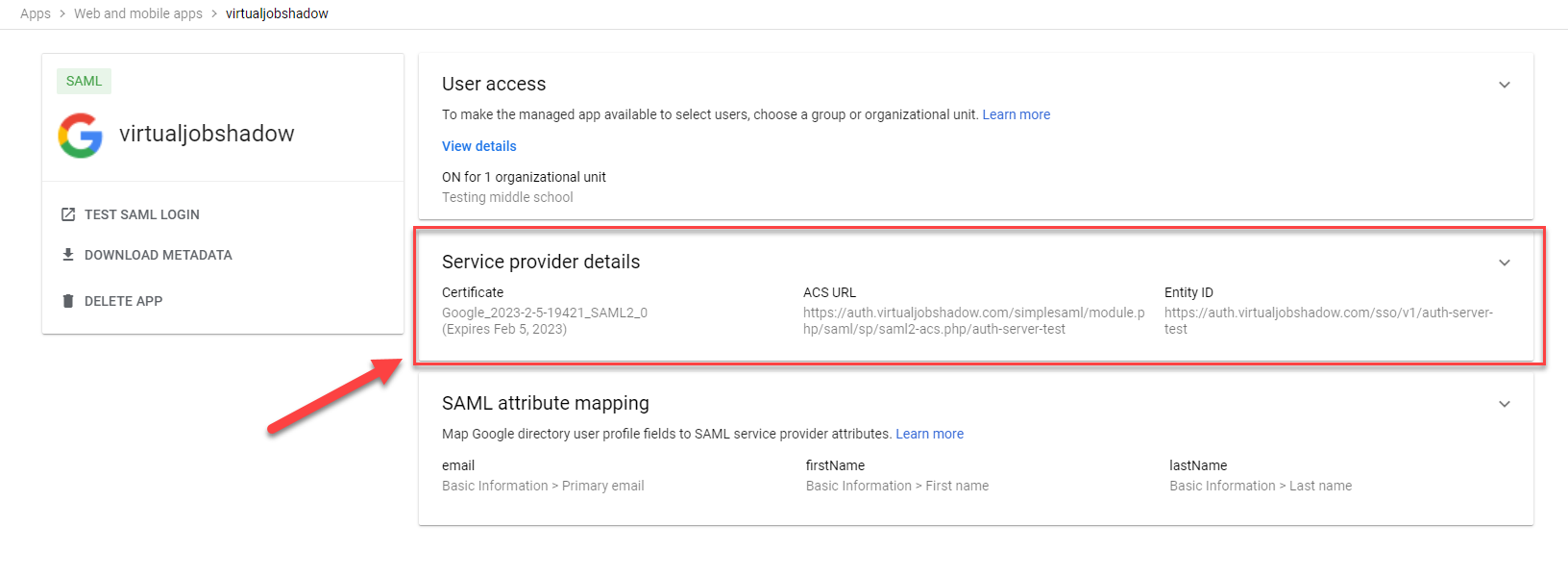
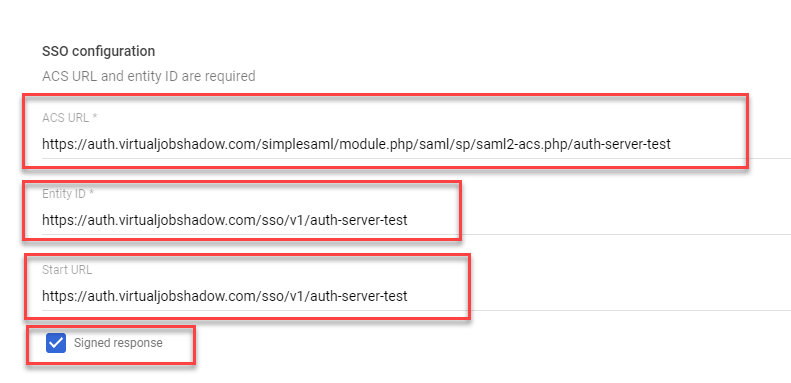
Step 6: Verify the SSO Configuration settings are correct. Here are some common issues to look for.
URL's have spaces at the end, beginning or in the middle. If the Entity ID, ACS URL, or Start URL have rogue spaces or extra characters, it will fail to recognize the application.
The Signed response checkbox is unchecked. Our end of the application is expecting the response to be signed. If unchecked, it could cause issues with signing in.
The ACS URL and the Entity ID have been switched. The Entity ID and the Start URL should be the same, and the ACS URL is the longer of the URL's.
Was this helpful?
Still need help? Ask the team