Duplicate an Experience
This article explains how to duplicate experiences quickly and save time.
Last updated 4 months ago
Duplicate an Experience
Experiences refer to the type of experience.
Instances are hours you want to log to an Experience.
Reflections allow you to explain what you learned from a particular Instance or the overall Experience.
From the My Tracker menu, select My Experiences.

Select the ellipses (3 vertical dots) to the right of the desired experience.
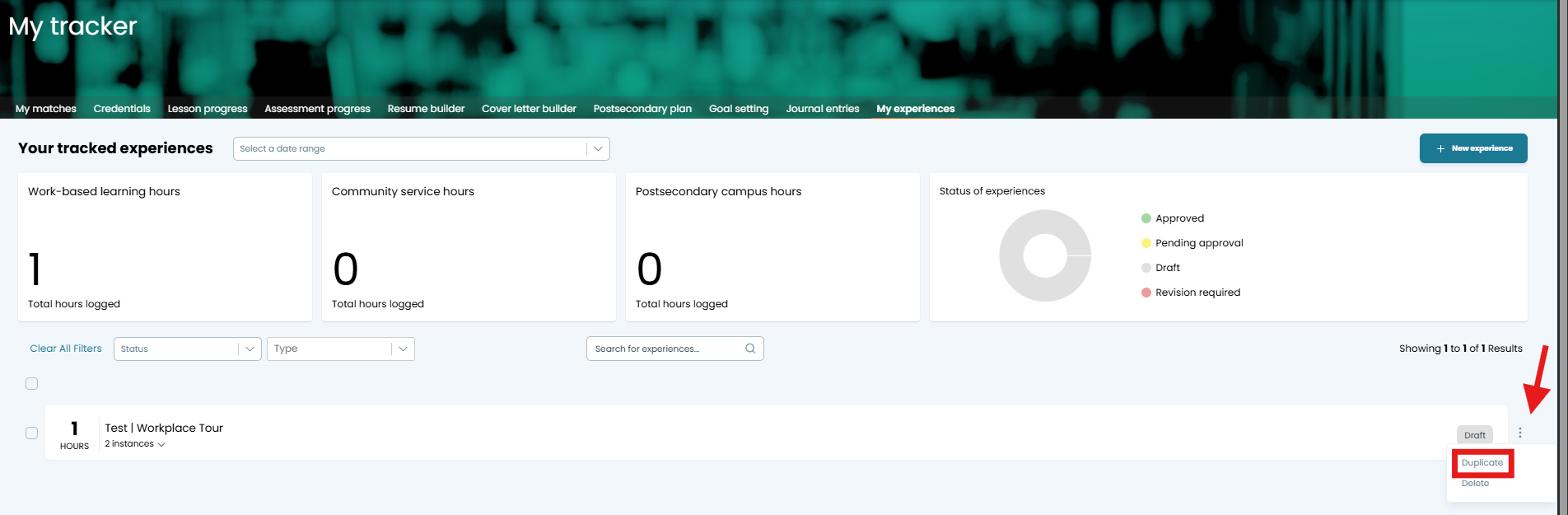
Select Duplicate. You will see a confirmation popup.
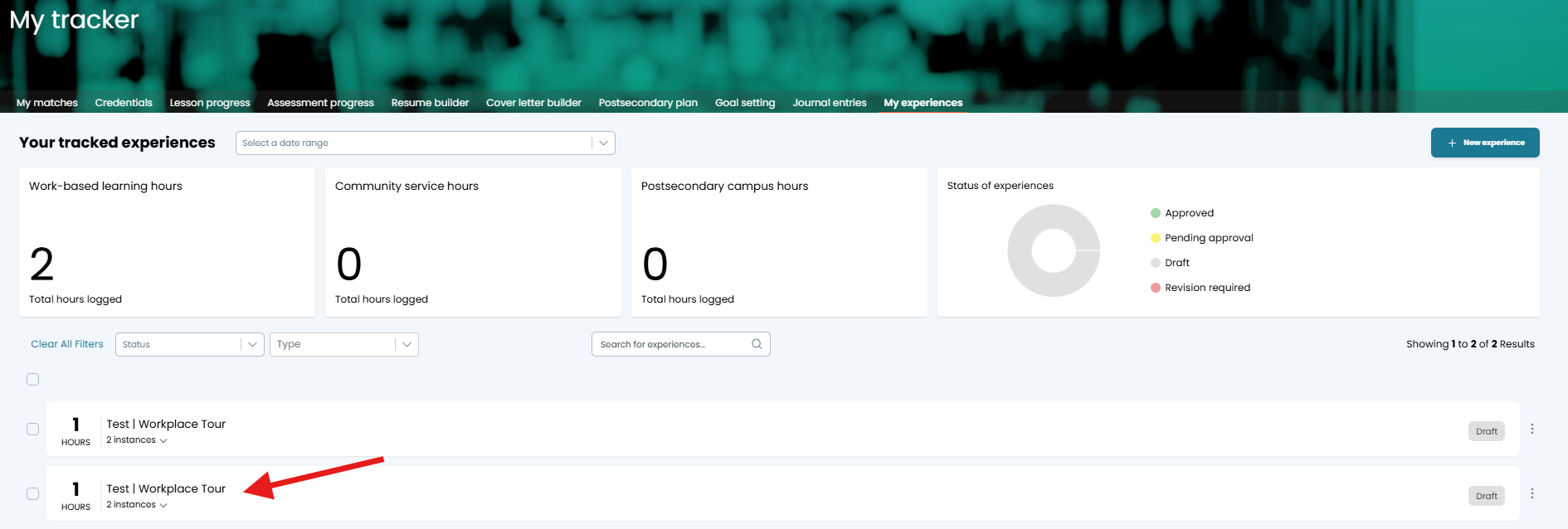
The new experience is added to the bottom of the list of Experiences on your dashboard.NOTE: When you duplicate an Experience, any Instances associated with that Experience are also duplicated.
Was this helpful?
Still need help? Ask the team