Moodle - Setting up LTI External Tool
Last updated About 2 months ago
Moodle - Setting up LTI External Tool
Below are the steps for setting up an LTI External tool, which can be used for creating links to login to our application.
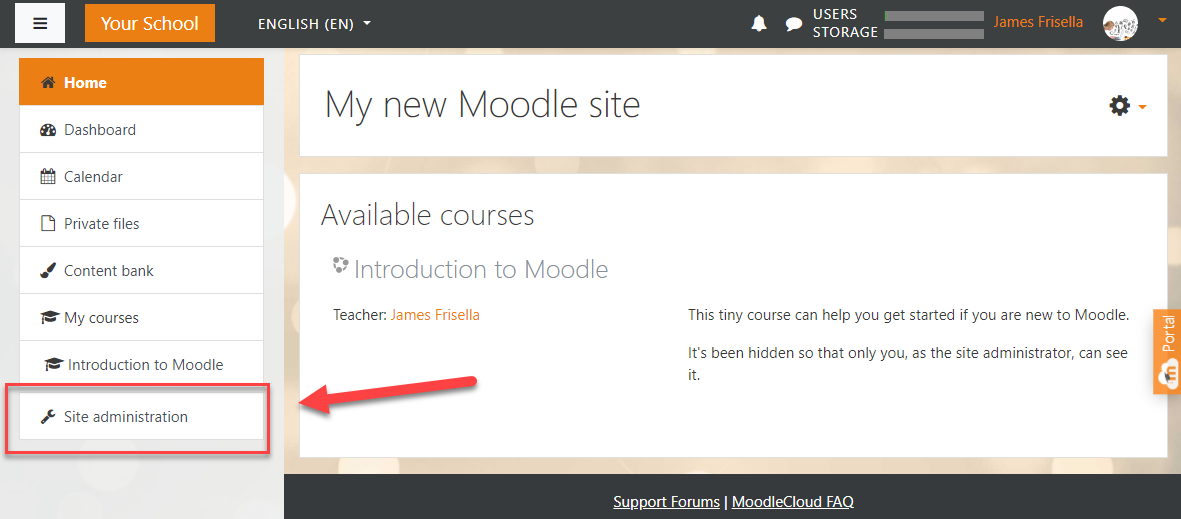
Step 1: Go To Site Administration in your Moodle platform.
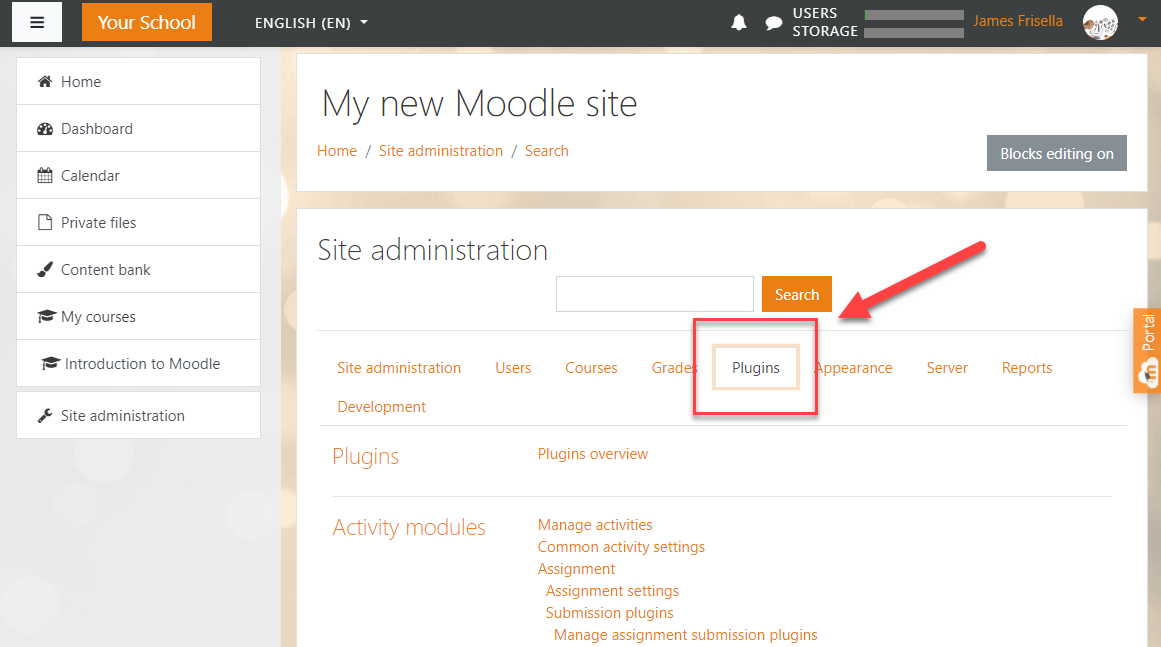
Step 2: Choose Plugins from the available tabs.
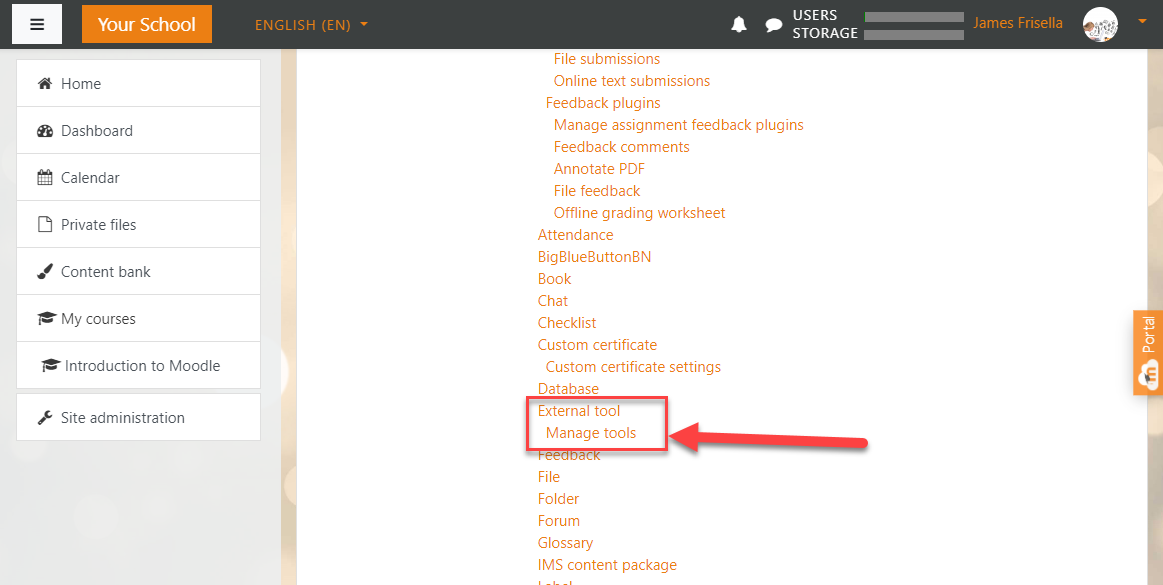
Step 3: Scroll down to External Tool >> Manage Tools. Click on Manage Tools.
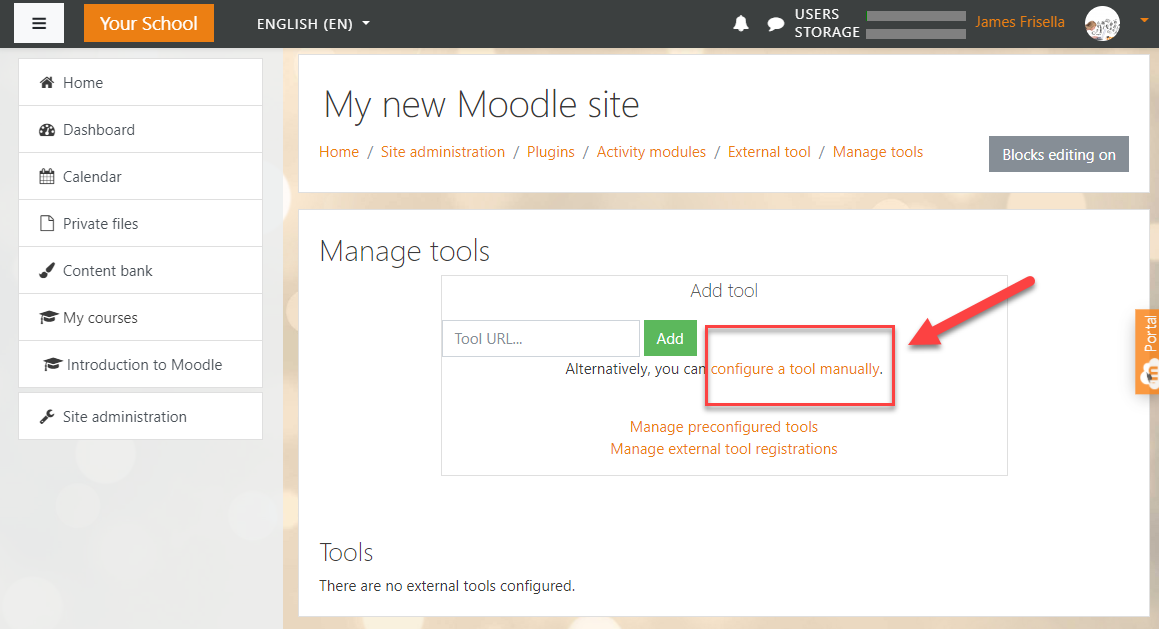
Step 4: Click on Configure a tool manually.
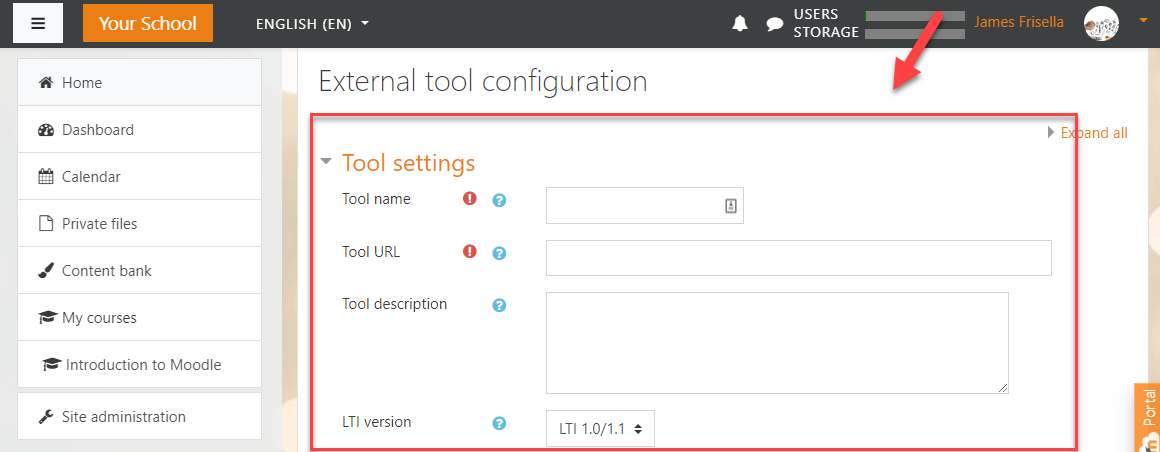
Step 5: Fill out the fields for the External Tool. The important settings and their values are listed below.
Tool Settings
Tool Name = VirtualJobShadow.com
Tool URL = Provided by representative
LTI version = LTI 1.0/1.1
Consumer Key = Provided by representative
Shared Secret = Provided by representative
Default Launch container = New window
Tool Settings - see more
Icon URL = https://virtualjobshadow.s3.amazonaws.com/vjs-logo-nbg.png
Secure Icon URL = https://virtualjobshadow.s3.amazonaws.com/vjs-logo-nbg.png
Privacy
Share launcher's name with tool = always
Share launcher's email with tool = always
You are finished setting up an external tool.
CLICK HERE are instructions on adding a link to your Moodle instance.
Was this helpful?
Still need help? Ask the team