Canvas - Disabling Course Navigation Placement
Last updated About 2 months ago
Canvas - Disabling Course Navigation Placement
Below are the steps for disabling the course navigation placement.
Step 1: Login to Canvas and navigate to the course you would like to edit the placement.
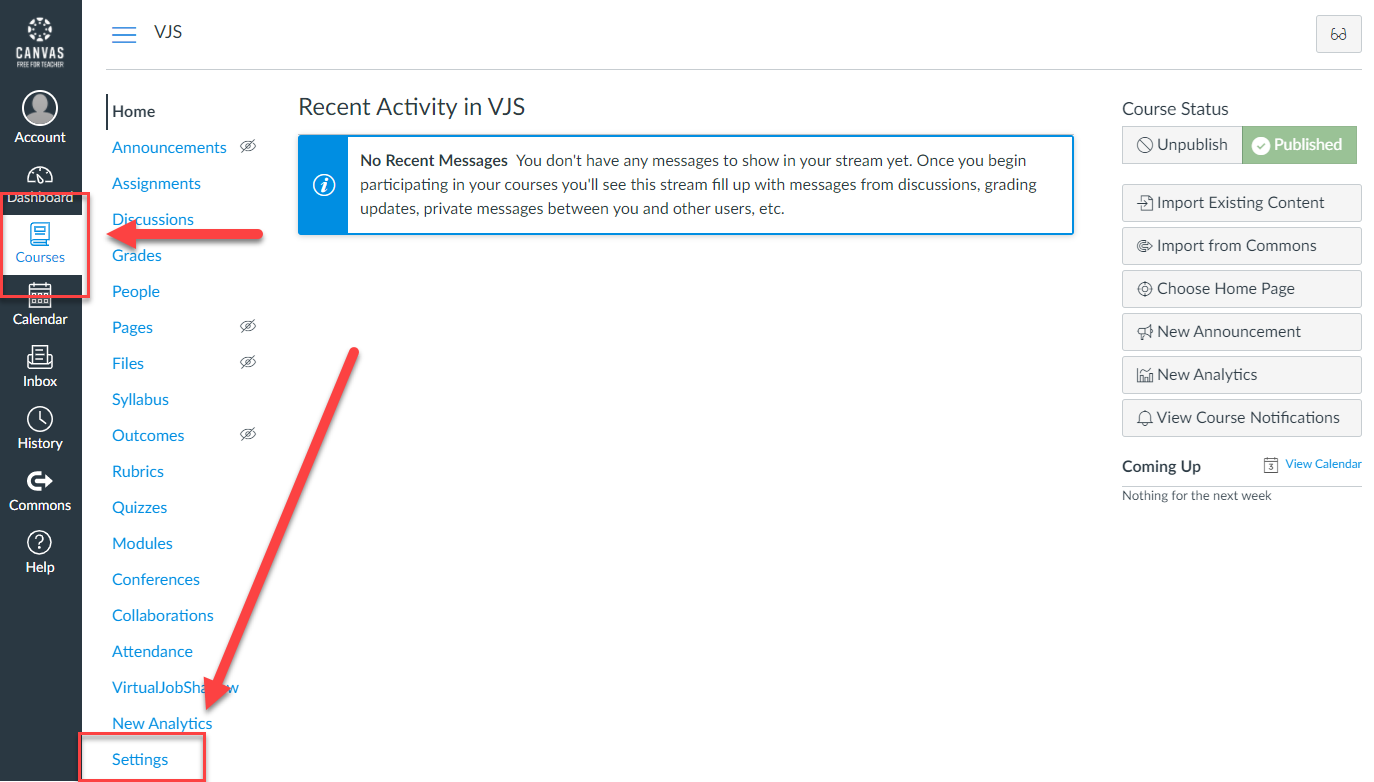
Step 2: When on the course, navigate to the Settings section.
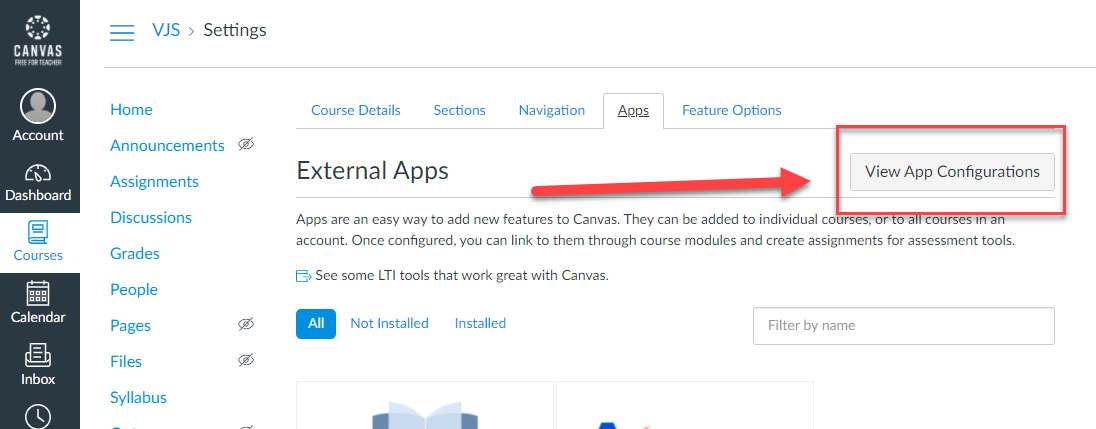
Step 3: Navigate to the Apps tab.

Step 4: Click on View App Configurations.
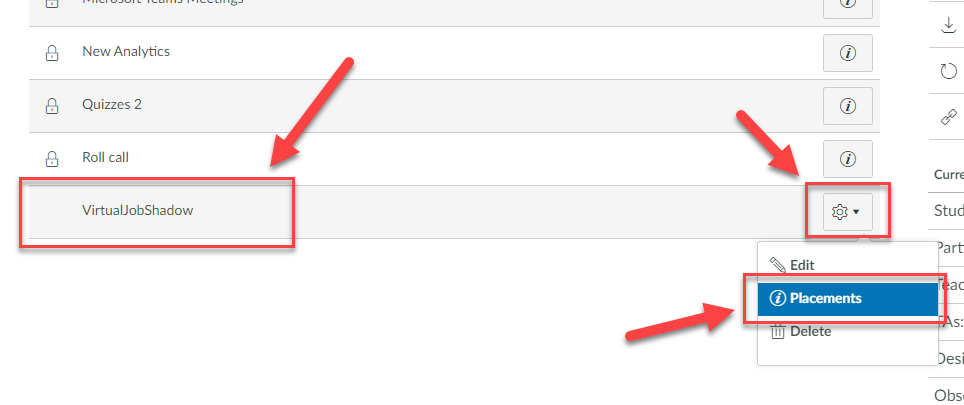
Step 5: Scroll down to the VirtualJobShadow application, click the gear icon on the right, and choose Placements.
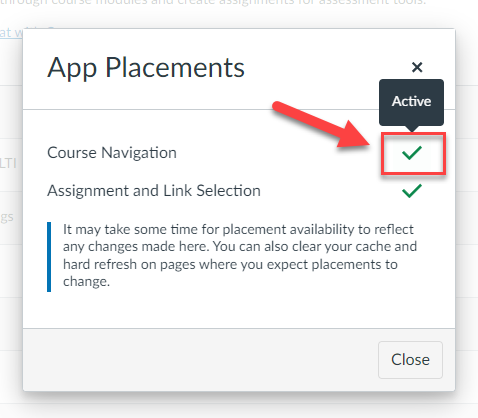
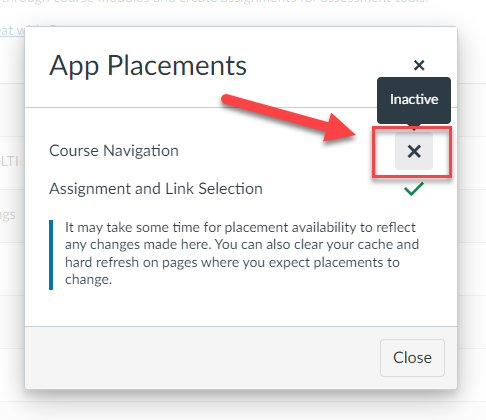
Step 6: Click on the Course Navigation checkmark to change the navigation from Active to Inactive.
Was this helpful?
Still need help? Ask the team