Complete an Assignment
Locate, complete, and submit an assignment.
Last updated About 2 months ago
Complete an Assignment
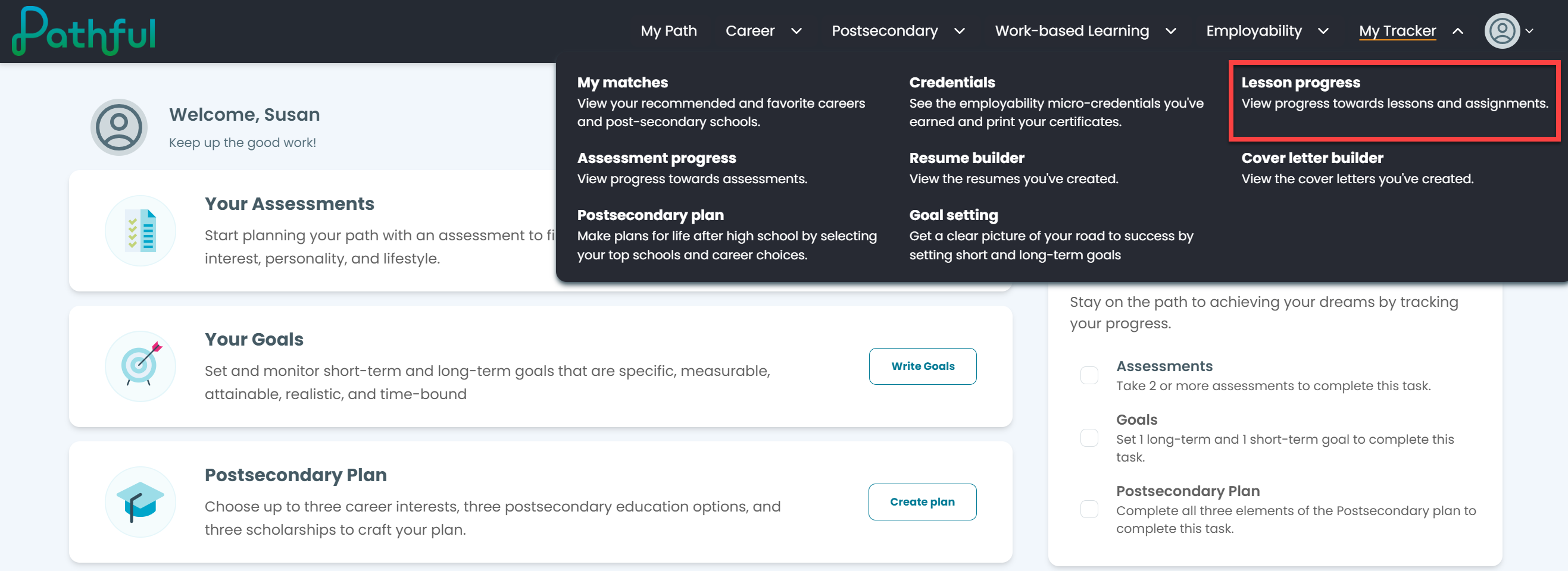
Assignments can be found on the dashboard when you sign in or by going to My Tracker.
From the My Tracker drop-down menu, select Lesson Progress.
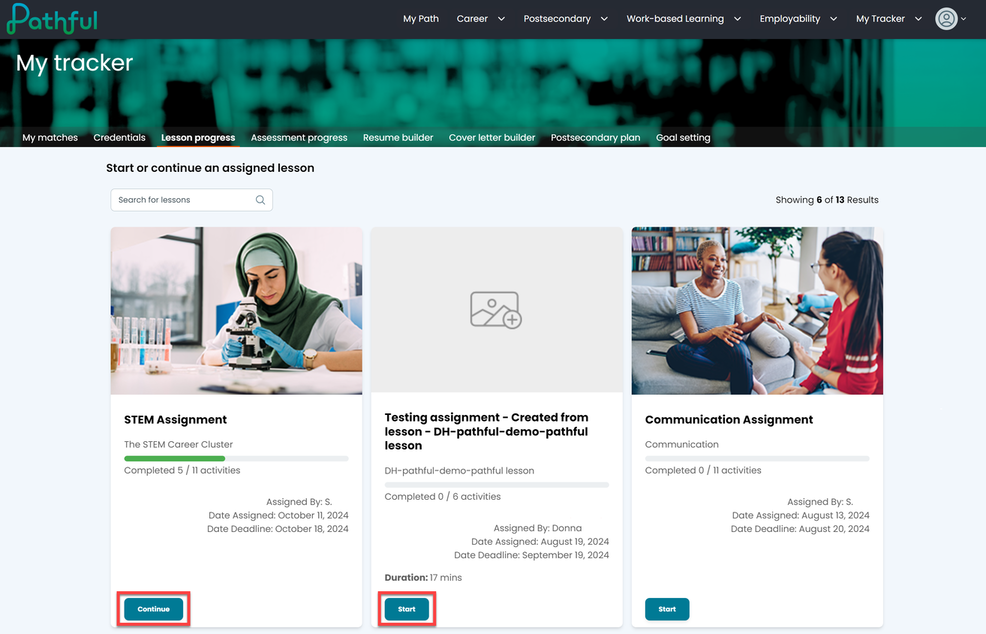
Locate the desired assignment.
Select Start or Continue.
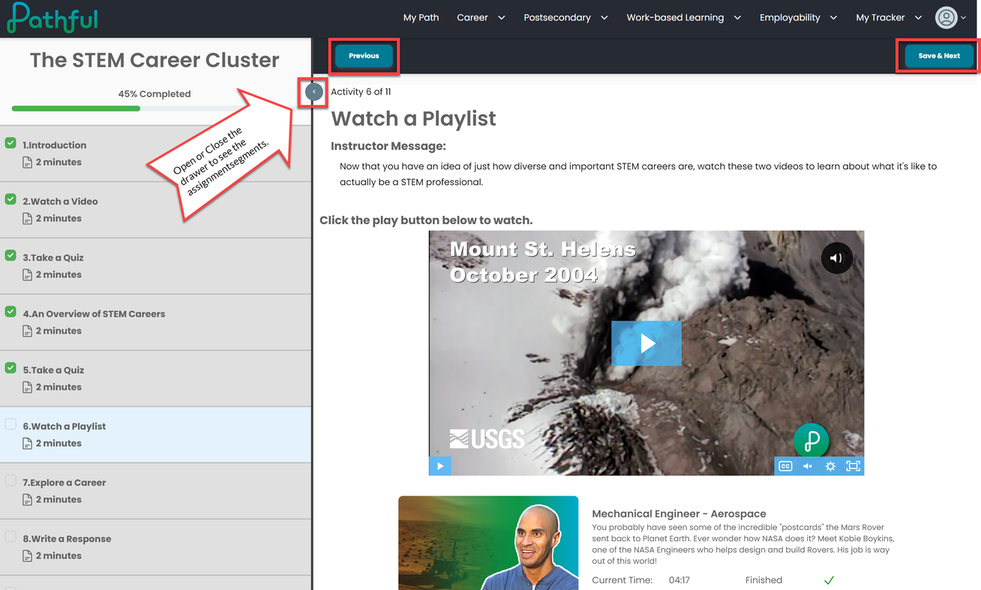
Once in the Assignment, use the Save & Next button to progress through each segment.
The Previous button allows you to return to a previously completed segment in the assignment.
Select the arrow on the right to open the contents drawer. This allows you to see all of the assignment segments.
When you have completed the assignment, select Submit assignment.
Was this helpful?
Still need help? Ask the team