Log in Process
A step-by-step guide for how to log in to Pathful.
Last updated About 2 months ago
Log in Process
Type the name of your school or organization in the search box.
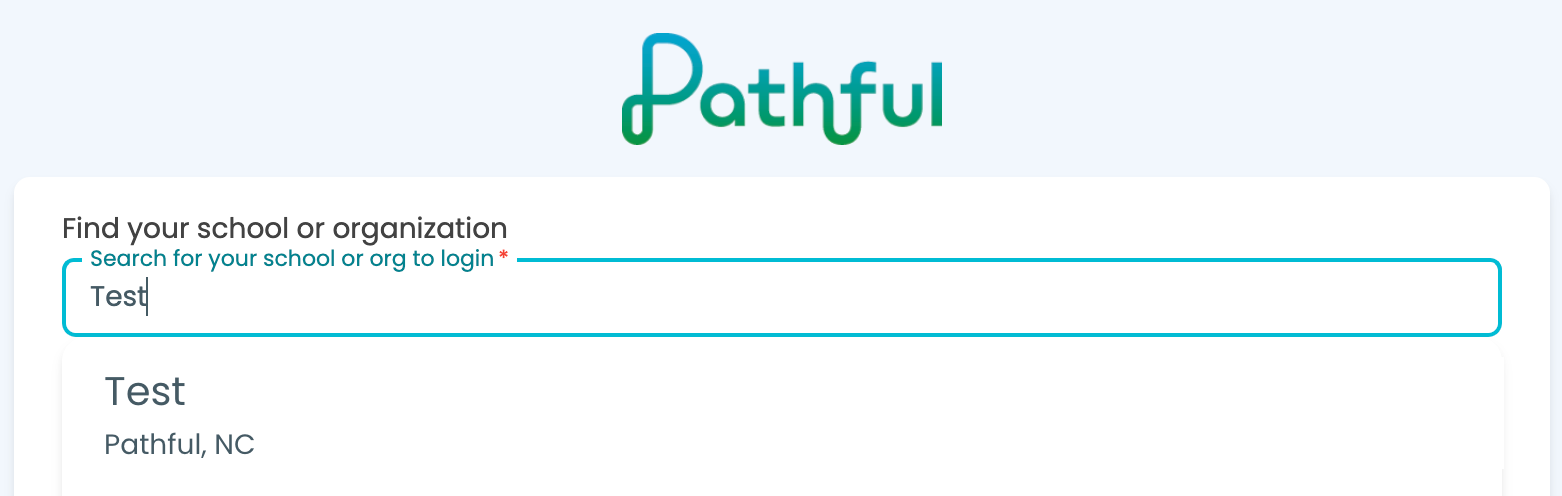
Select your school or organization from the drop-down list.
If you have a username and password you will enter it in the corresponding boxes.
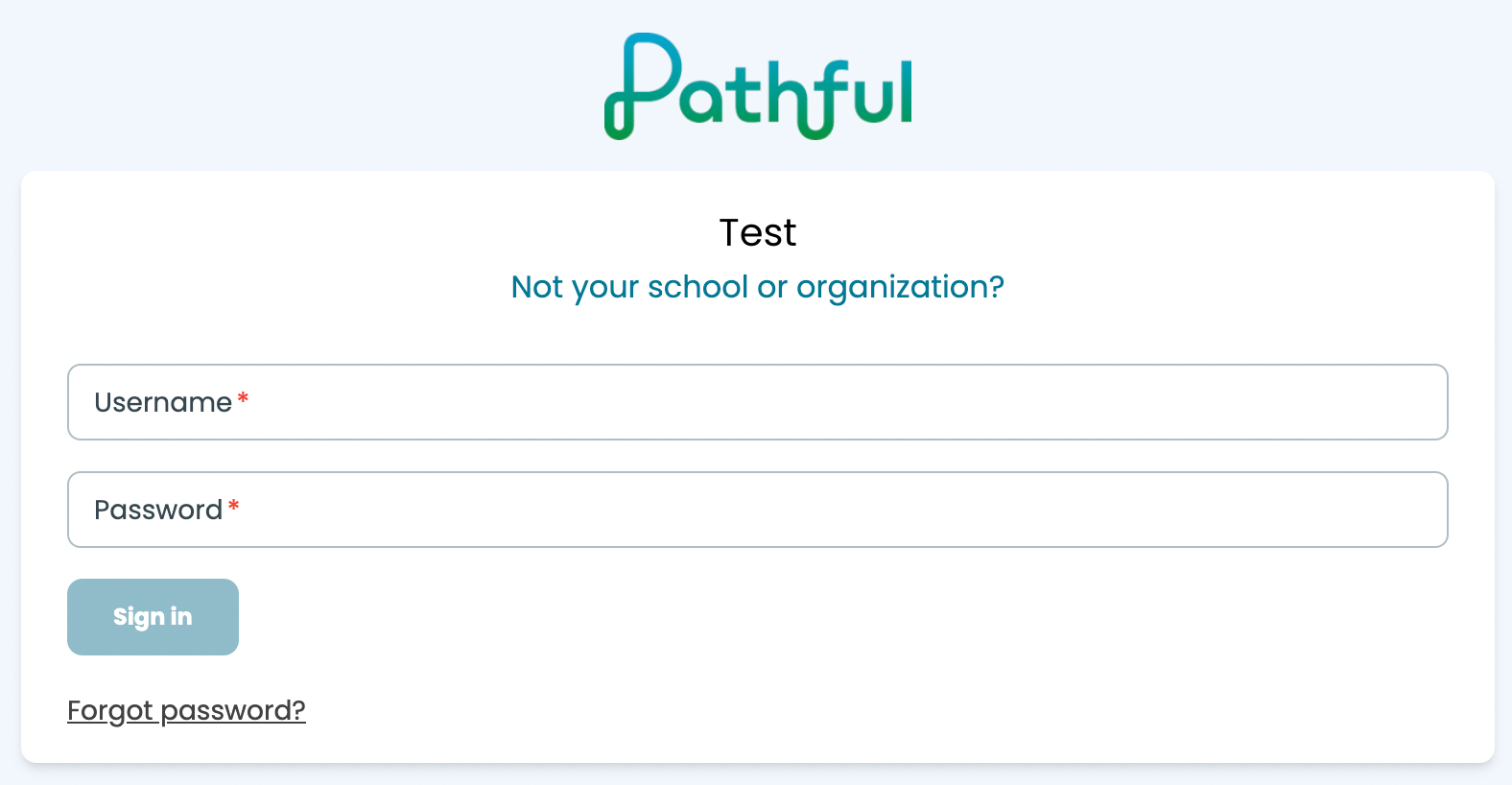
If your school uses a Single-Sign On (SSO) option you will login via that particular service (Clever, ClassLink, etc.), search for the Pathful logo as seen below on your dashboard and click to add or launch the program. Note: If you do not see the Pathful icon please reach out to your educator or school administrator.

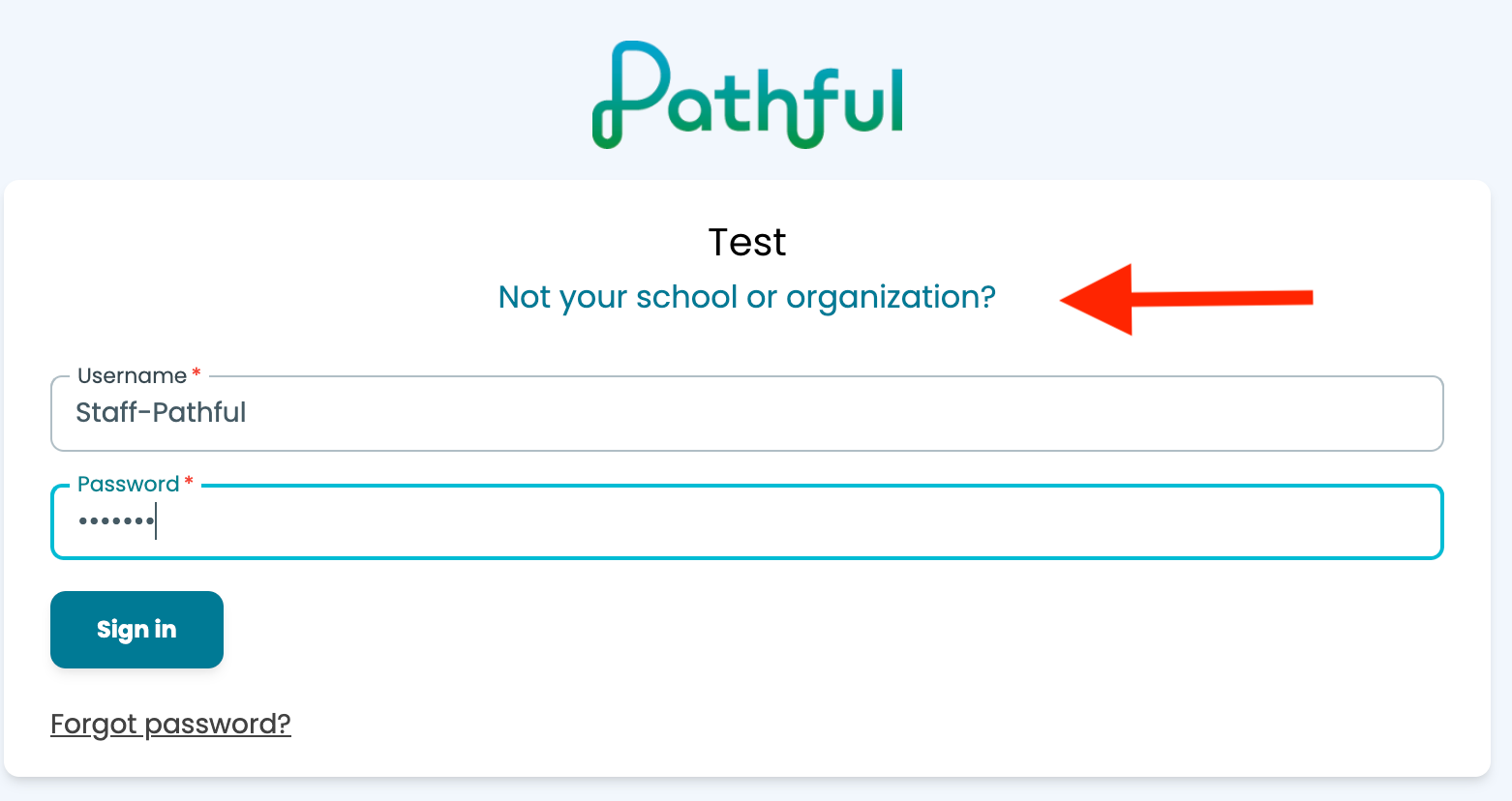
Note: If you need to change the license you selected, click on "Not your school or organization".
If you need further assistance please contact us at support@pathful.com.
Was this helpful?
Still need help? Ask the team