Remove an Admin from an Assignment
Learn how to remove an admin from an assignment.
Last updated About 2 months ago
Remove an Admin from an Assignment
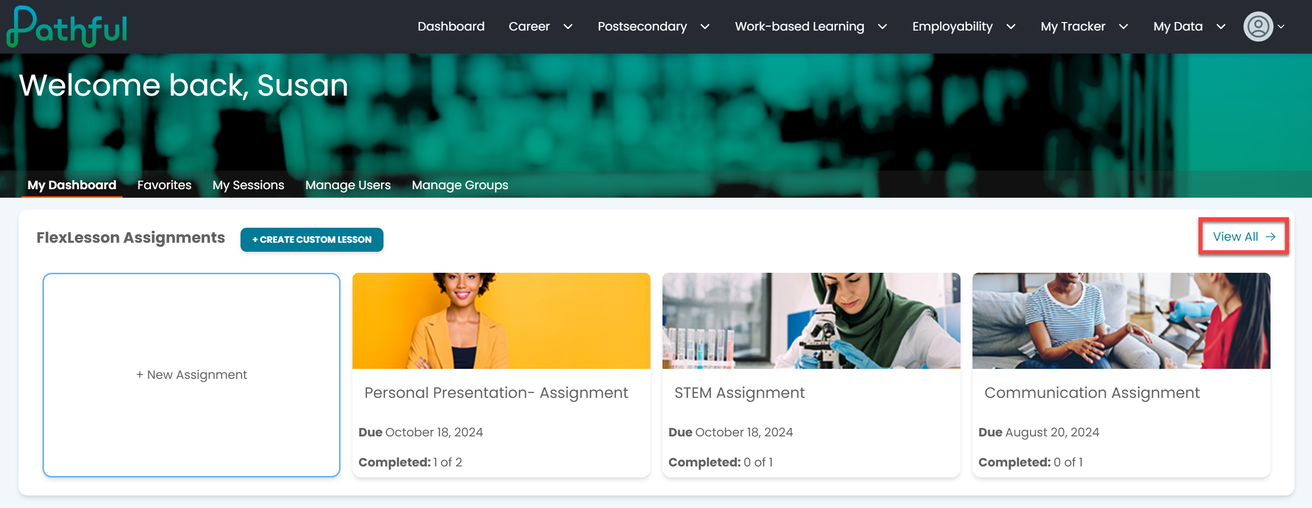
From your Dashboard, select View All from the FLexLesson Assignments box.
Locate the desired assignment using the filters.
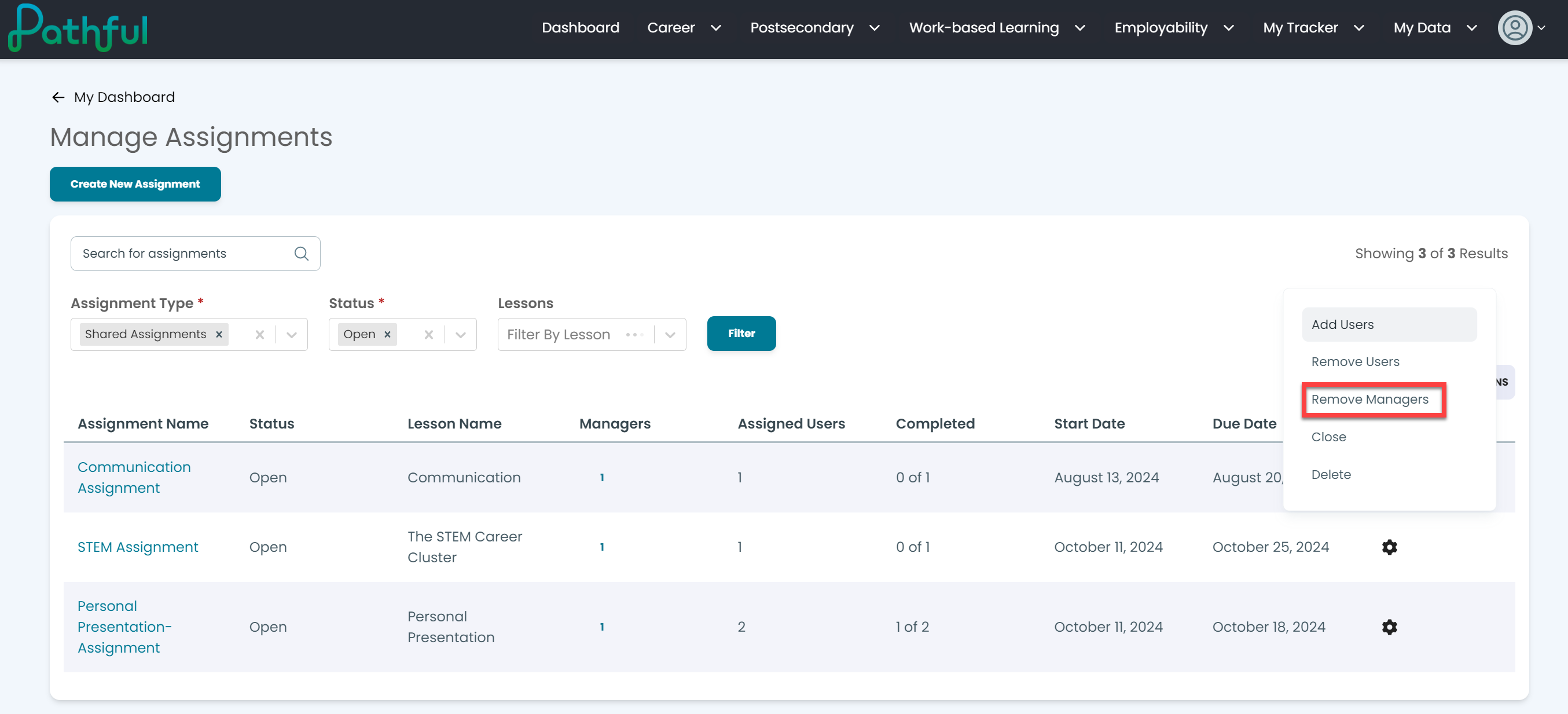
Select the cog icon under the Actions column for the desired assignment.
Select Remove Managers.
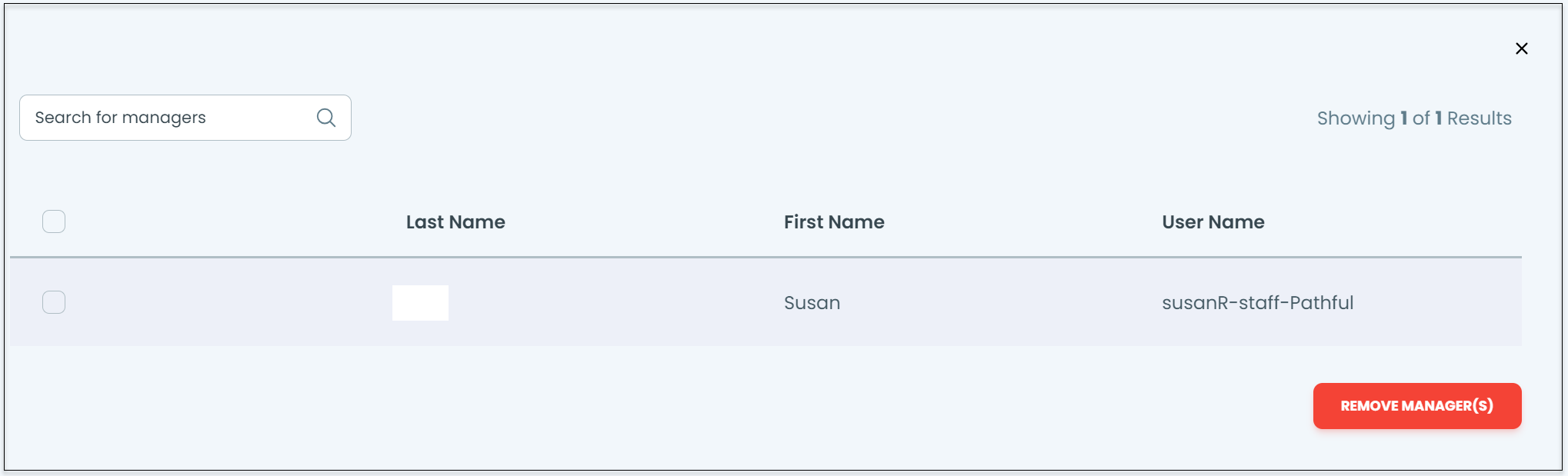
Select the checkbox next to the admin name you want to remove.
Select Remove Manager(s).
Was this helpful?
Still need help? Ask the team