Invite a Teacher
Invite teachers to your Common App so they can submit recommendation forms on your behalf.
Last updated 18 days ago
Invite a Teacher
Once you have completed the FERPA Waiver and added schools to your Common App Dashboard, you can invite your Counselor or Teachers to assist with the Common App process.
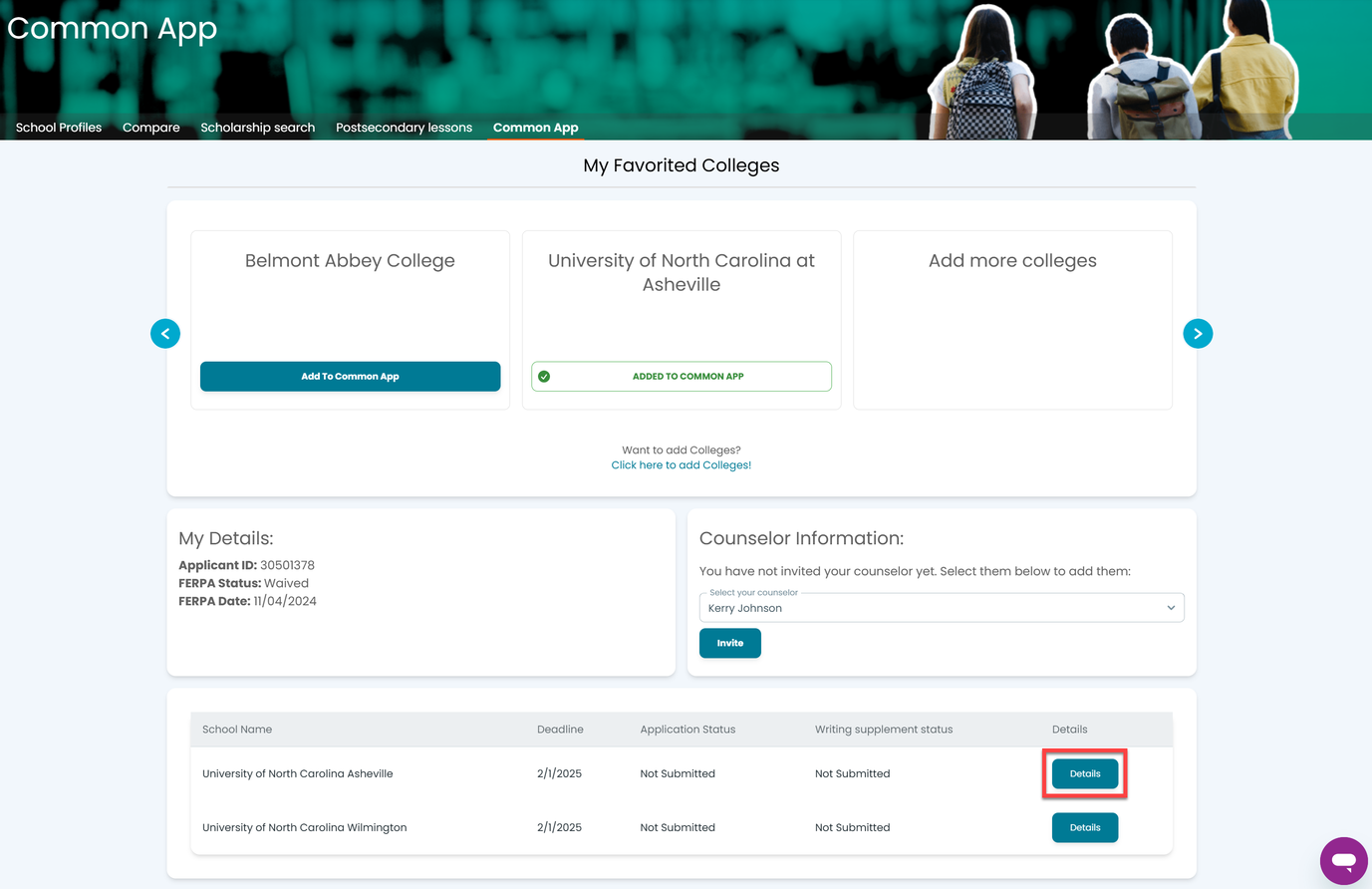
From the Postsecondary menu,select Common App.

Select Details to the right of the school for which you need a teacher recommendation.
Locate the desired teacher from the drop-down menu in the Add New section.
Select the appropriate subject for that teacher.
Select Send Request.
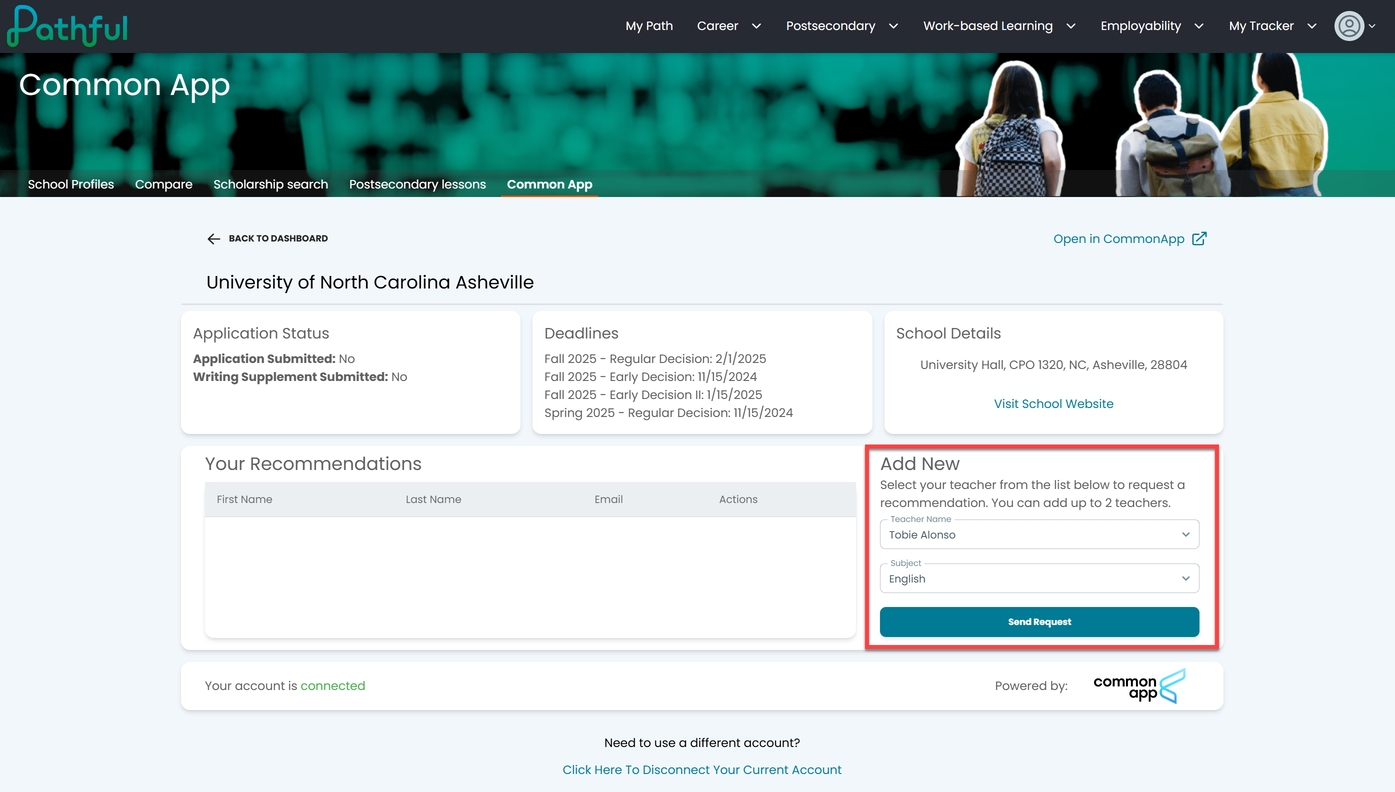
Your teacher will be notified automatically.
Use the trash icon to remove a teacher you have already added.

NOTE: You must add a teacher to each school individually.
Was this helpful?
Still need help? Ask the team