Start a Course
Learners can complete a Course or Units and Lessons within a Course using the self-assign feature.
Last updated About 2 months ago
Start a Course
Courses are made up of units, which are made up of lessons. Example: Lessons -> Units -> Course
You can self-assign a course at the unit level or lesson level.
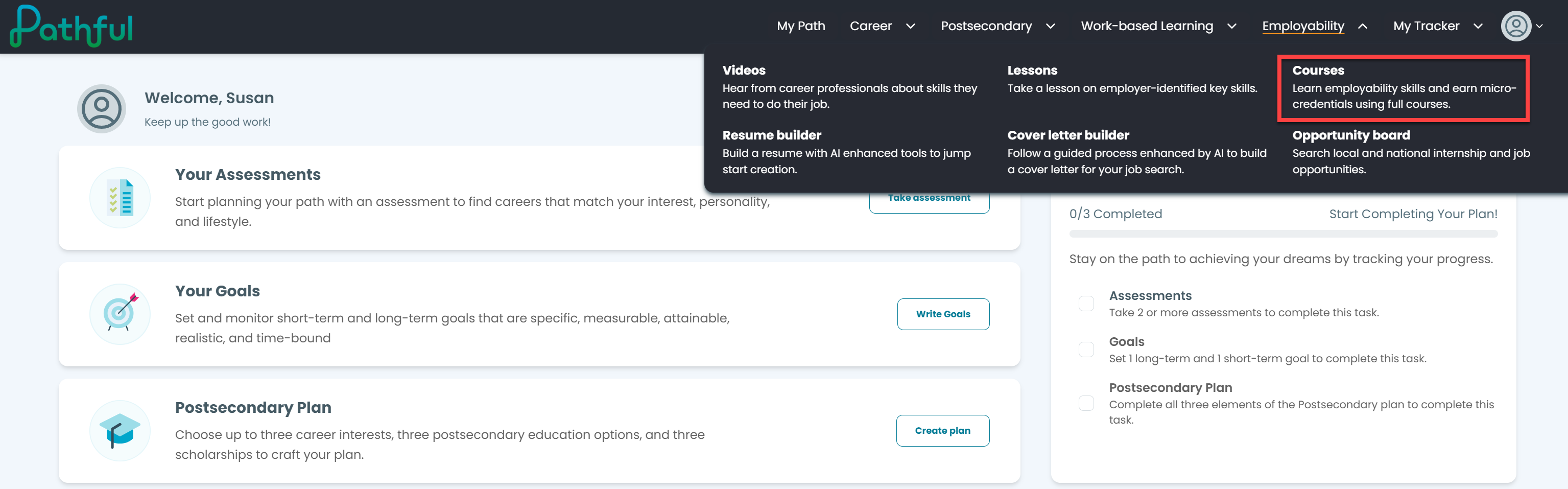
From the Employability drop-down menu, select Courses.
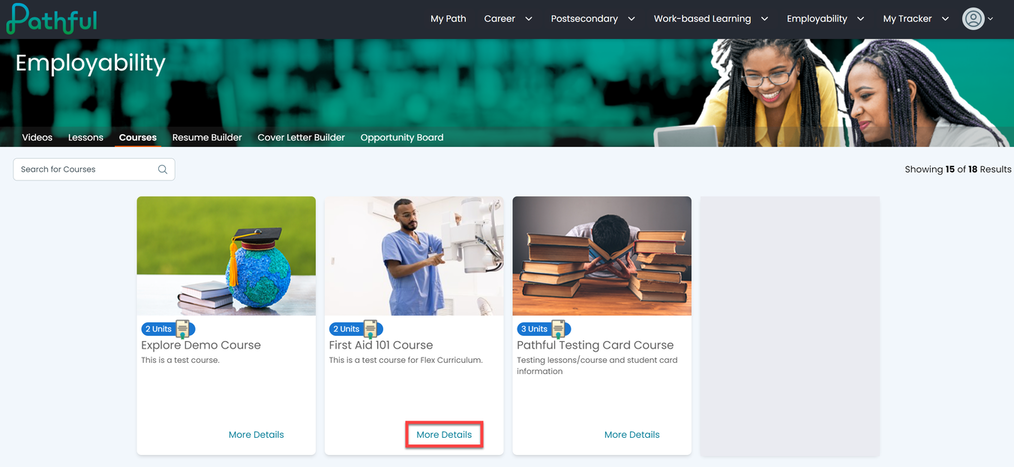
Select More Details on the card for the desired Course.
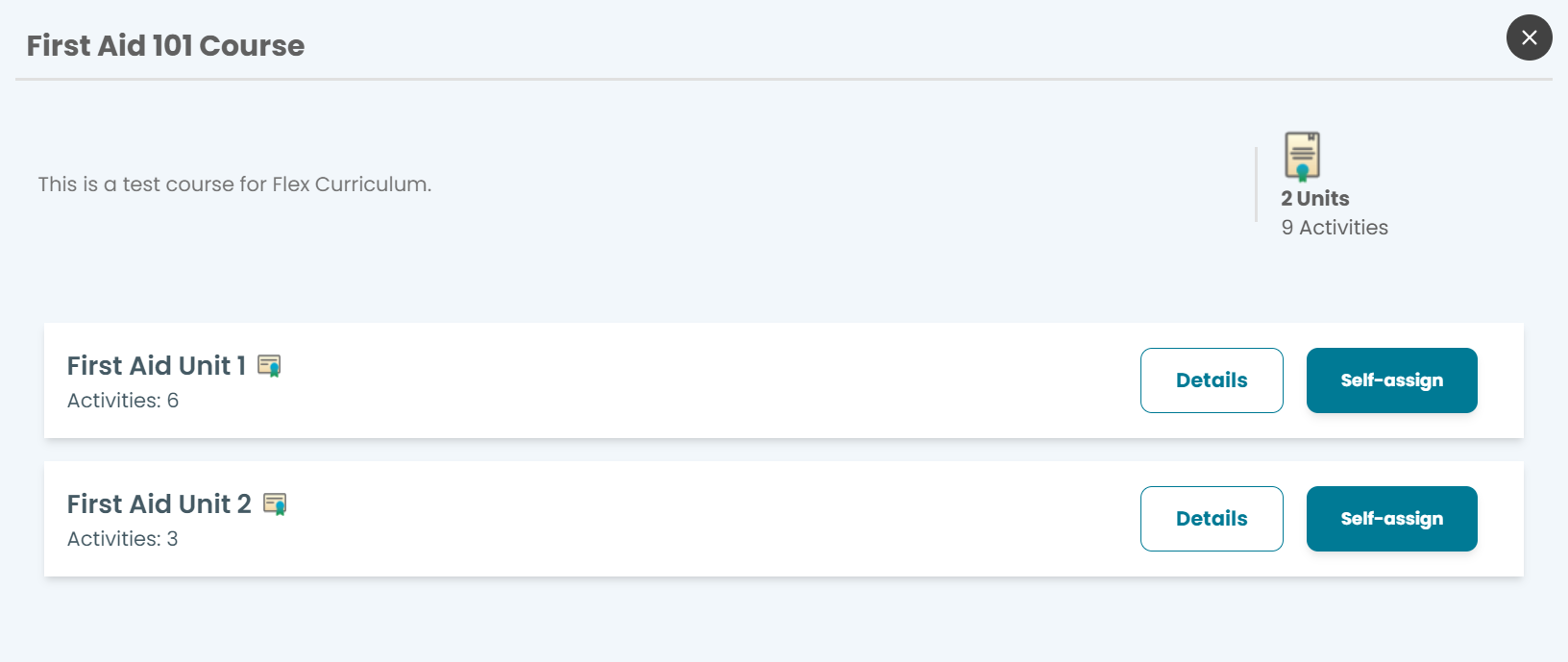
Select Details to learn more about a unit within the Course.
Select Self-assign to begin a Unit.
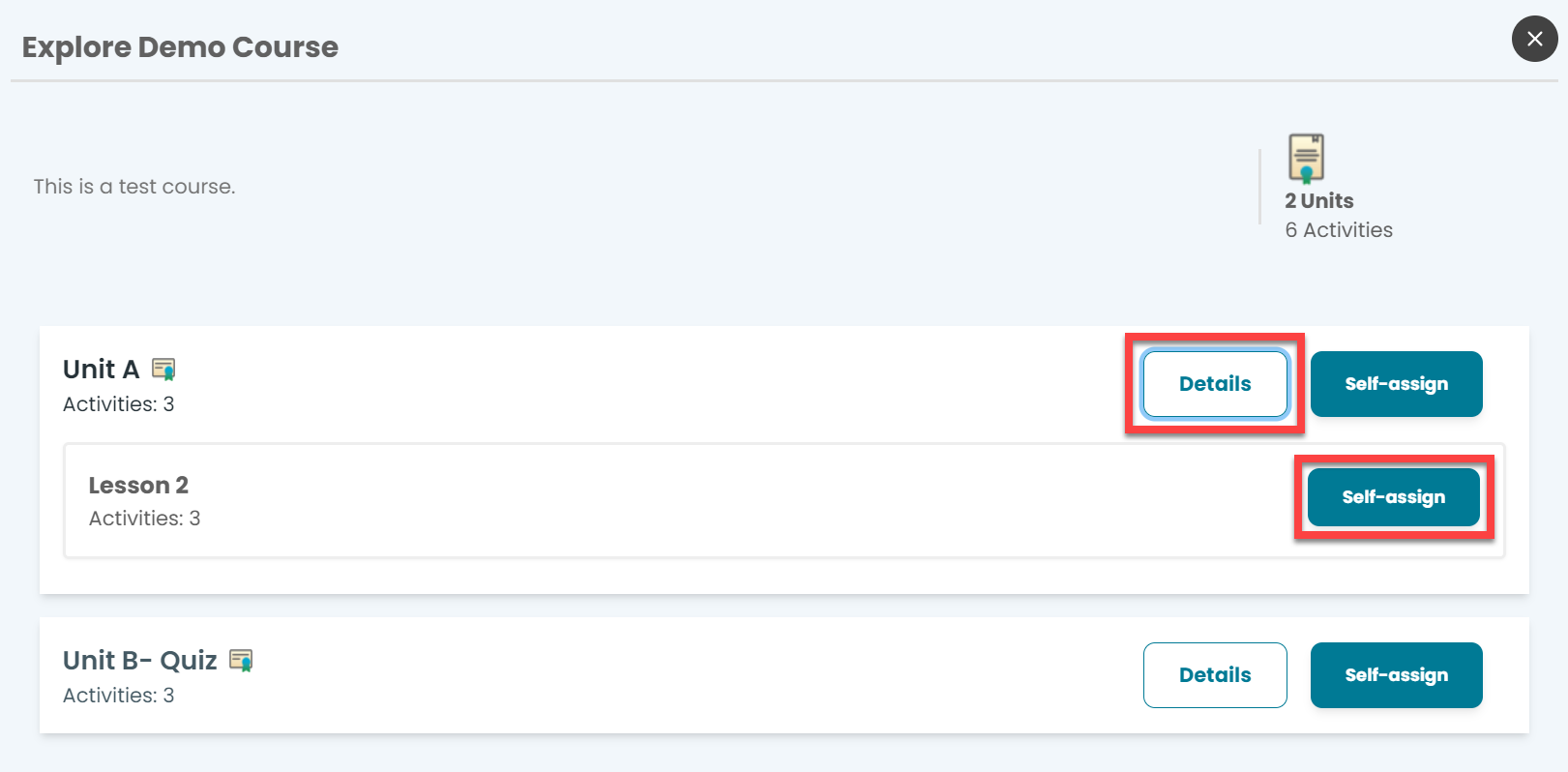
You can also self-assign a lesson from within a Unit. You cannot self-assign an entire Course.
Once you have selected Self-assign on a Unit or Lesson, select Start.
Was this helpful?
Still need help? Ask the team