Grade an Assignment
Locate and grade assignments that students have completed.
Last updated About 2 months ago
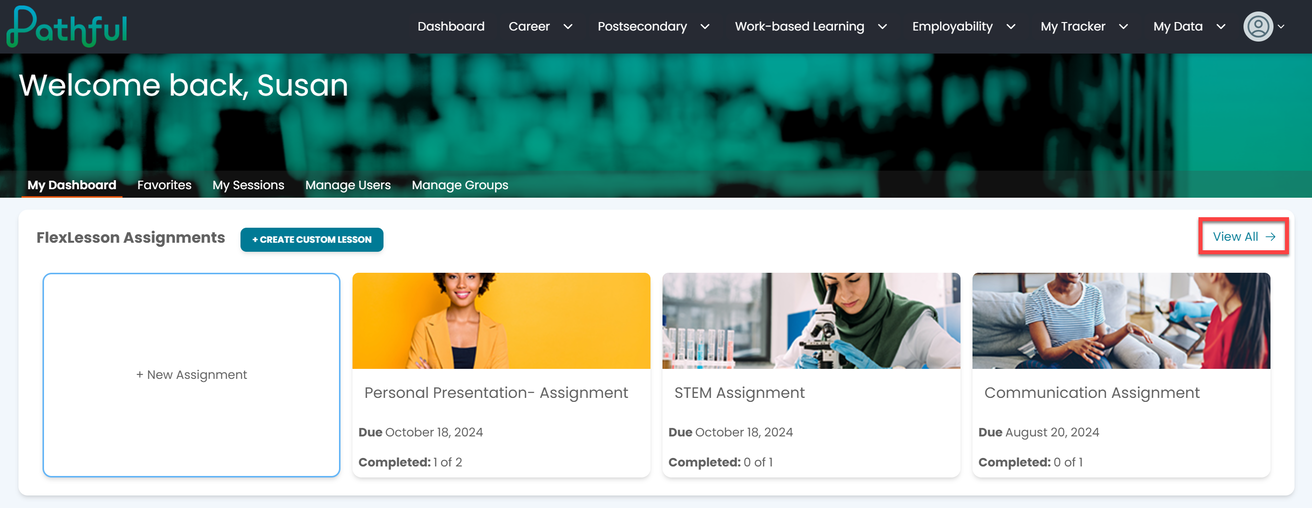
From your Dashboard, select View All in the FlexLesson Assignments box.
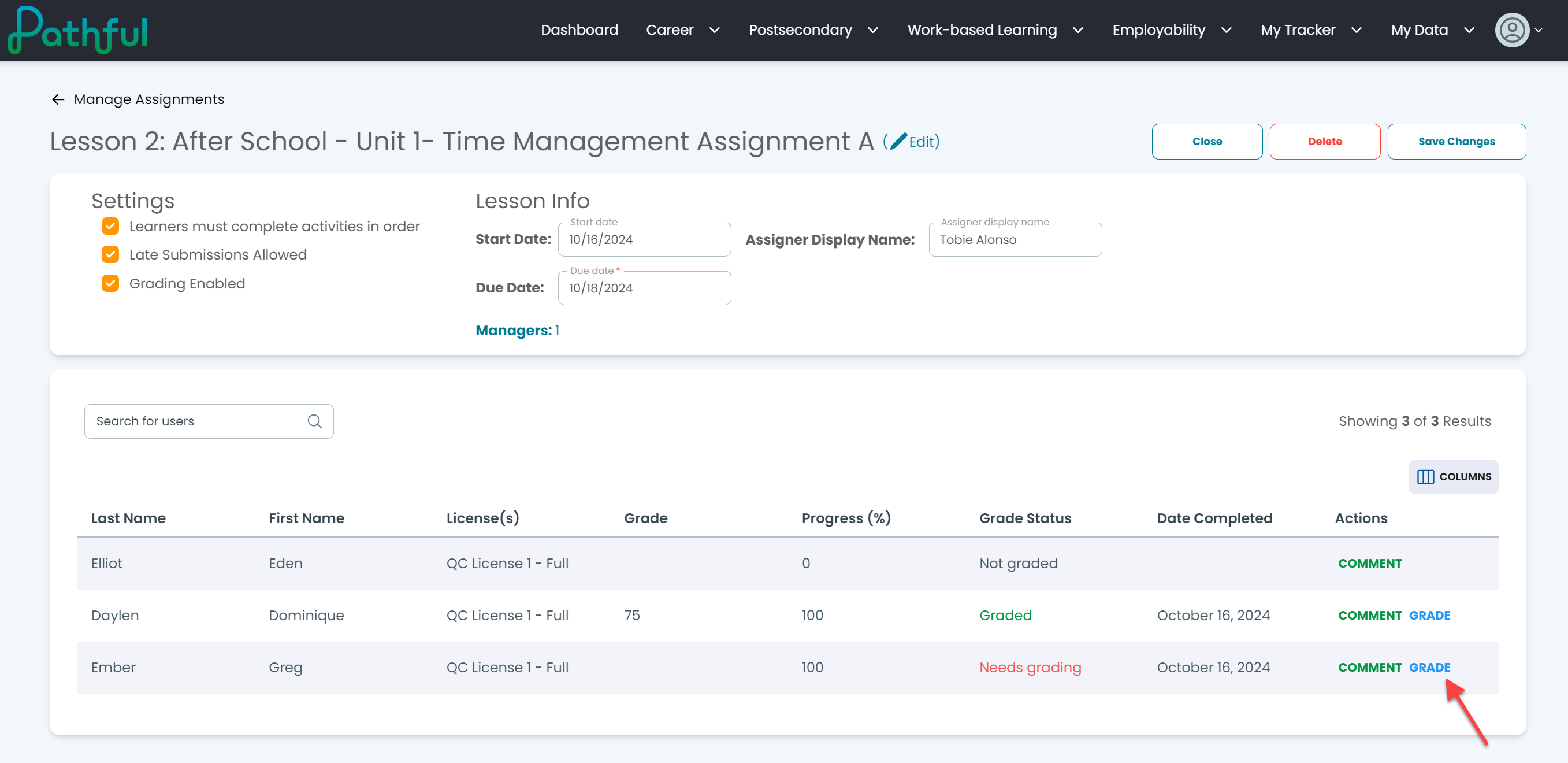
Select the desired Assignment.
Under the Actions column, select Grade. The selected student will load first on the grading page, but you can grade the assignment for each student who has completed and submitted the assignment without having to reload this page.
View any of the assignment segments as needed.
Enter a Final Grade and any Comments.
Select Save.
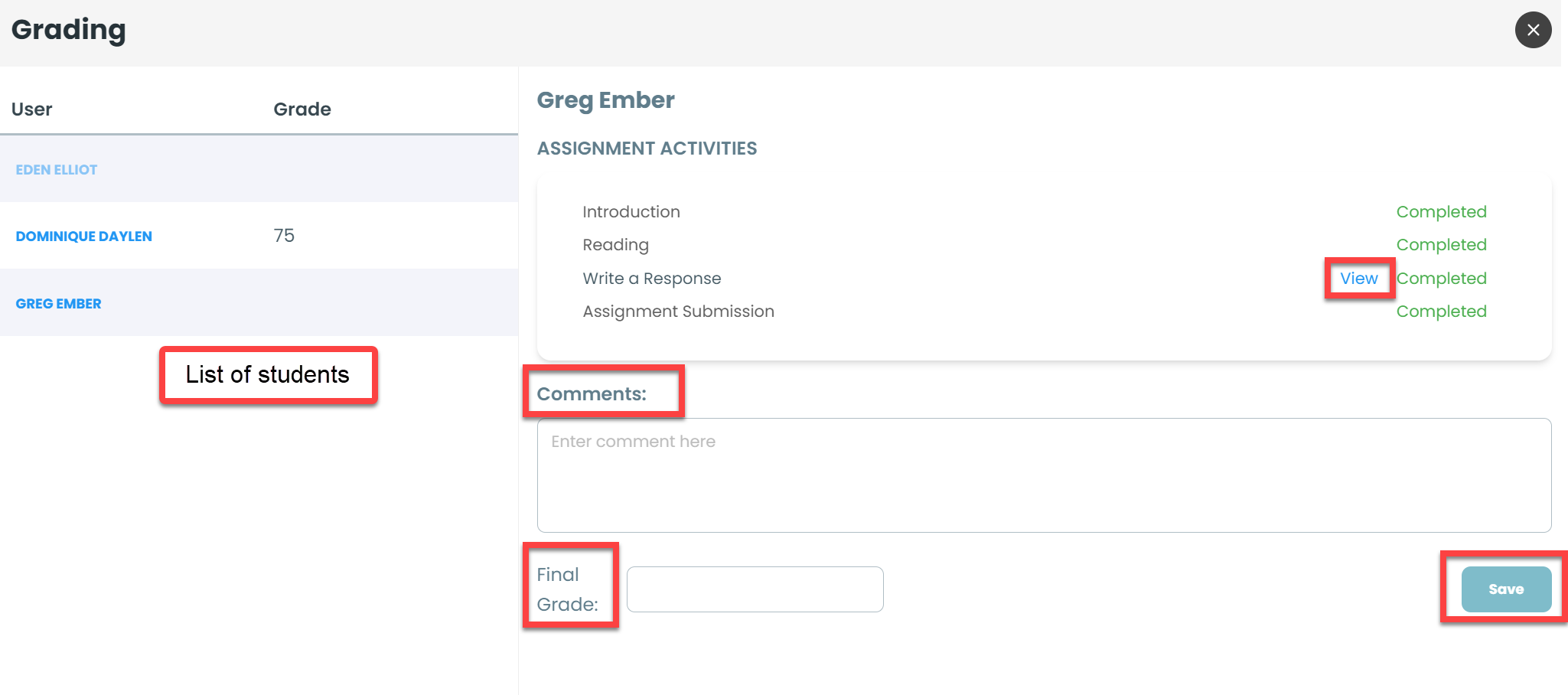
Repeat this for each student on the assignment.
Select the "X" in the upper right hand corner to close this page out.
Was this helpful?
Still need help? Ask the team