Delete an Assignment
A step-by-step guide for how to delete an assignment.
Last updated About 2 months ago
Delete an Assignment
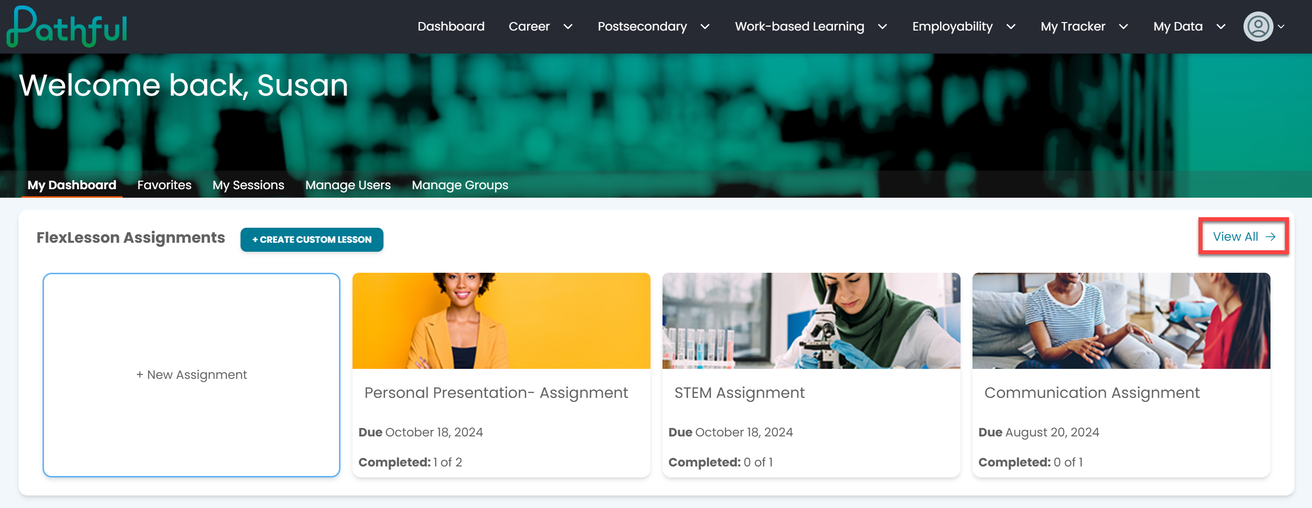
From the FlexLessons Assignment section on your dashboard, select View All from the Assignments box.
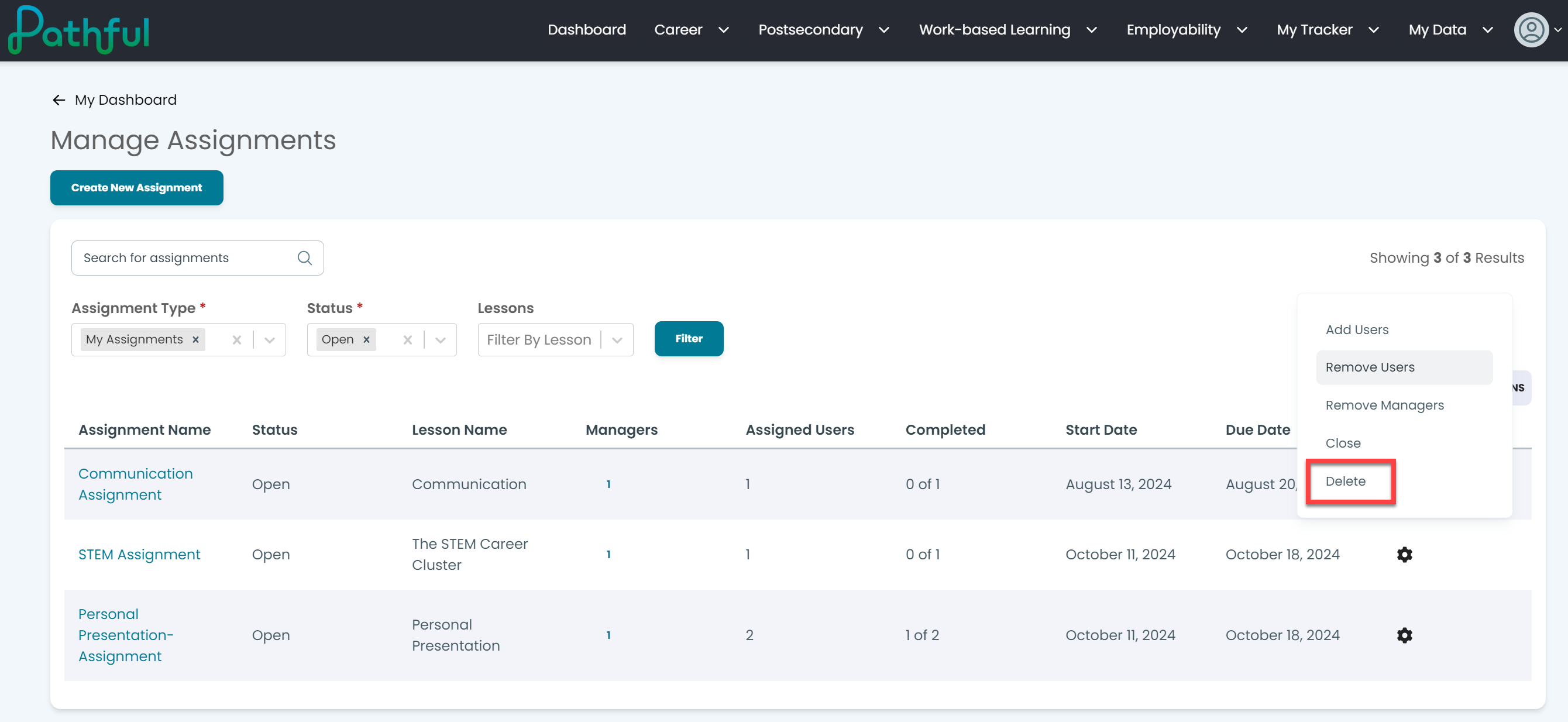
Select the cog icon under the Actions column.
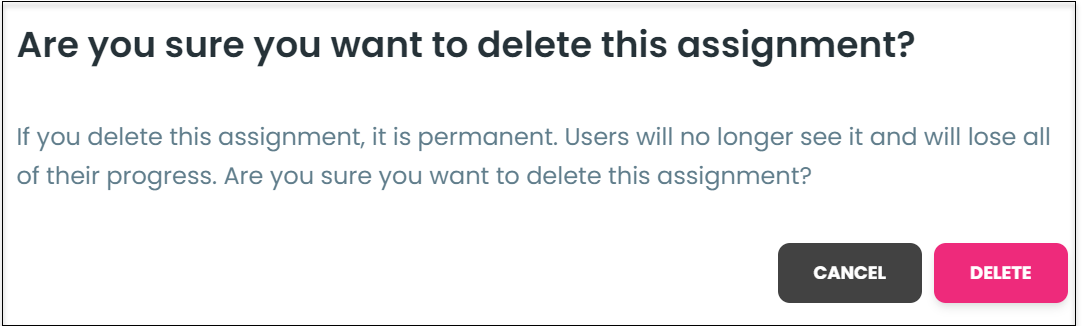
Select Delete.Warning: If you delete an assignment, it is permanent. Users will no longer see the assignment and lose their progress.
Confirm you wish to delete the assignment.
Was this helpful?
Still need help? Ask the team