Post an Opportunity
Learn how to create and post opportunities for your students.
Last updated About 2 months ago
As a Staff or Admin level user, you can post opportunities for your students.
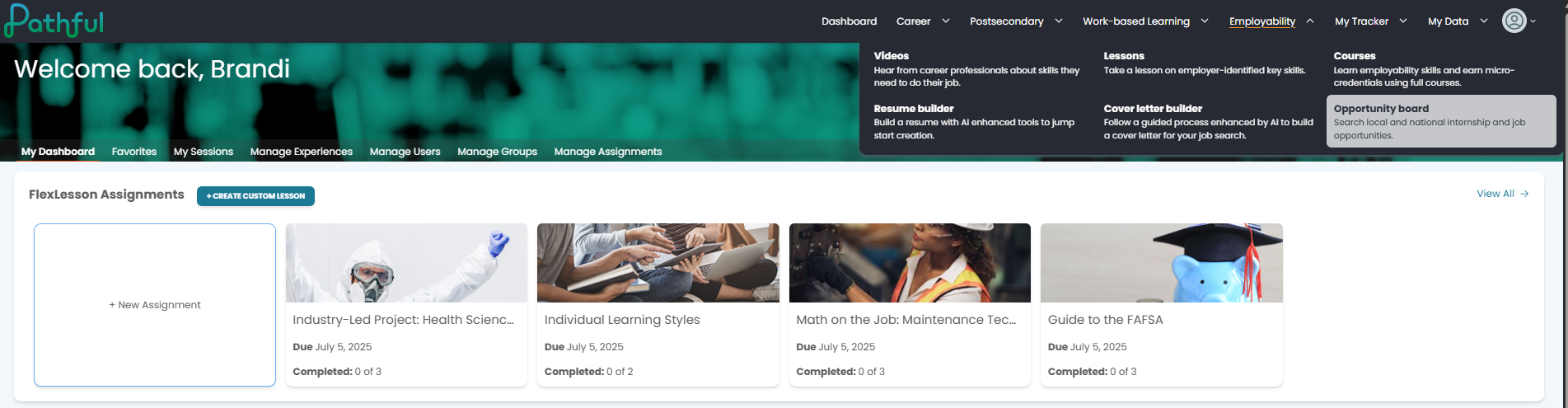
From the Employability menu, select Opportunity Board.
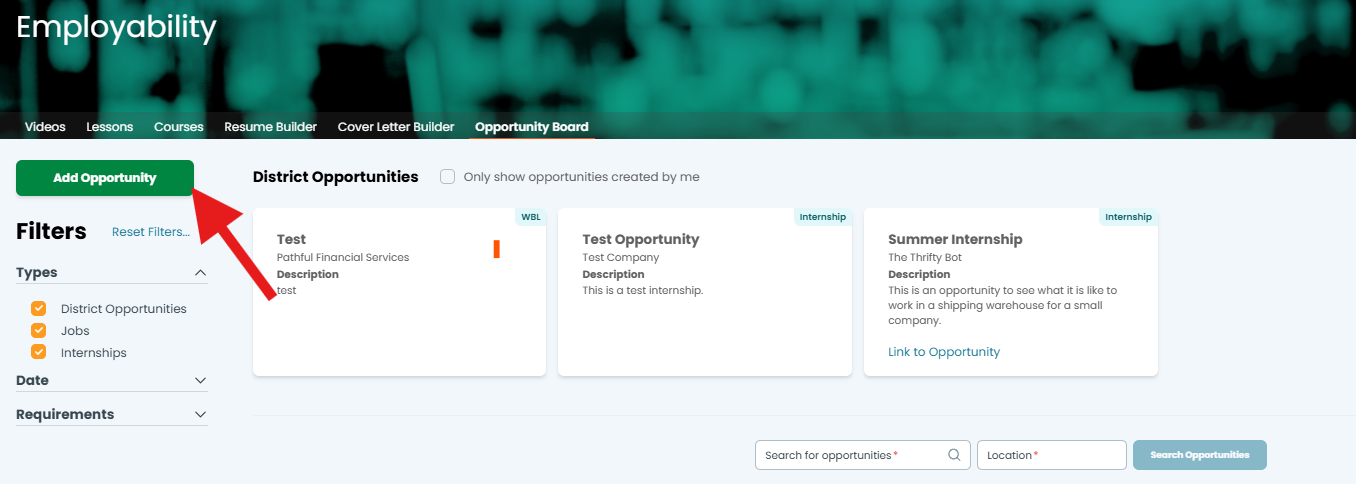
Select Add Opportunity.
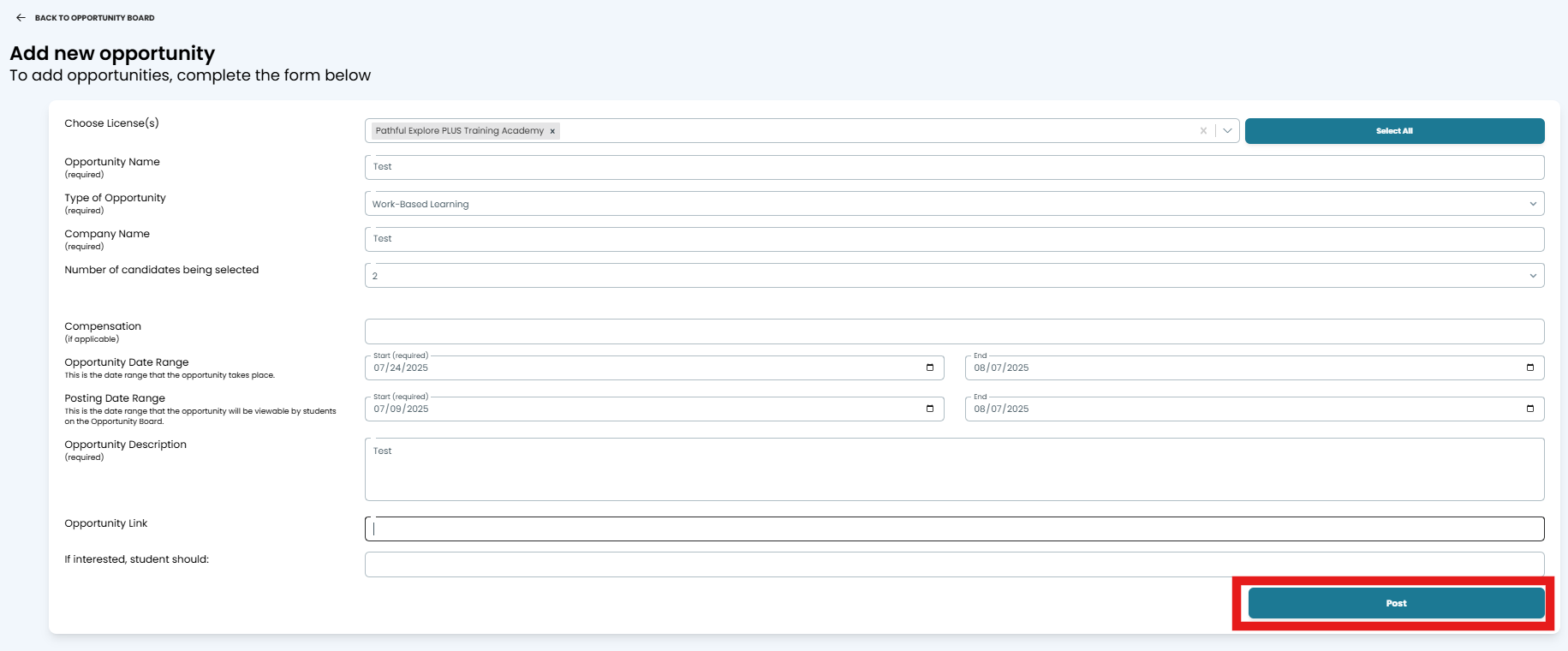
Complete all of the required fields and any others as needed:
Choose License(s)- some users may have more than one license to choose
Opportunity Name
Type of Opportunity (drop-down): Work-Based Learning, Internship, Apprentice, Job
Company Name
Number of candidates being selected (drop-down)
Compensation
Opportunity Date Range- the date range of the actual employment or participation
Posting Date Ranve- the date range the post is visible to students
Opportunity Description
Opportunity Link
If interested, students should: use this box to provide additional instructions.
Once all data is entered, select Post.
You will be returned to the Opportunity Board.
To view only the posts you have created, select the checkbox Only show opportunities created by me.
Was this helpful?
Still need help? Ask the team