Edit or Remove a District Resource Post
Edit or Remove District Resource posts as needed.
Last updated About 2 months ago
Edit or Remove a District Resource Post
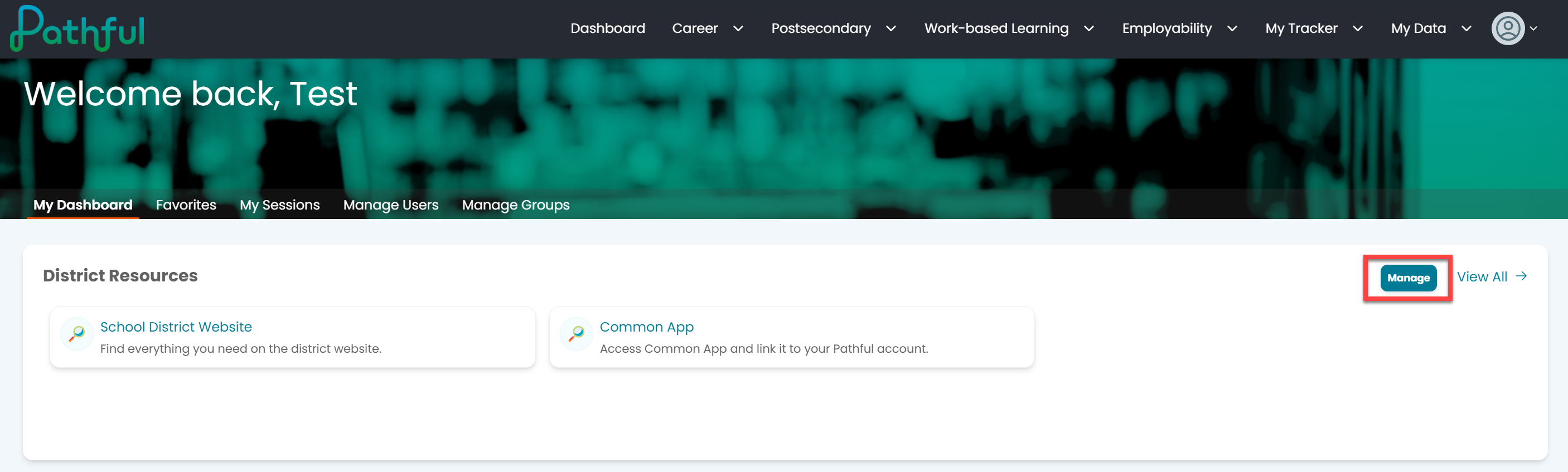
From your Dashboard, select Manage in the District Resources section.
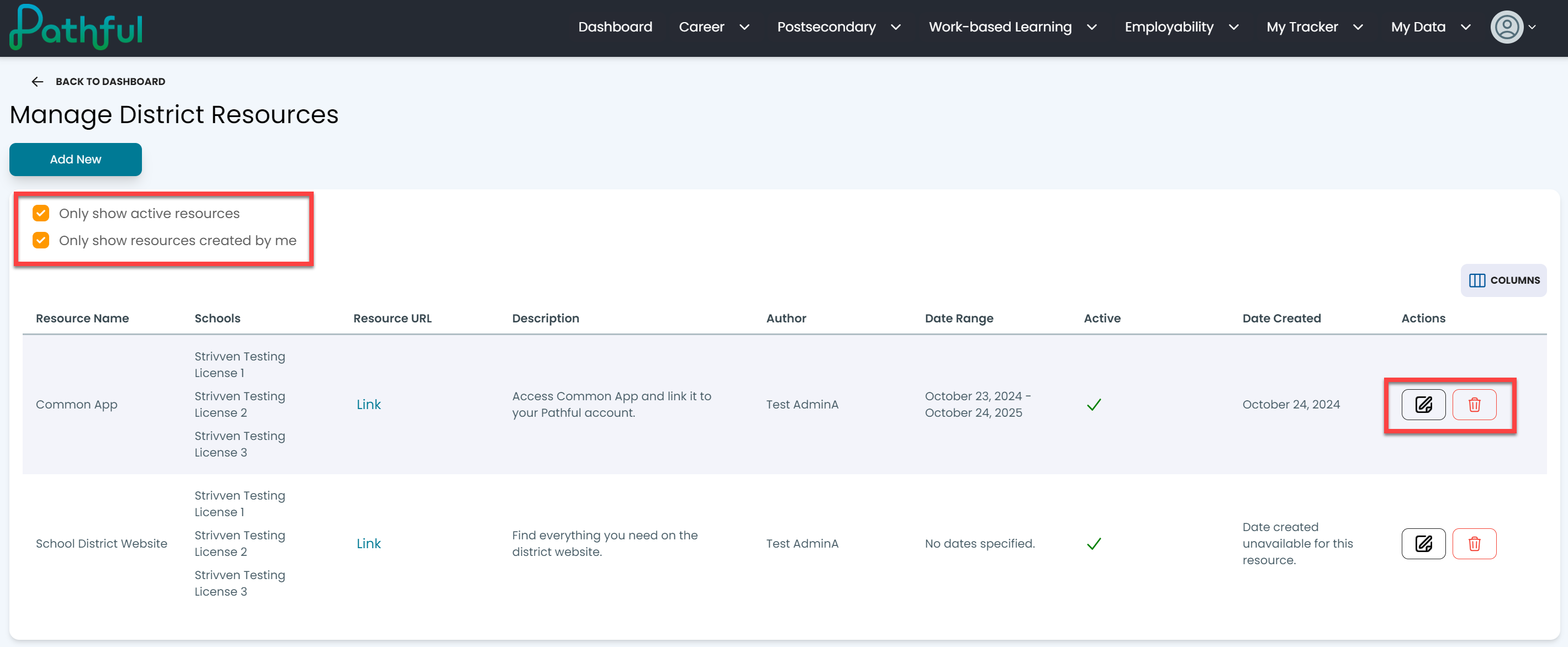
Use the filter checkboxes to locate the post you want to edit or remove.
From the Actions column:
Select Edit to make changes to the post.
Select the trash can icon to delete the post.
Was this helpful?
Still need help? Ask the team