Set Goals
Use this tool to create SMART short-term and long-term goals.
Last updated About 21 hours ago
Set Goals
The Goal Setting tool allows users to create Short-Term and Long-Term Goals.
Goals can be edited and changed as needed.
You can access the Goal Setting tool from your Dashboard or My Tracker.
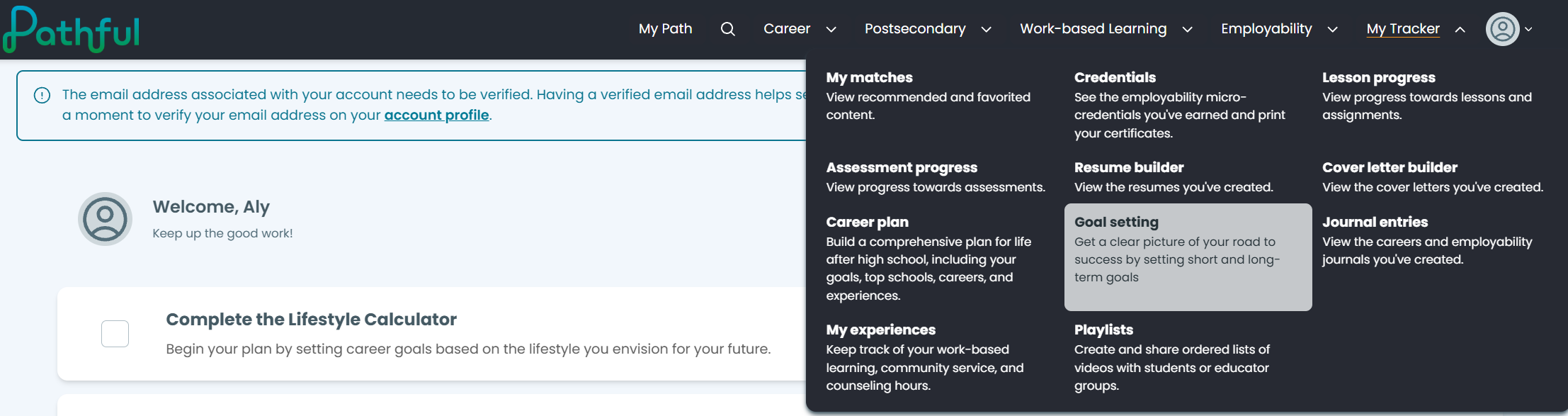
From the My Tracker drop-down menu, select Goal Setting.
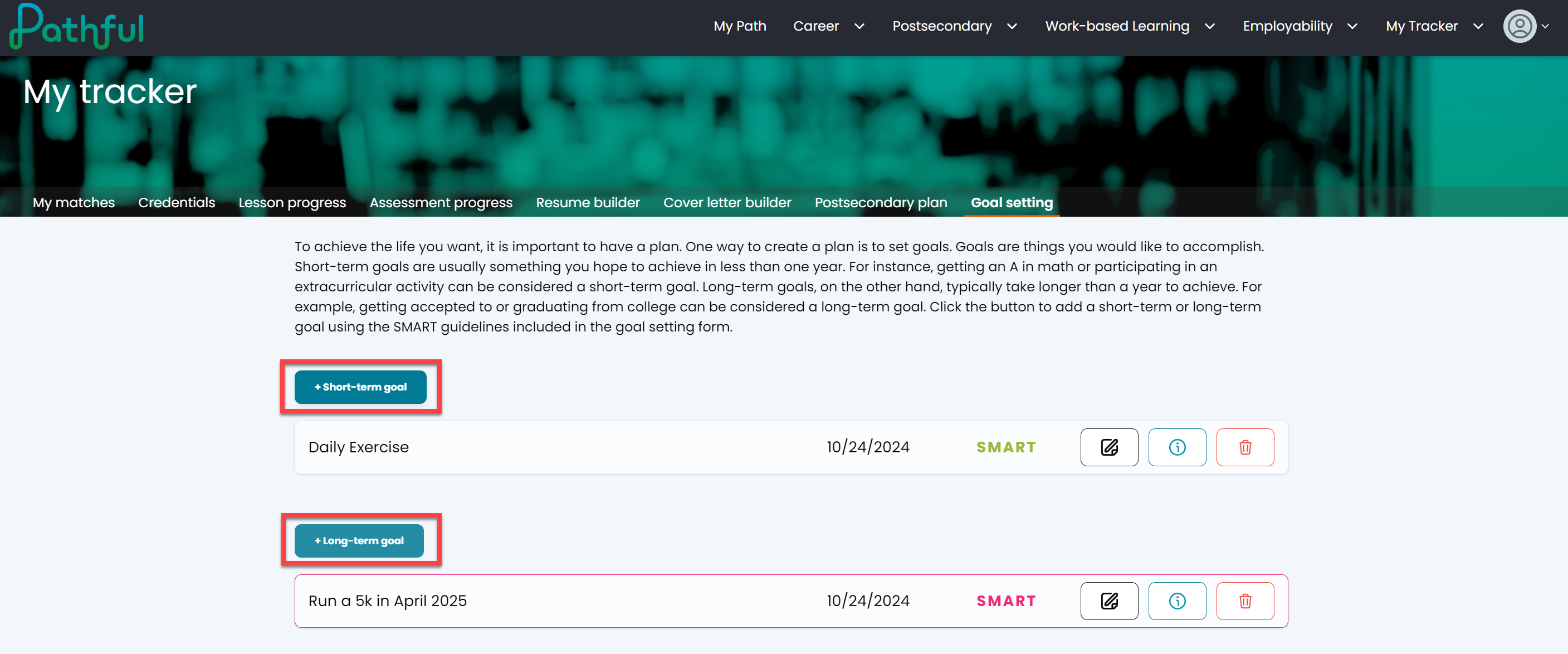
Select +Short-term goal or +Long-term goal.
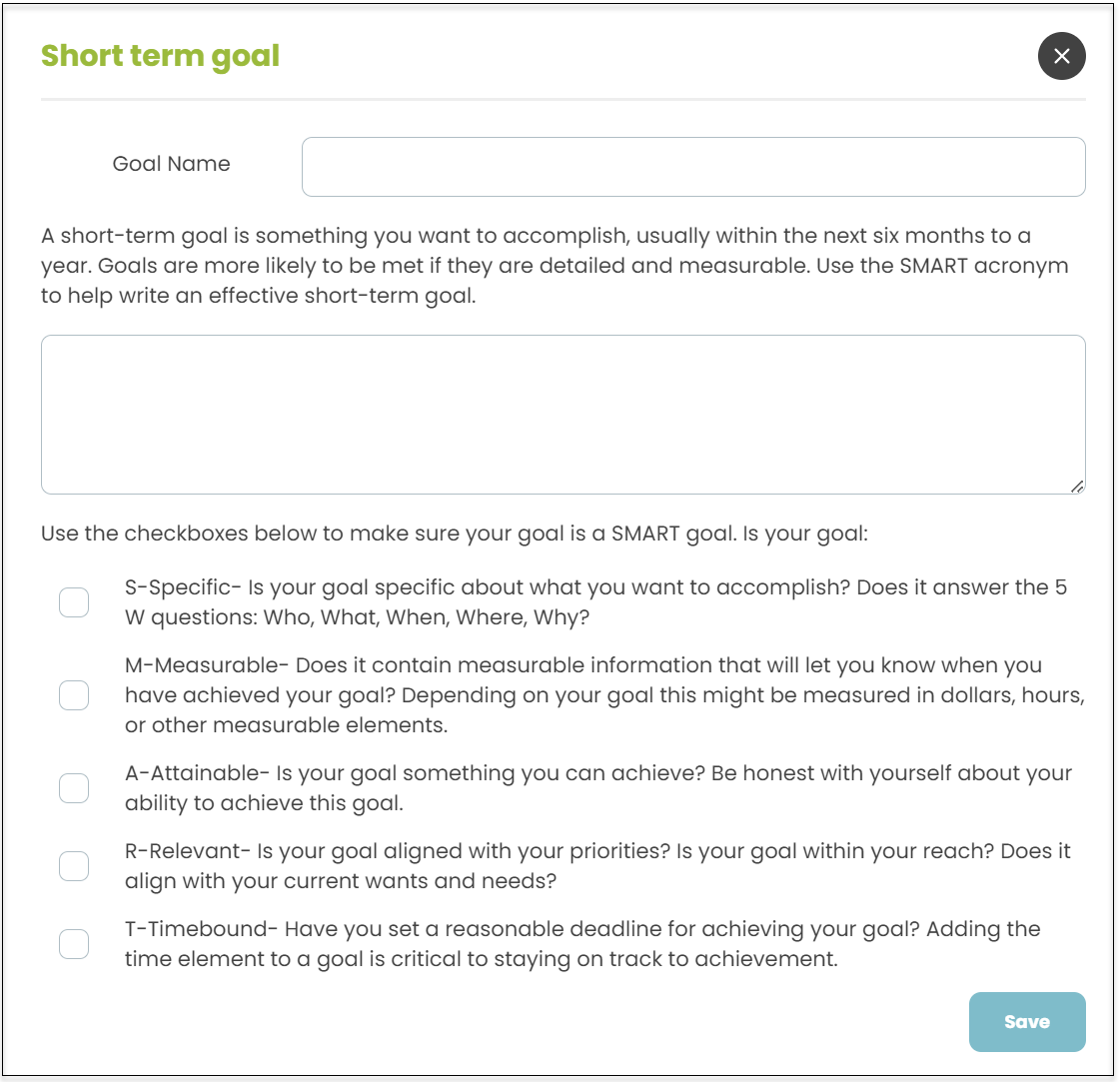
Give your goal a name and provide a description.
Check the SMART boxes as appropriate. As you select a SMART checkbox, the letters on your goal will change color to visually represent each of the acronym's components.
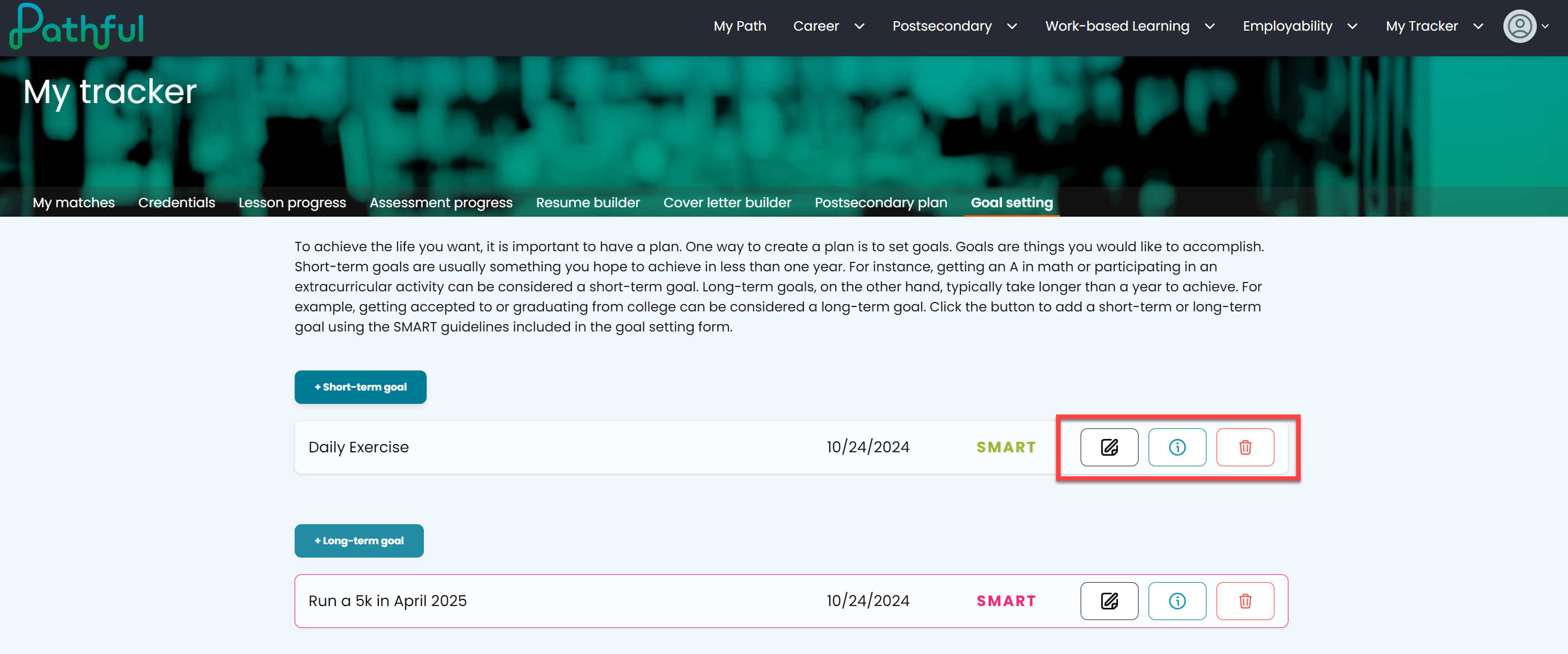
Select the "i" info button to read a goal.
Select the edit button to edit a goal.
Select the trash icon to delete a goal.
Was this helpful?
Still need help? Ask the team