Google - How to Manage Access
Last updated About 2 months ago
Google - How to Manage Access
This article will describe how to manage access to the SAML application.
Step 1: Go to Google Workspace (G-Suite) and Login. https://workspace.google.com/
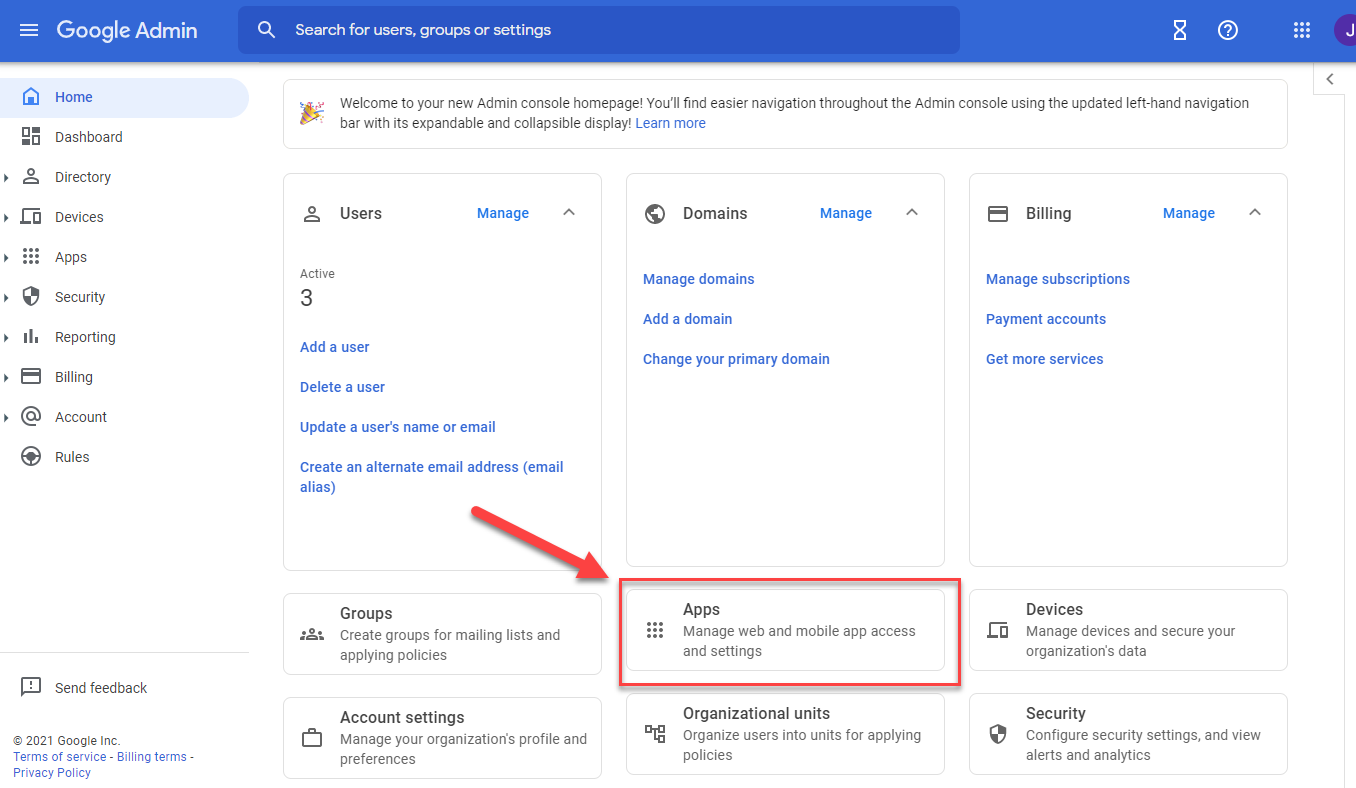
Step 2: Navigate to Apps, on the dashboard.
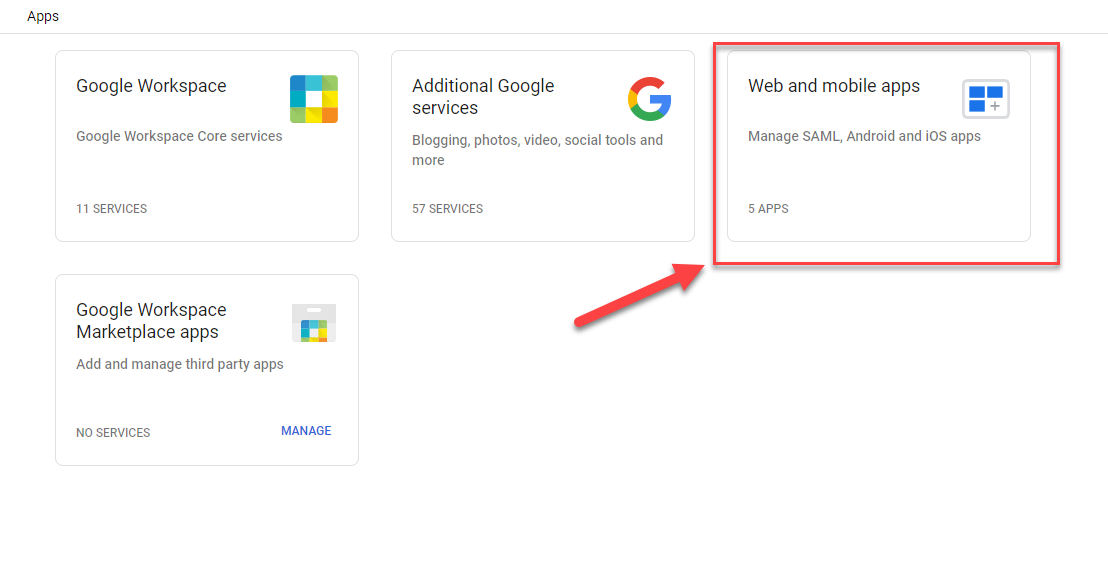
Step 3: Navigate to Web and Mobile Apps. (If using the old system, it would say Custom SAML Apps)
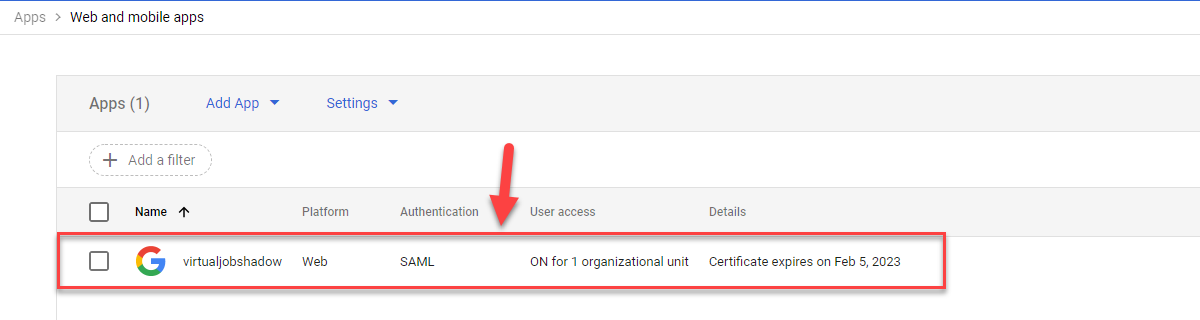
Step 4: Find the VirtualJobShadow.com application in the list, and click on the application.
Step 5: Click on User Access.
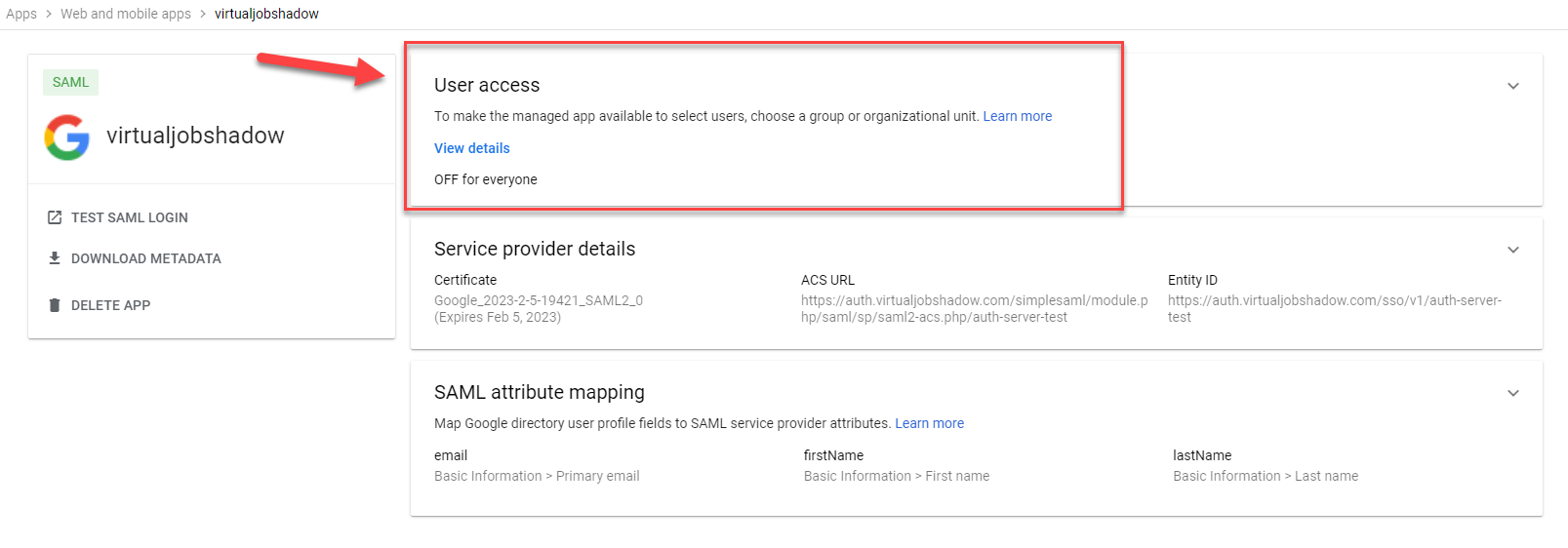
Step 6: Add Access to the appropriate Organizational Units.
Click on organizational unit that need access.
Select ON for the Service Status.
Click SAVE to update the org unit status.
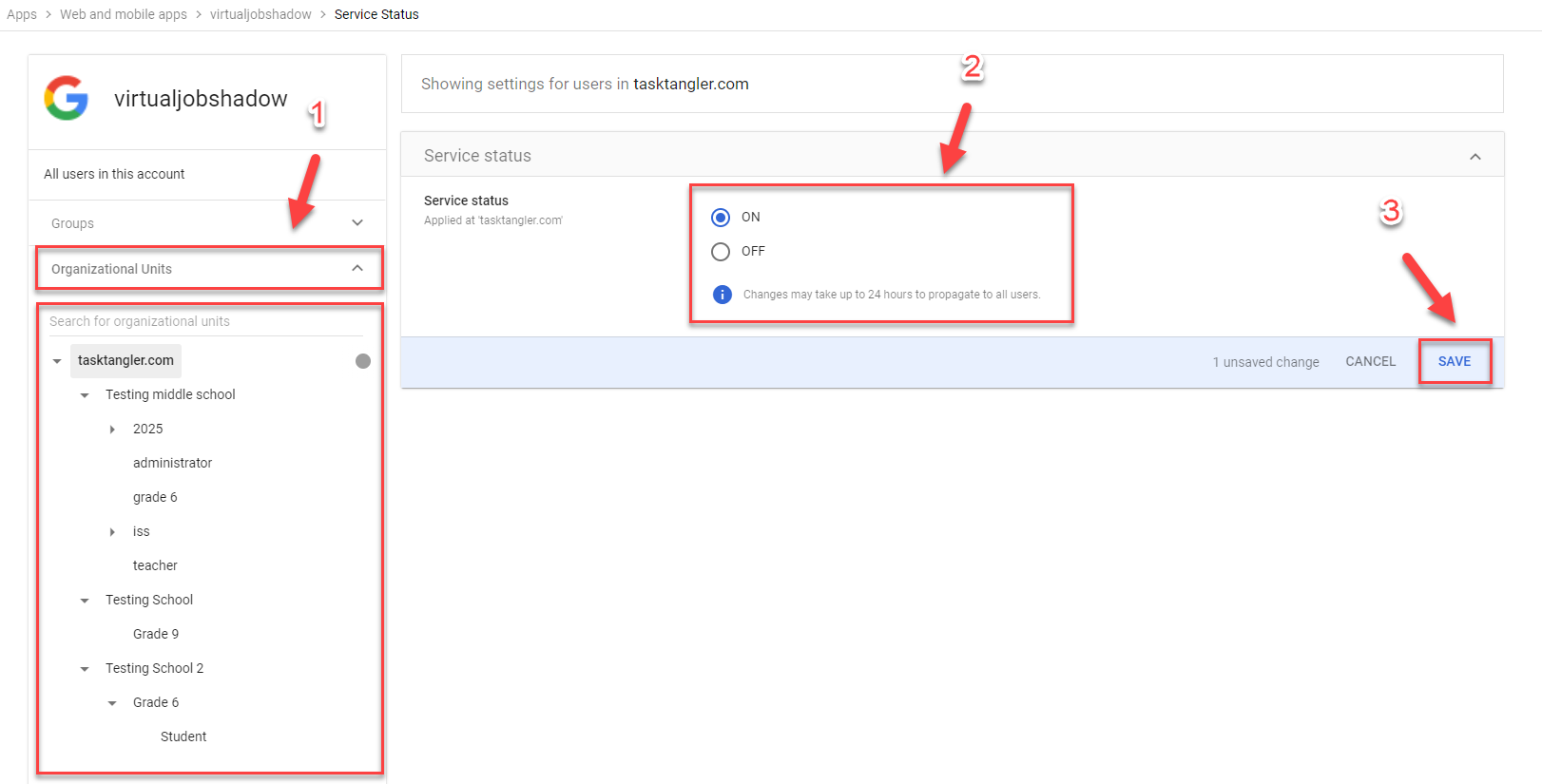
Step 7: Repeat Step 6 for every org unit or parent org unit that needs access.
Was this helpful?
Still need help? Ask the team