Account & User Management
Assessments
Career Exploration
Common App
Employability & Skills
Experience Tracker
FlexLessons & Assignments
Getting Started
Integrations & Rostering
My Tracker
Pathful WBL
Create WBL Session(s) for Your Students
Creating Requests for Industry-Led Projects
Discover WBL Sessions
Edit a Requested Session
Educator: Preparing for Industry-Led Projects
How to register students for WBL sessions
Register to Join an Upcoming WBL Session
Scheduling Changes for Live Sessions
Search the WBL Video Library
Students: Preparing for Industry-Led Projects
View All of Your Sessions
Withdraw a Session Request
Create a Playlist
Students: View All of Your Sessions
Setting Up Zoom for Live Pathful Connections
Planner
Postsecondary & College
Reports & Data
Resource Center and Training Page
Setup & Administration
SkillsUSA
    Home
  1. Pathful WBL
  2. Edit a Requested Session

Edit a Requested Session

Quickly edit the details for a requested session.

Last updated About 5 hours ago

From the Dashboard, select My Sessions.

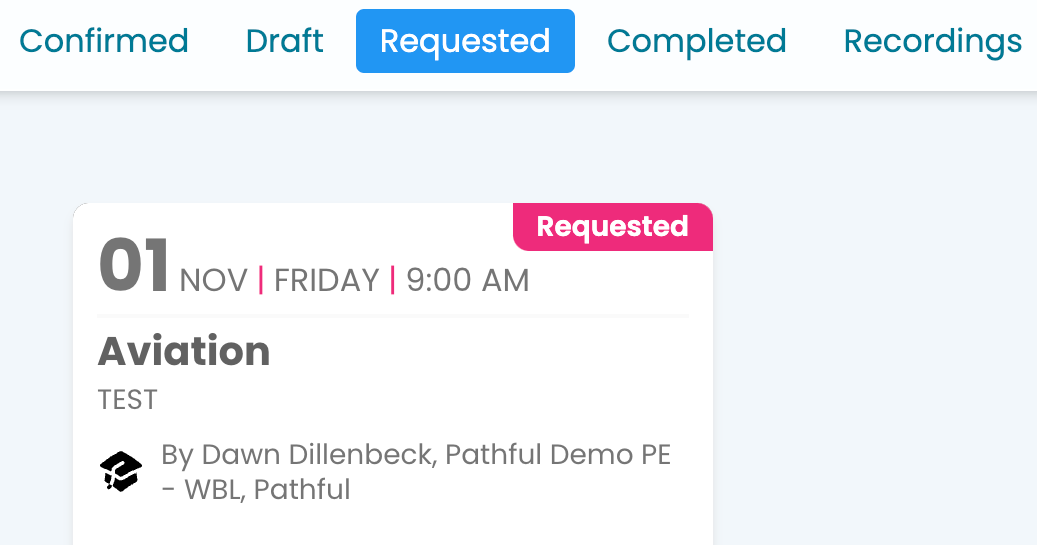
  1. Select the Requested tab.

  2. Select the card for the desired session.

  3. Select Edit. Note: To change the date options, you must select a date two weeks into the future. Contact support using the "chat bubble" in the lower right corner for assistance.
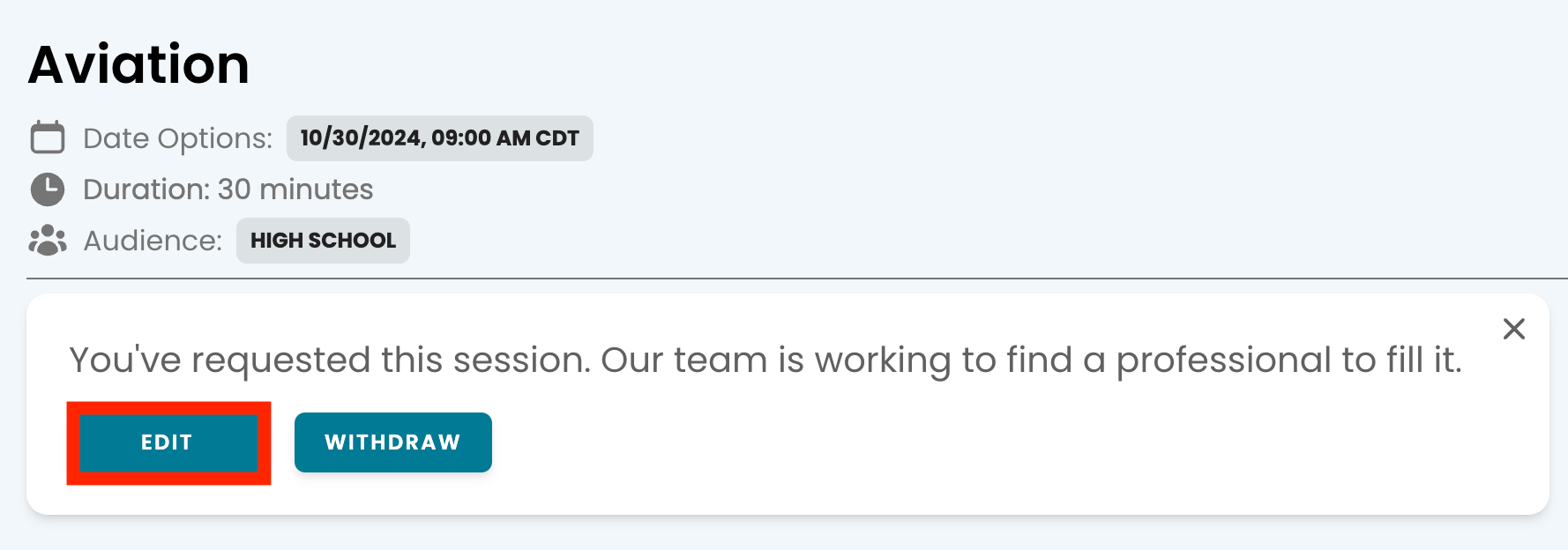
  4. Make the necessary changes and submit your request.

Was this helpful?