Account & User Management
Assessments
Assessments Overview
Assessments- Progress Report
Assign an Assessment
Complete an Assessment
Complete an Assessment Assigned to Me
Complete the Interest Lite Survey
Complete the Interest Survey
Complete the Personality Survey
Complete the Skills Survey
Complete the Work Values Survey
Download your Assessment Results
See your Results on Completed Assessments
View My Assessment Results
View Student Progress and Results on an Assessment
Using the Lifestyle Calculator
Career Exploration
Common App
Employability & Skills
Experience Tracker
FlexLessons & Assignments
Getting Started
Integrations & Rostering
My Tracker
Pathful WBL
Planner
Postsecondary & College
Reports & Data
Resource Center and Training Page
Setup & Administration
SkillsUSA
    Home
  1. Assessments
  2. Download your Assessment Results

Download your Assessment Results

Download your assessment results for future reference.

Last updated About 4 hours ago

Download your Assessment Results

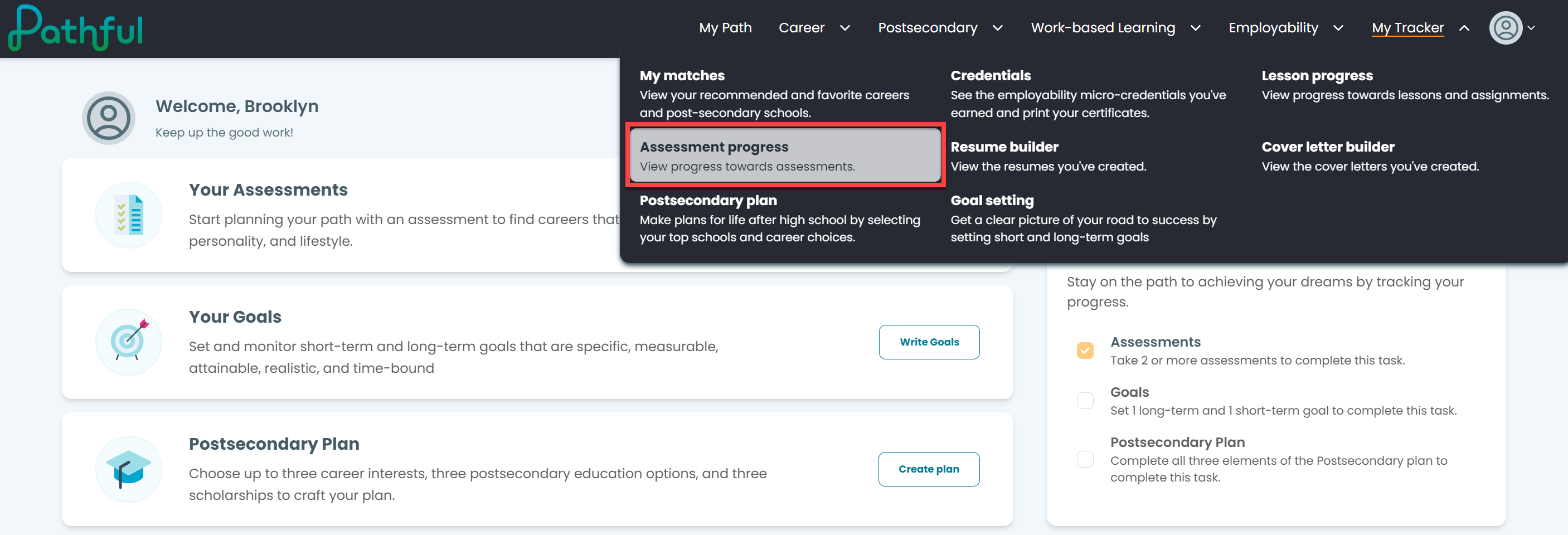
  1. From the My Tracker menu, select Assessment Progress.
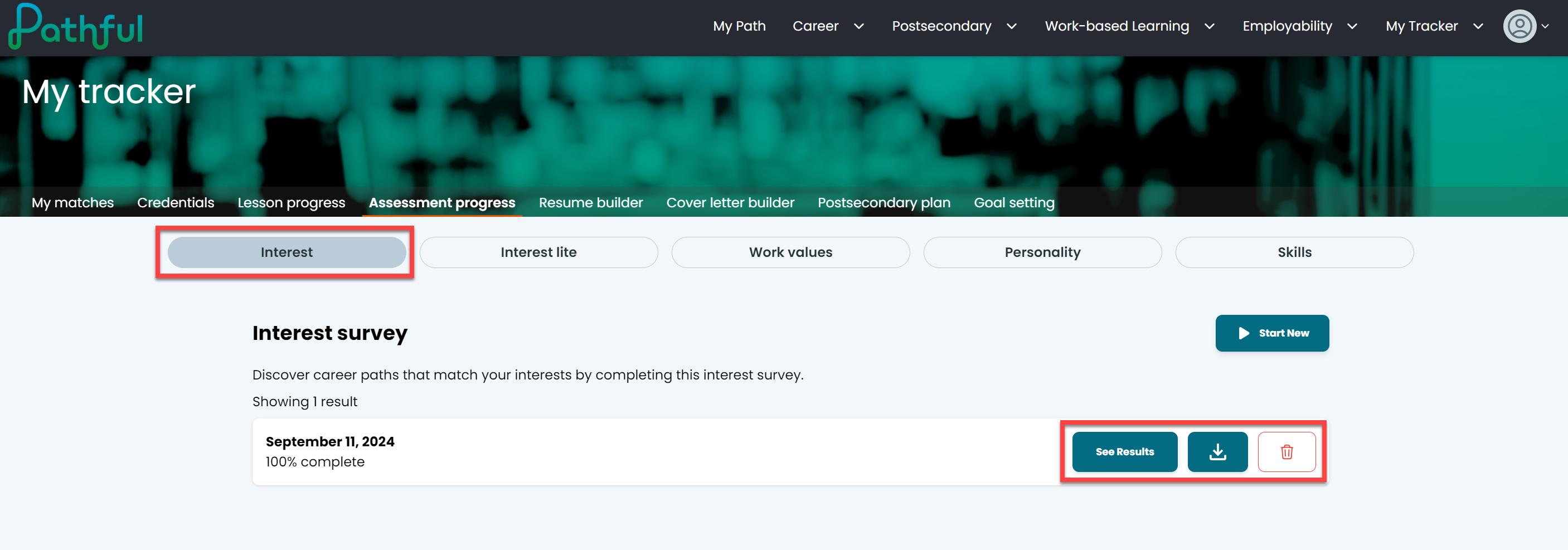
  2. Select the desired assessment from the navigation.

  3. Select the download button.

  4. Select See Results button to view your results.
On this page

    Download your Assessment Results

Was this helpful?