Account & User Management
Assessments
Career Exploration
Common App
Employability & Skills
Complete a Course
Complete an Employability Journal Entry
Create a Cover Letter
Create a Resume
Delete a Cover Letter
Delete a Resume
Download a Cover Letter
Download a Resume
Edit an Existing Cover Letter
Edit an Existing Resume
Example Resumes and Cover Letters
Resume and Cover Letter Examples
Start a Course
Watch Employability Videos
Search the Opportunity Board
Post an Opportunity
Experience Tracker
FlexLessons & Assignments
Getting Started
Integrations & Rostering
My Tracker
Pathful WBL
Planner
Postsecondary & College
Reports & Data
Resource Center and Training Page
Setup & Administration
SkillsUSA
    Home
  1. Employability & Skills
  2. Edit an Existing Resume

Edit an Existing Resume

Edit your resume as often as needed.

Last updated About 6 hours ago

Edit an Existing Resume

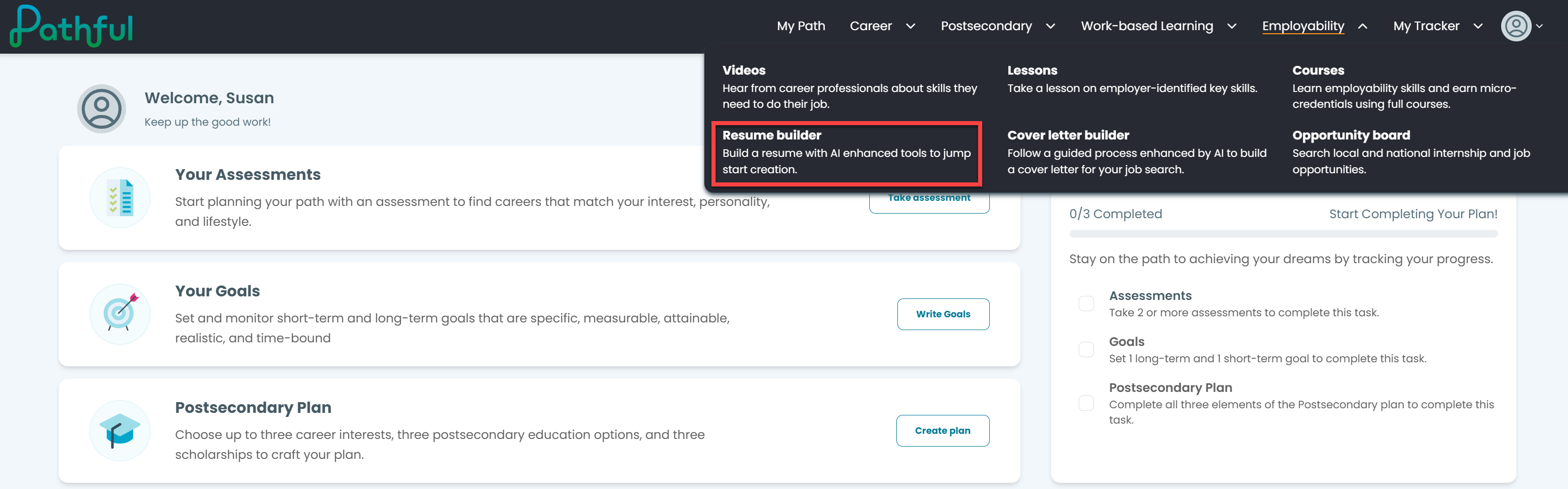
  1. From the Employability drop-down menu, select Resume builder.
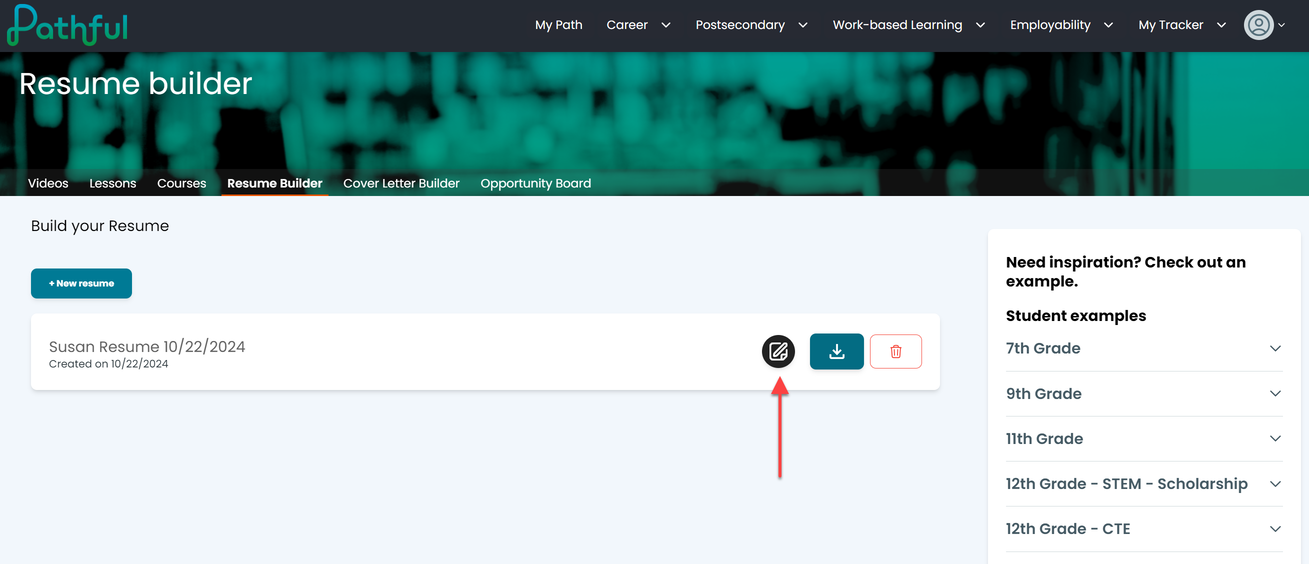
  2. Select the edit icon next to your resume.
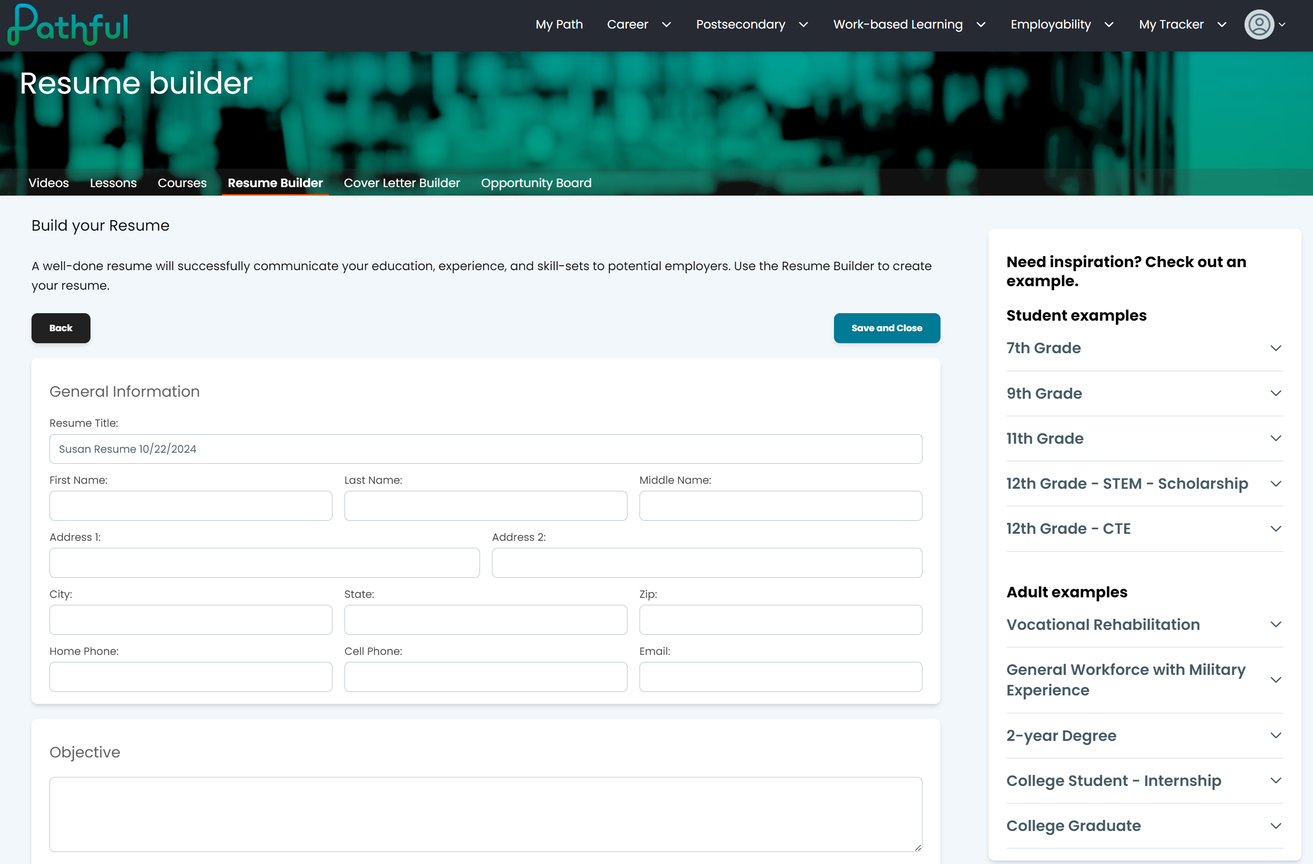
  3. Edit as needed.

  4. Select Save and Close when you are done.
On this page

    Edit an Existing Resume

Was this helpful?