Create an Assignment
Create assignments for your users where you control start and end dates, add and remove users, and grade submitted assignments.
Last updated About 2 months ago
Create an Assignment
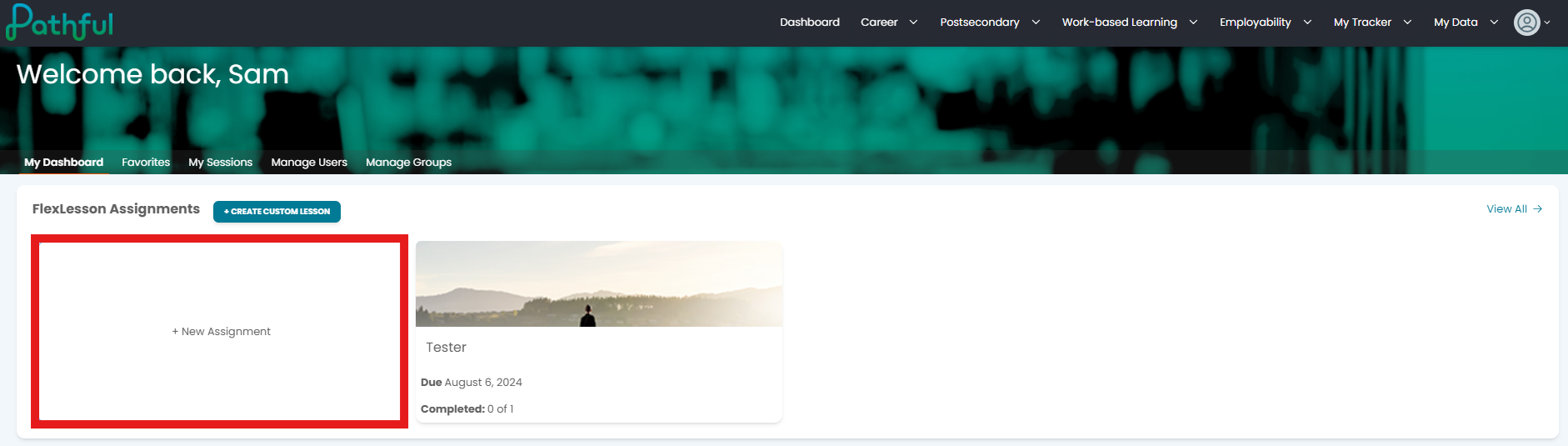
From your dashboard, select +New Assignment.
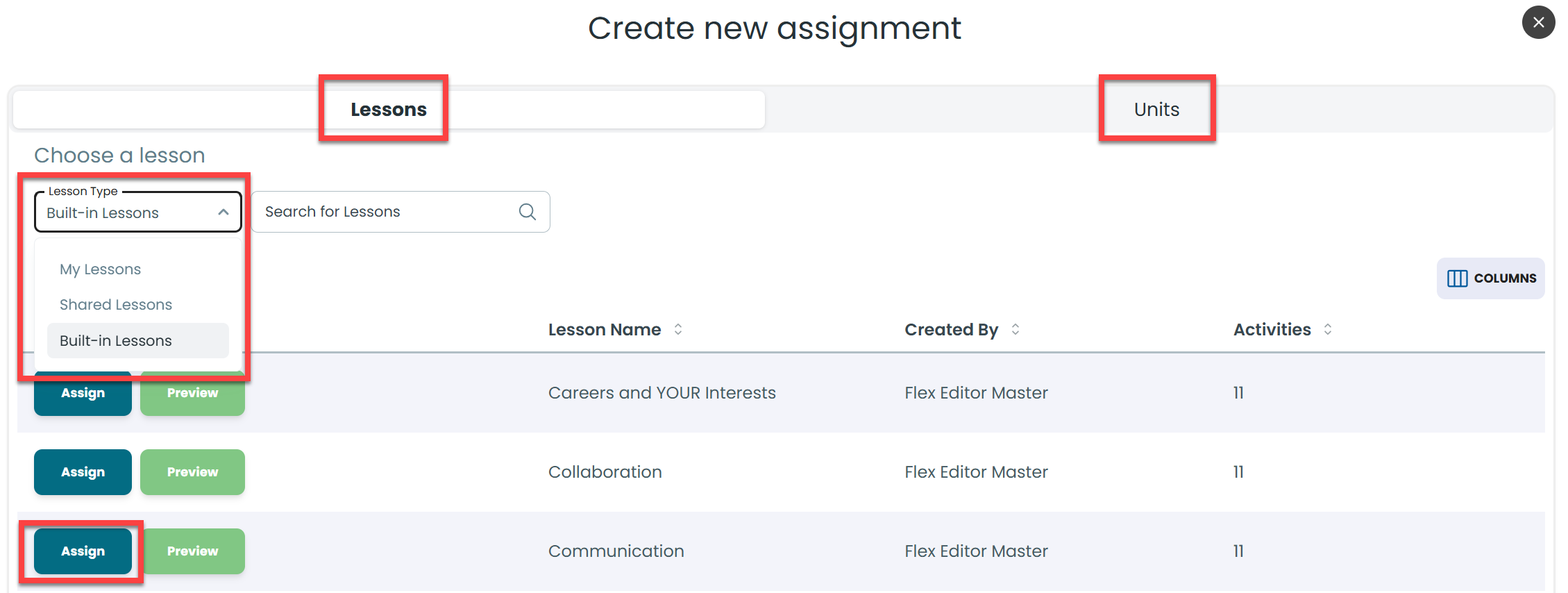
Select a Lesson Type filter or Unit:
My Lessons- custom lessons you created
Shared Lessons- custom lessons created by someone on your license
Built-in Lessons- lessons created by Pathful.
Select Assign to create the assignment for your learners.
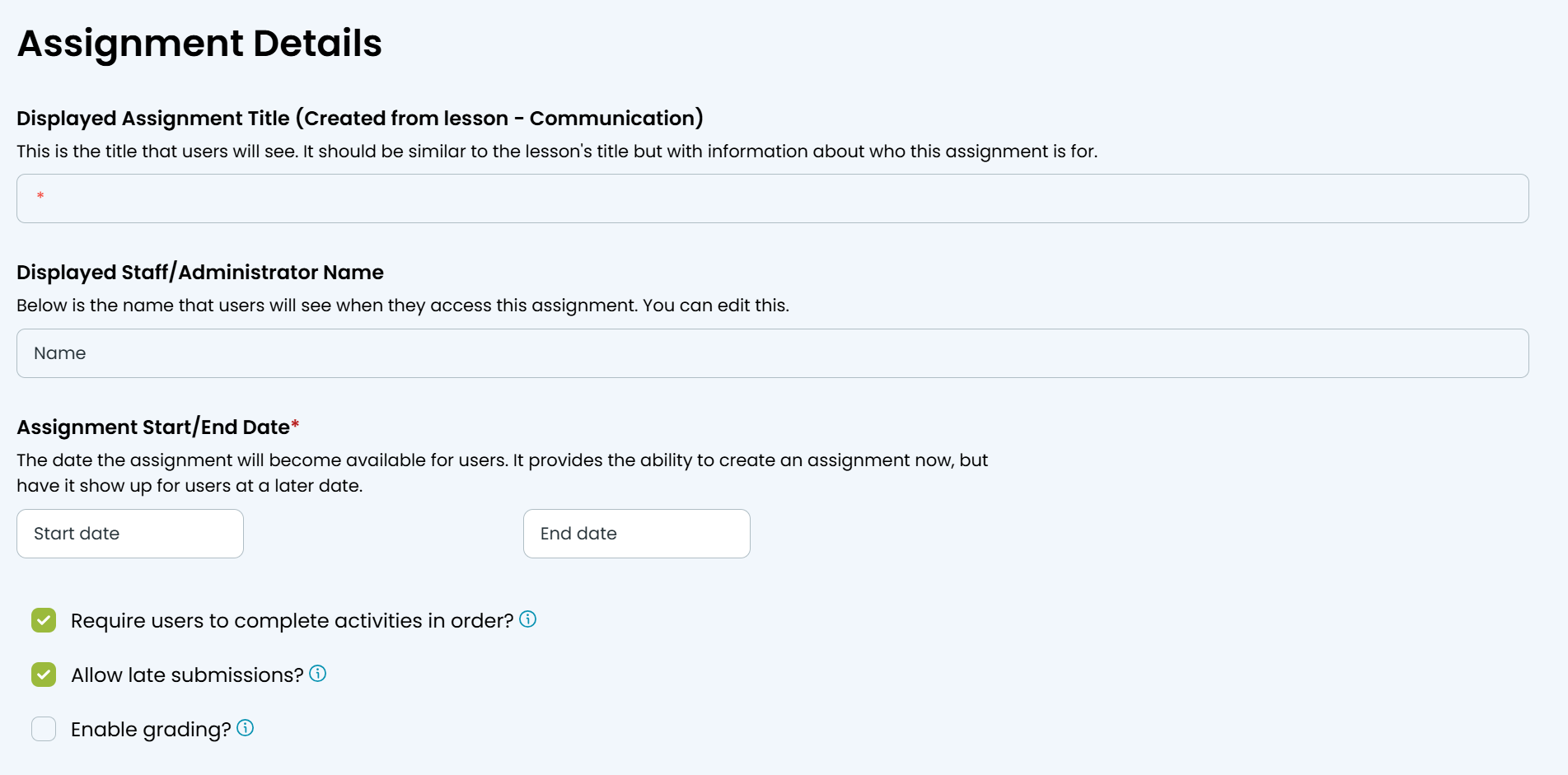
Complete all of the assignment details.
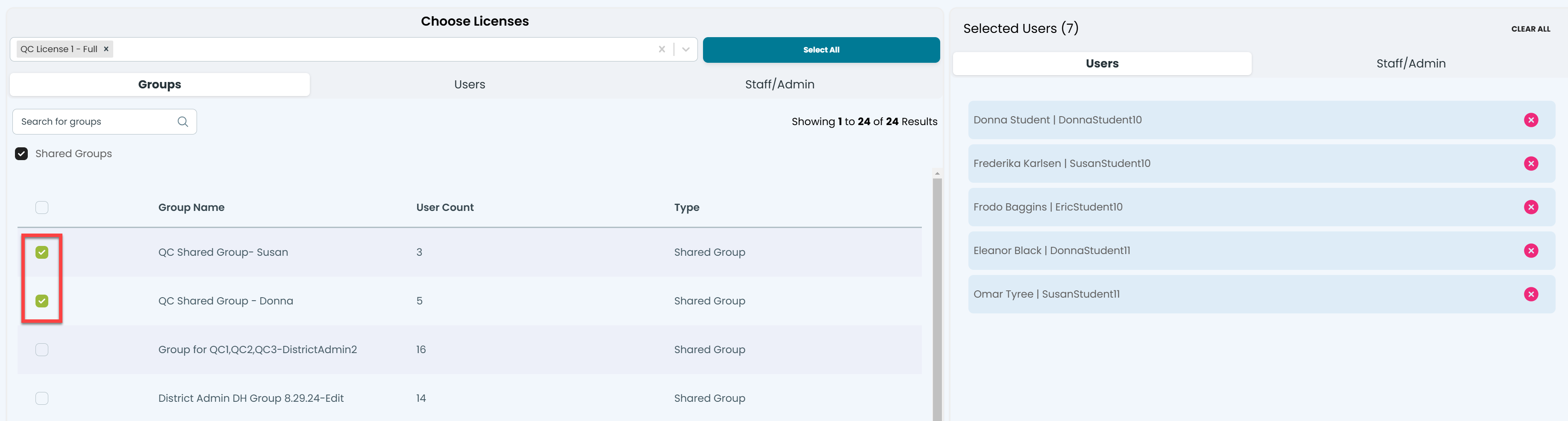
Select your license(s). If you have multiple licenses, you can choose the Select All button.
Use the Groups, Users, and Staff/Admin tabs to locate the desired individuals or groups. Select Shared Groups if desired.
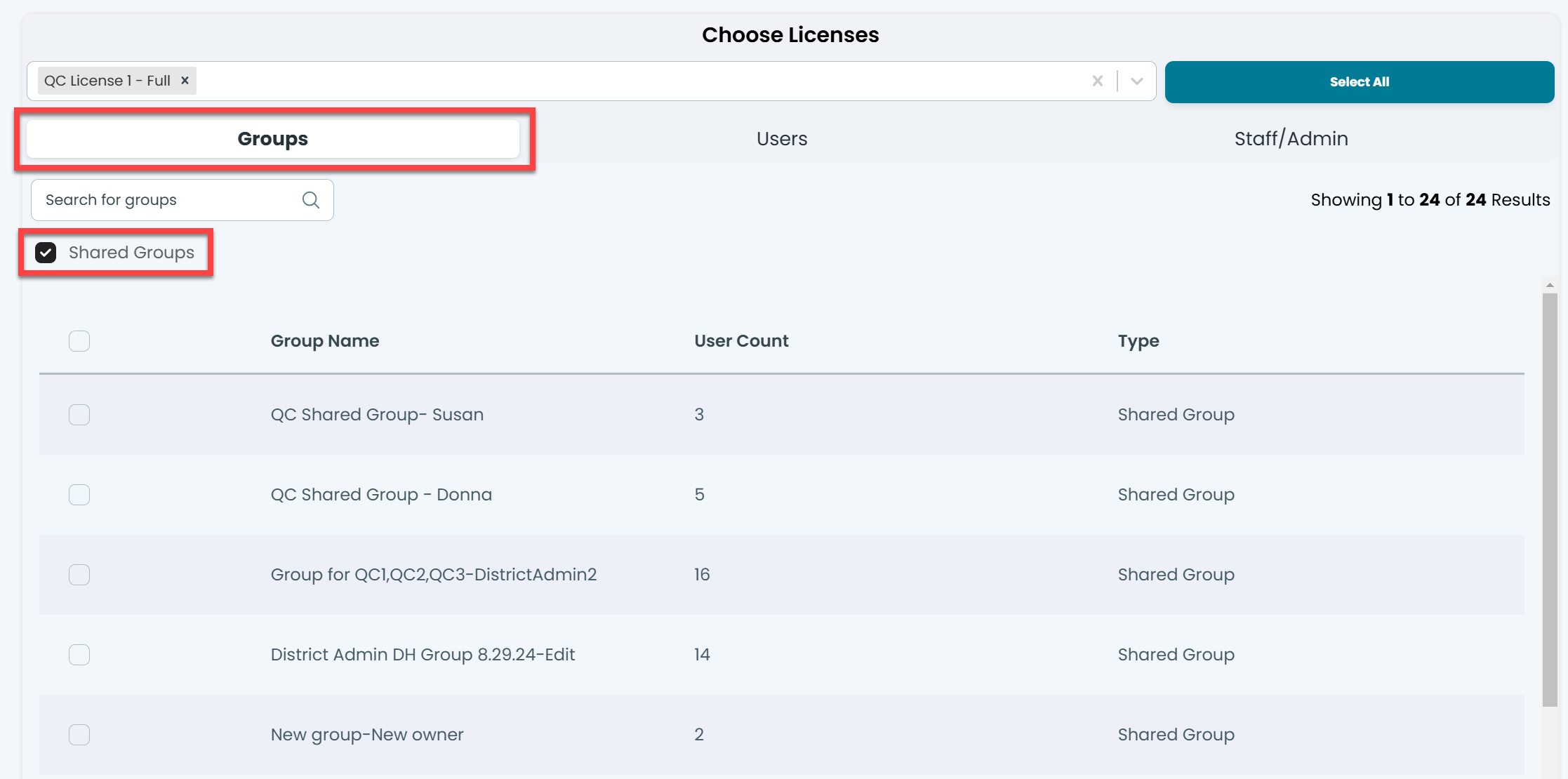
Select the desired Group or Users. A list will be displayed on the right.
Select Create Assignment at the top or bottom of the page.
Was this helpful?
Still need help? Ask the team