Create a Custom Lesson
Create a custom lesson for your learners.
Last updated About 2 months ago
Create a Custom Lesson
Pathful has many prebuilt lessons that you can assign to learners. You can also create custom lessons if you need them.
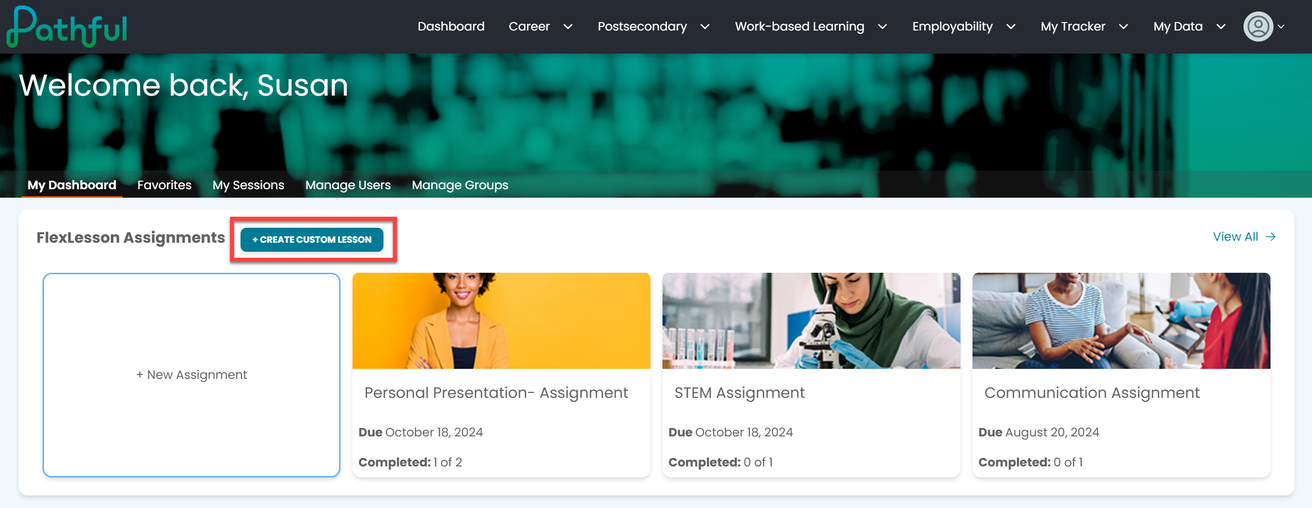
From your dashboard, select +Create Custom Lesson.
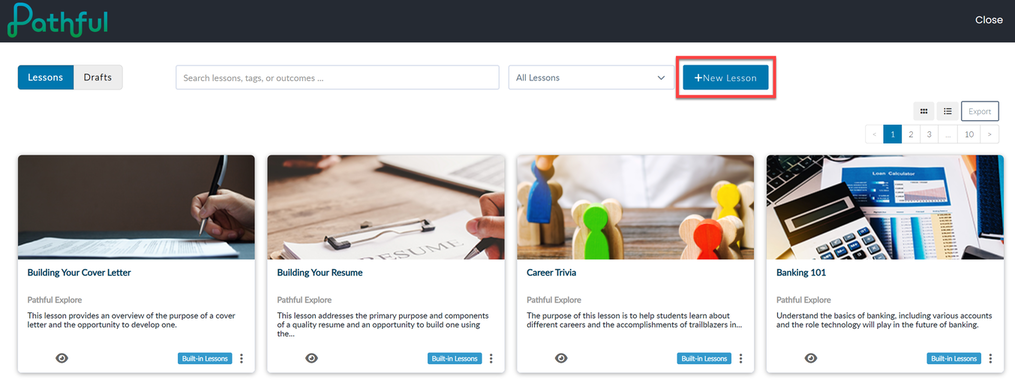
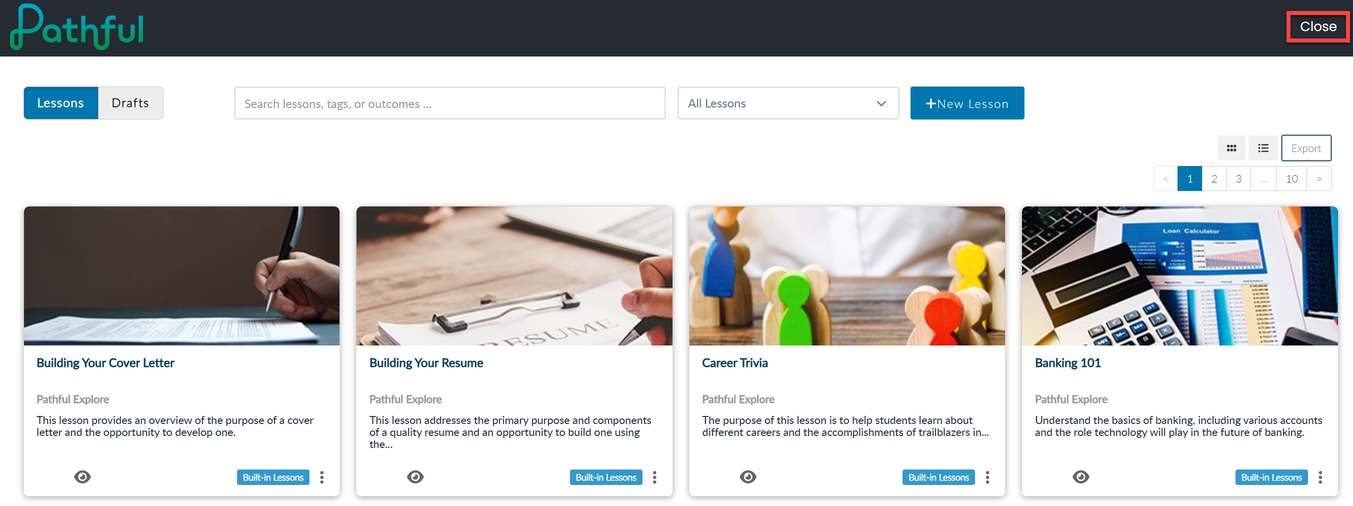
Select +New Lesson.
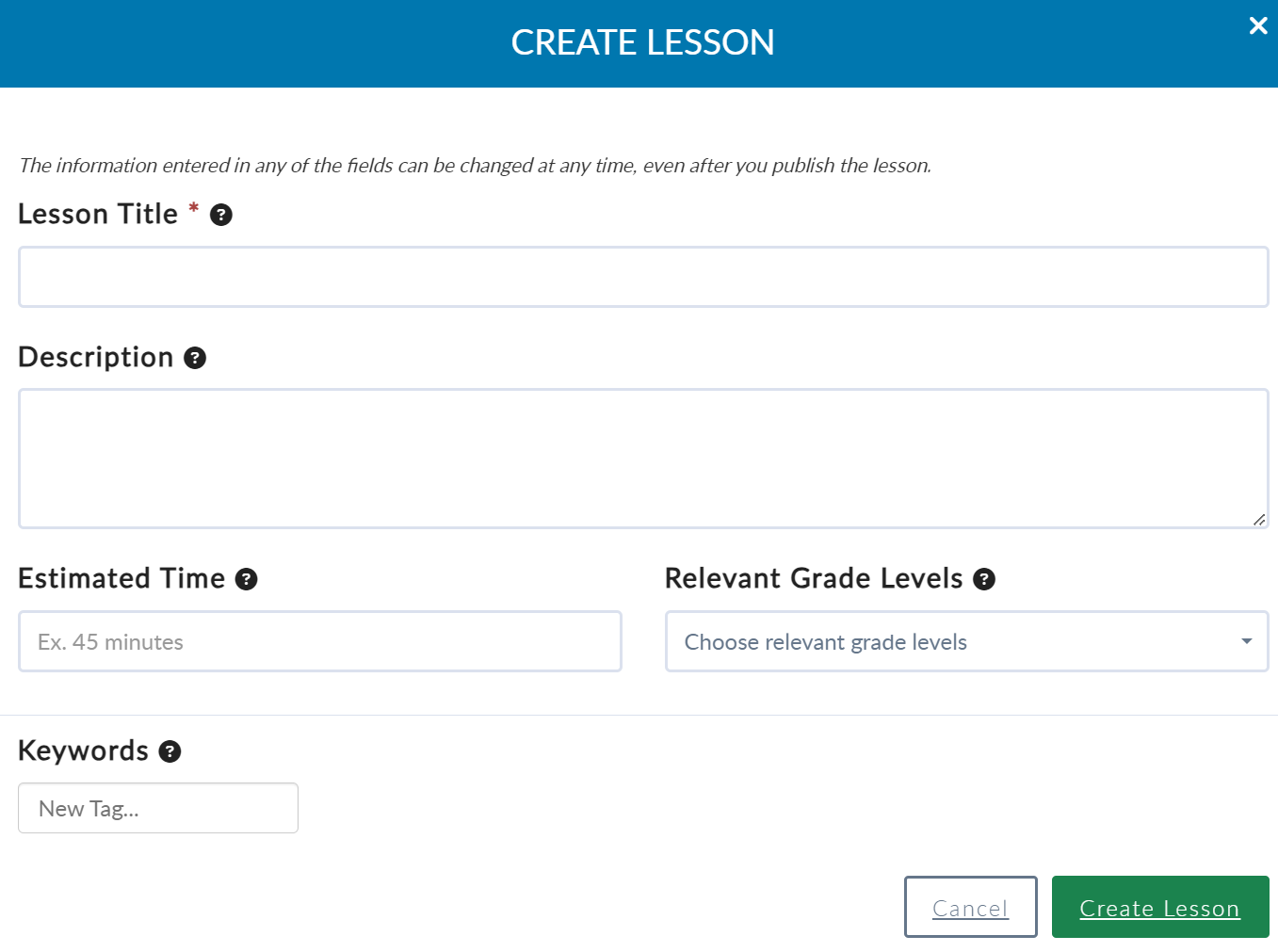
Complete the required fields and select Create Lesson.
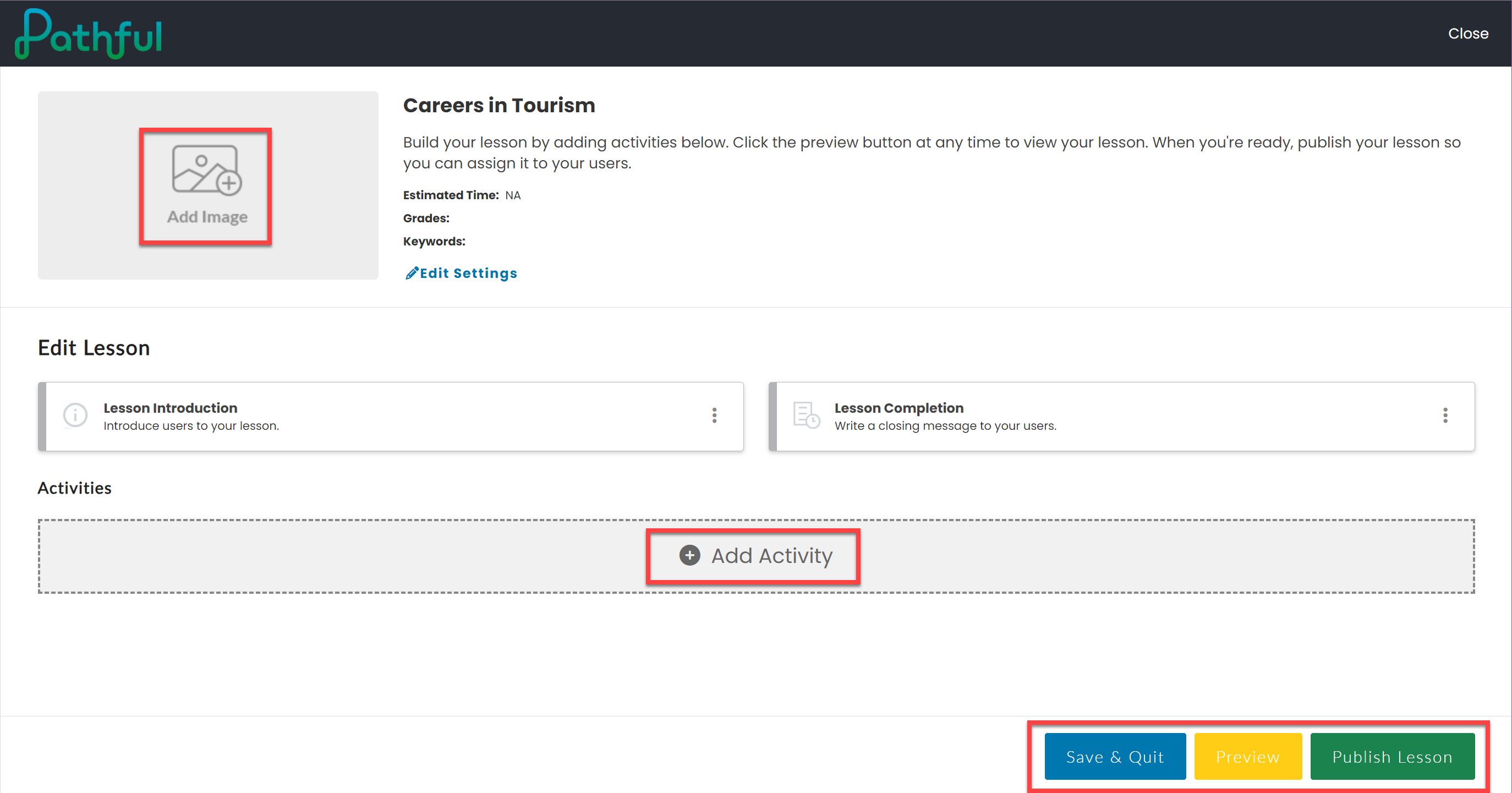
Select Add Image to add an image to the lesson.
Select Add Activity to add various lesson segments.
Select Save & Quit to save a draft of your lesson.
Select Preview to see how the lesson will look to a learner once published.
Select Publish Lesson after you have completed creating the lesson. Once the lesson is published, it cannot be edited.
Select the Close button at the top to return to your dashboard.
Was this helpful?
Still need help? Ask the team