Change the Due Date on an Assignment
This article explains how to change the due date and other assignment settings once you have created an assignment for your learners.
Last updated About 2 months ago
Change the Due Date on an Assignment
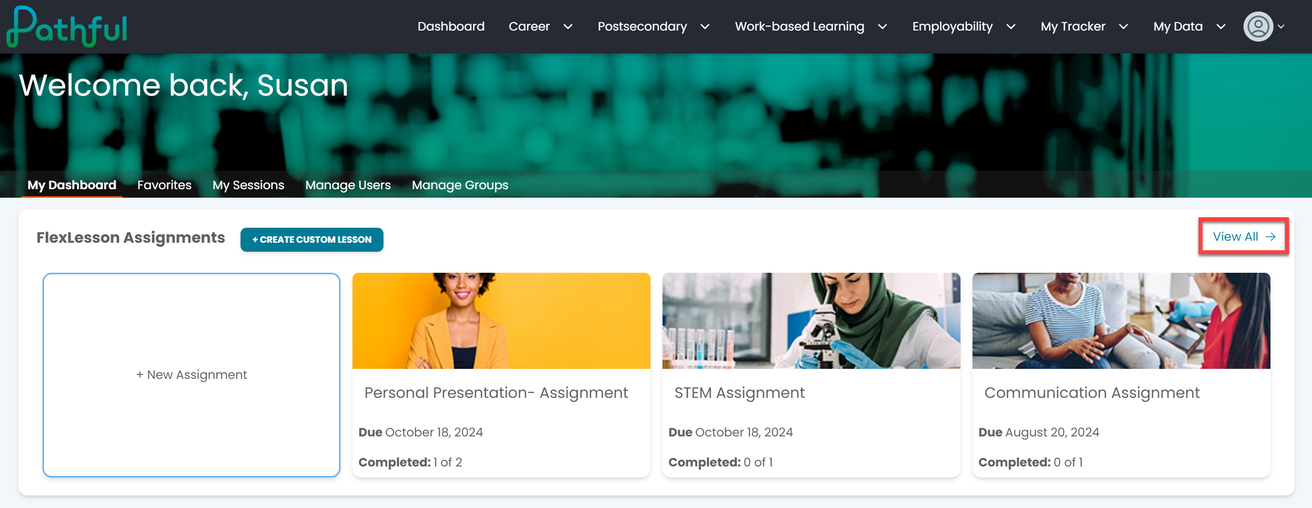
From your Dashboard, select View All in the FlexLesson Assignments section.
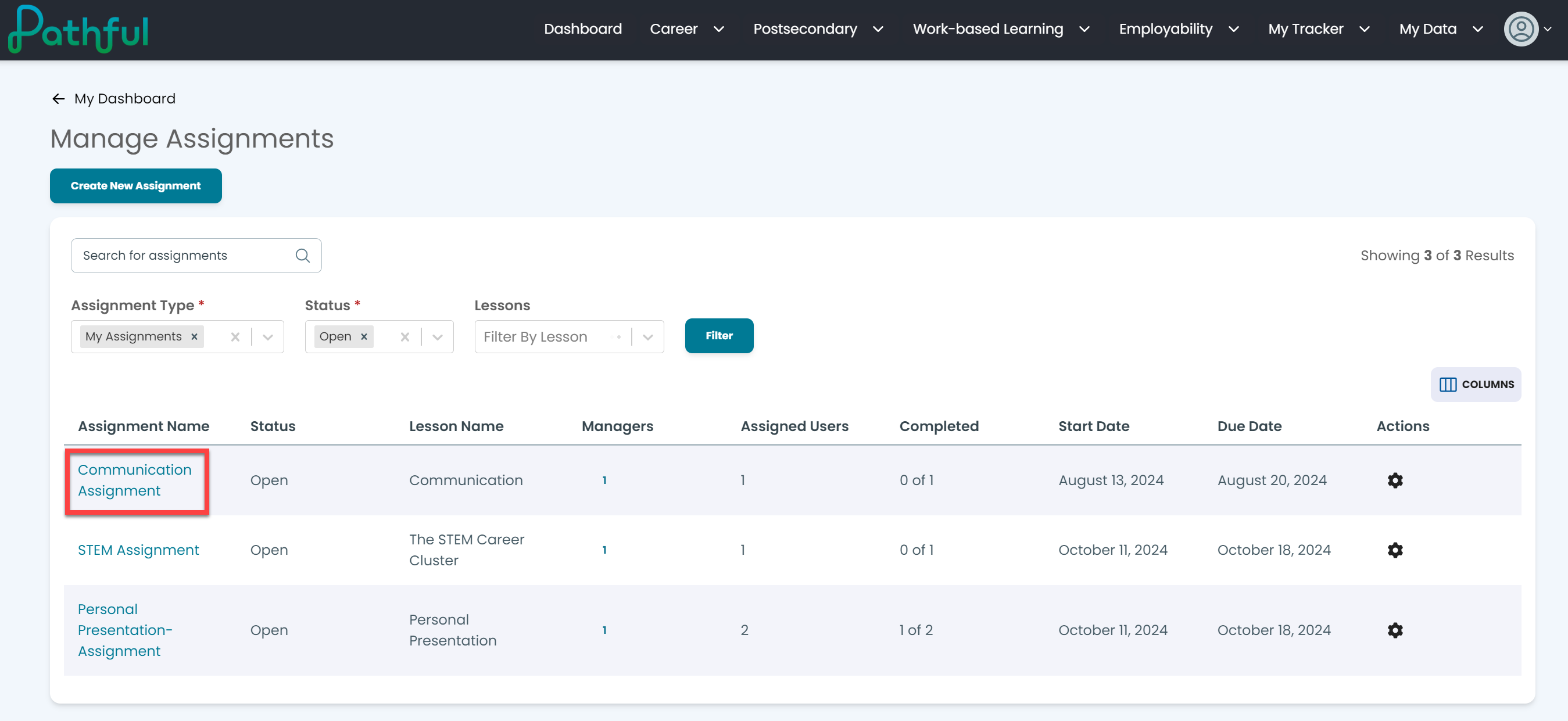
Select the desired assignment by clicking on the Assignment Name.
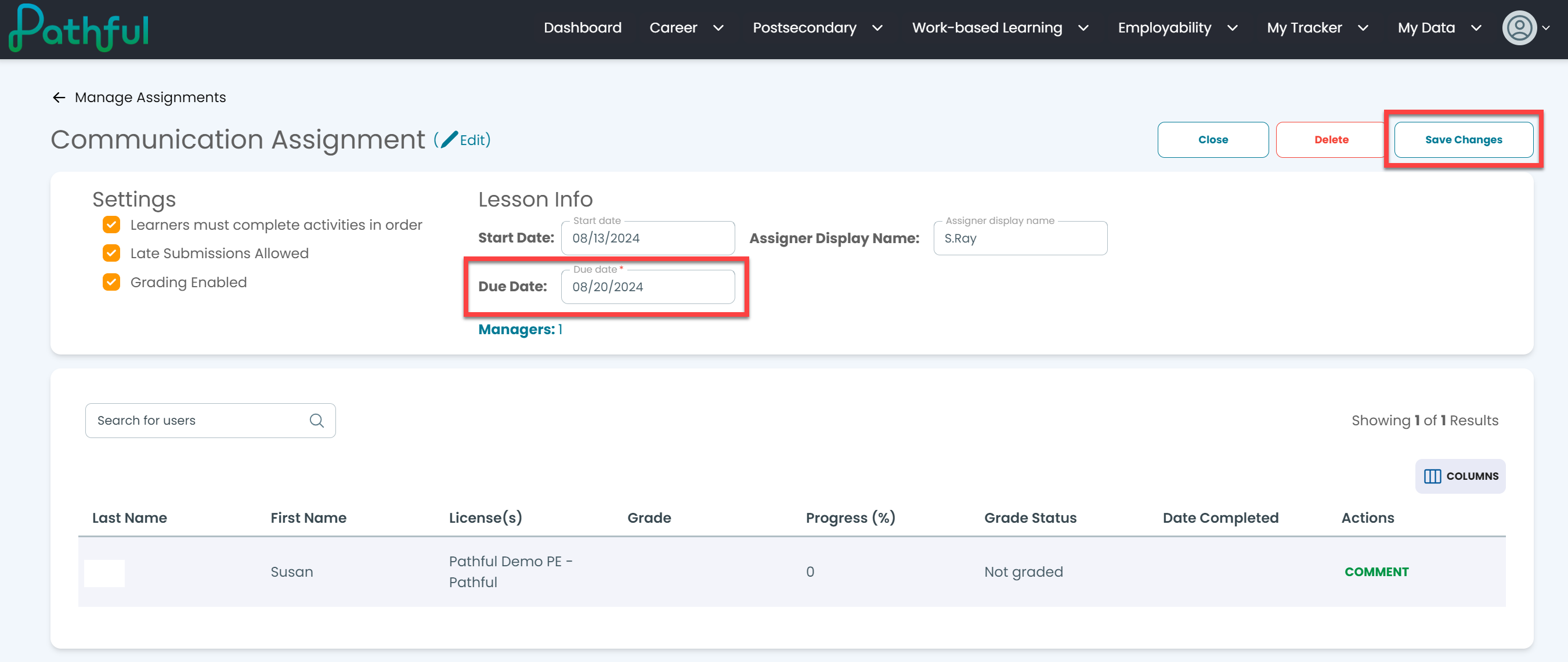
Under Lesson Info, change the due date as needed.
You can also change any of the assignment settings as needed.
Select Save Changes.
Was this helpful?
Still need help? Ask the team