Create a District Resource Post
Create easy-to-find and helpful links that appear on your users' dashboards.
Last updated About 2 months ago
Create a District Resource Post
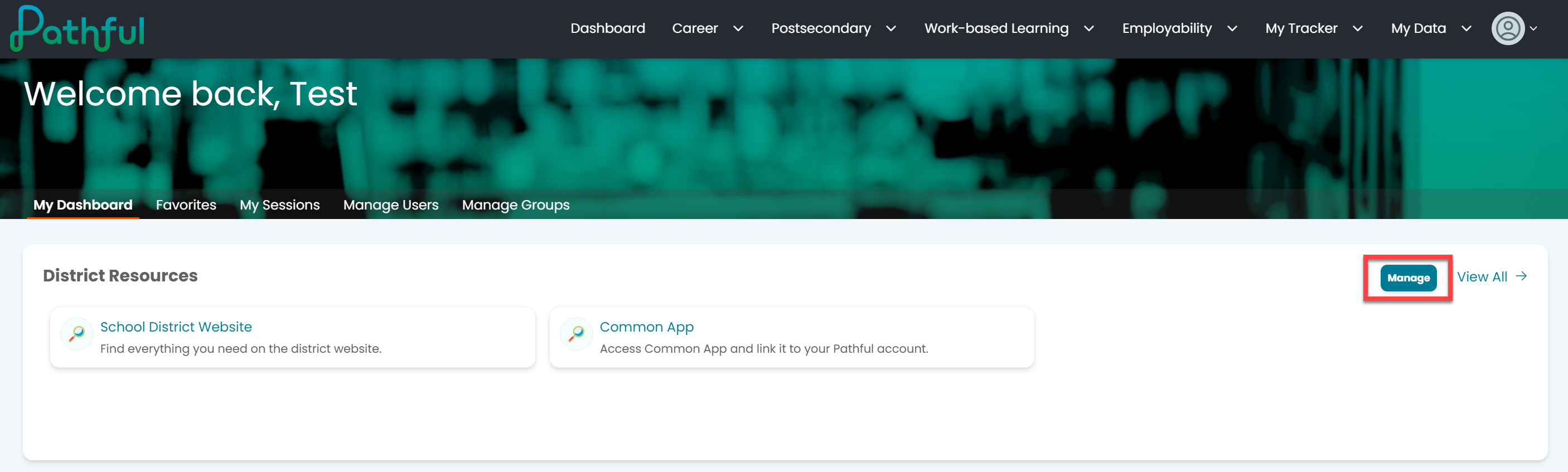
From your Dashboard, select Manage in the District Resources section.
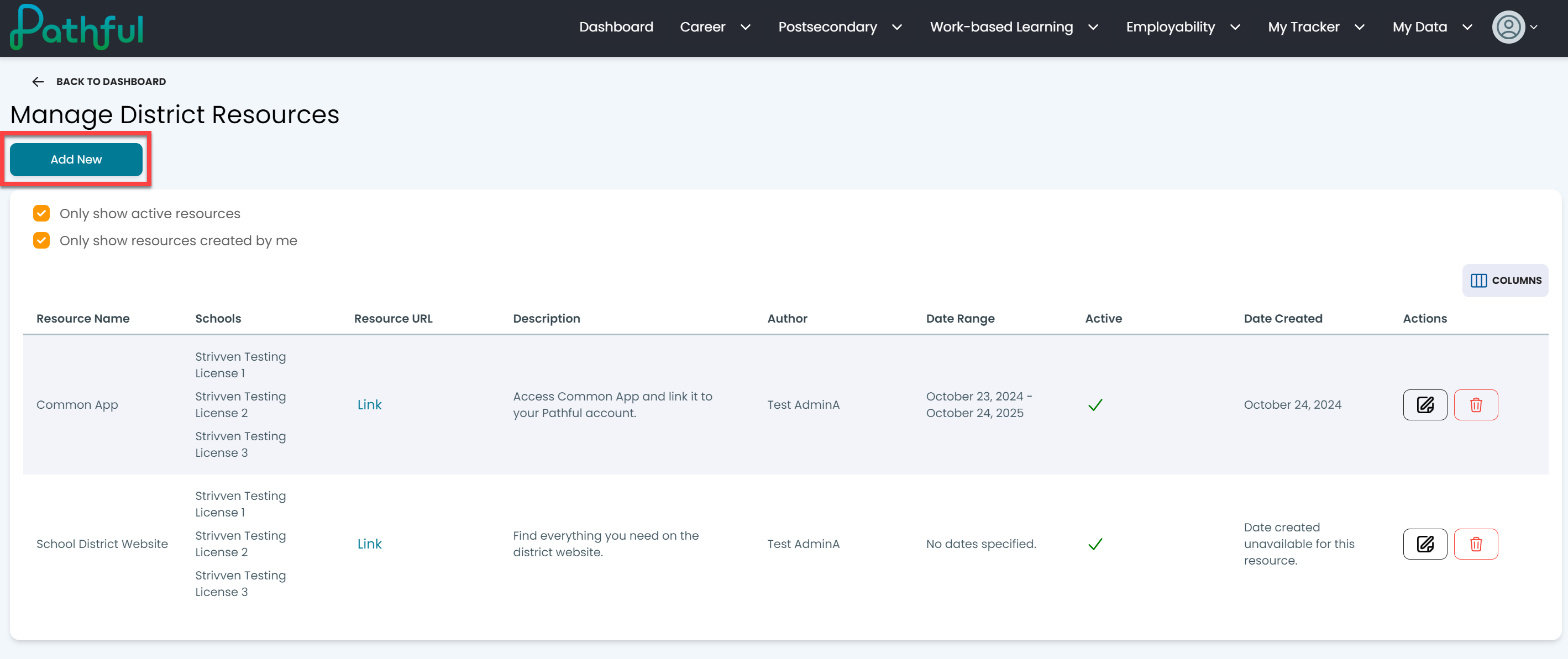
Select Add New to create a new post.
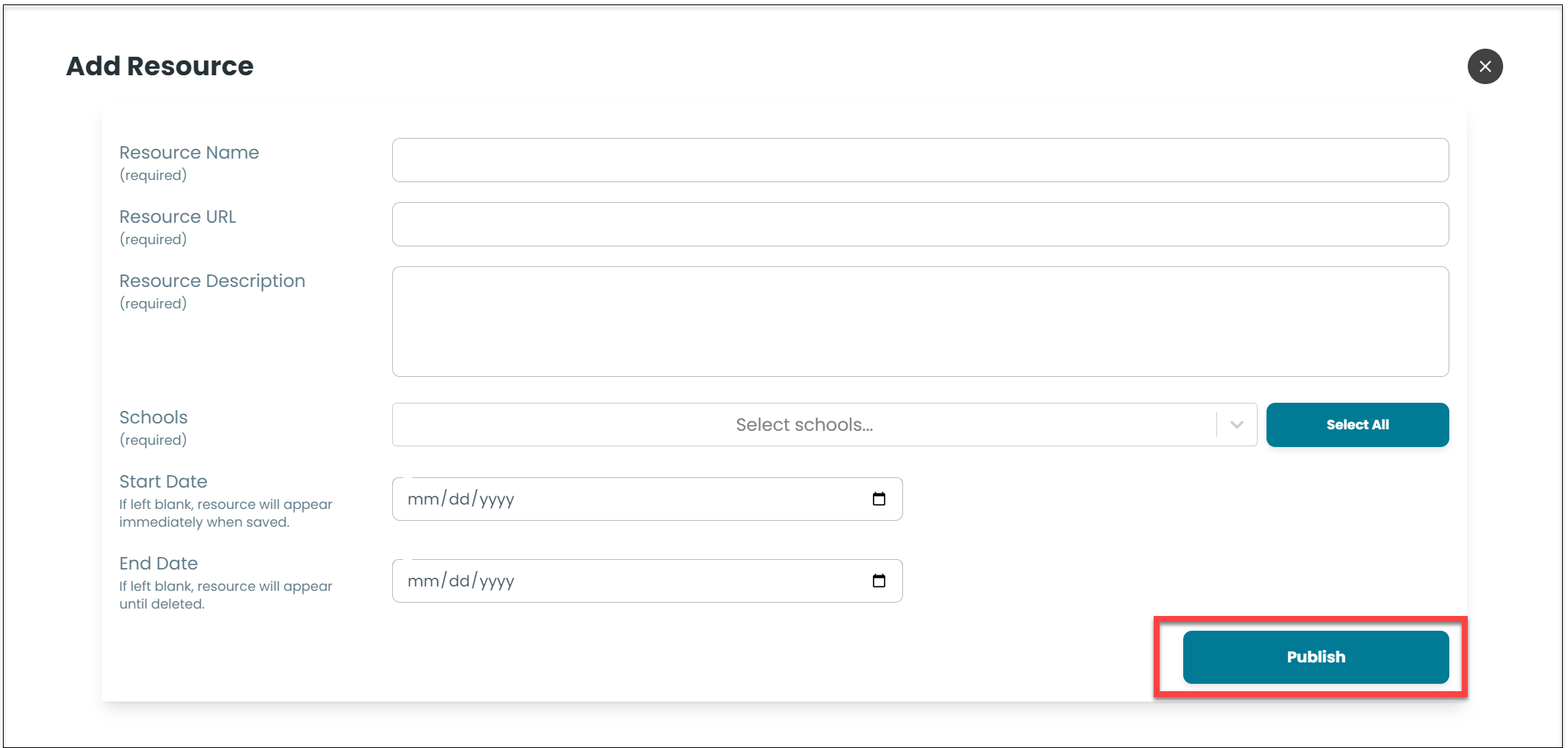
Complete all of the required fields and any optional fields.
If you have access to multiple licenses, you can choose to "Select All" to create a post for every user in your district. Optionally, you can also select licenses individually.
If you do not select a date range, the post will appear immediately and remain active until you remove it.
Select Publish.
Was this helpful?
Still need help? Ask the team