Student Dashboard Overview
This article provides an overview of the information on the Student Dashboard and provides links to related articles.
Last updated About 2 months ago
Student Dashboard Overview
Upon login, you will land at the Student Dashboard.
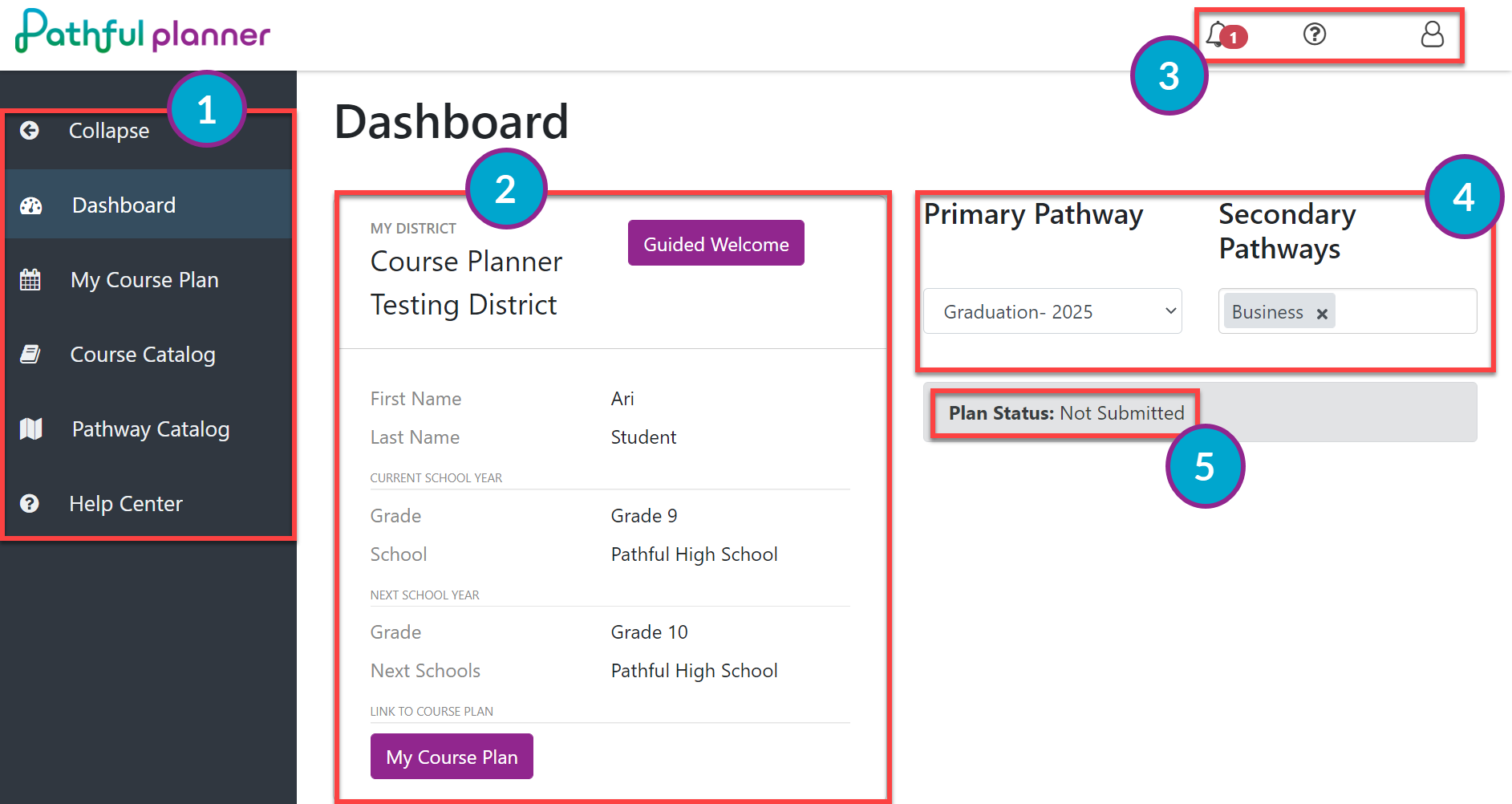
From the Dashboard, you can do the following:
Explore using the expandable side navigation pane.
Review your basic information:
Complete the Guided Welcome if you have not already done so or need to change any of your personal information.
Confirm Name, Grade, School- current and next year
View current plan
View or navigate to the following:
Notifications
Help Center
User information / Logout
Change your Pathway, both Primary and Secondary.
Was this helpful?
Still need help? Ask the team