View My Assessment Results
This article explains how to view your CCIS-EZ results.
Last updated About 2 months ago
View My Assessment Results
Once you have completed the CCIS-EZ you can view your results at any time.
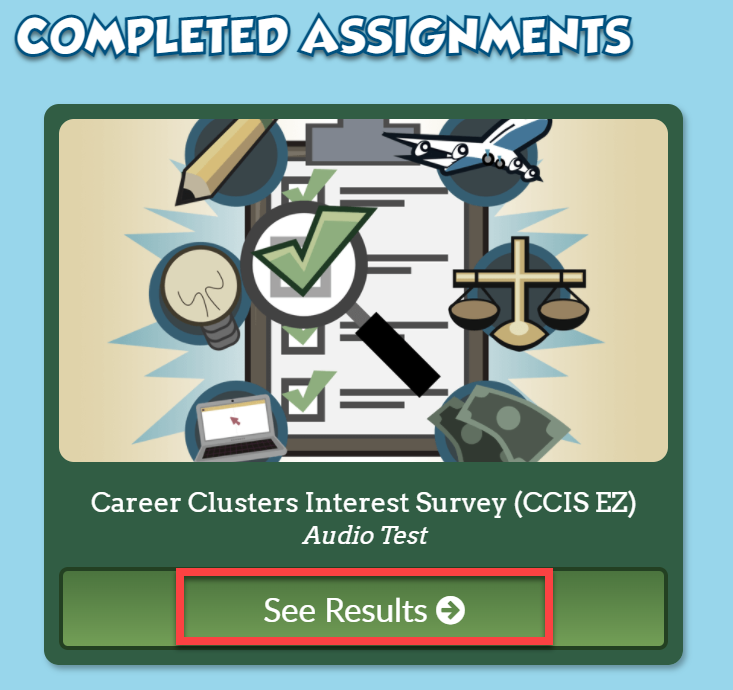
From the student Dashboard, scroll down to the Completed Assignments section.
Find the completed CCIS-EZ assignment block.
Select See Results.
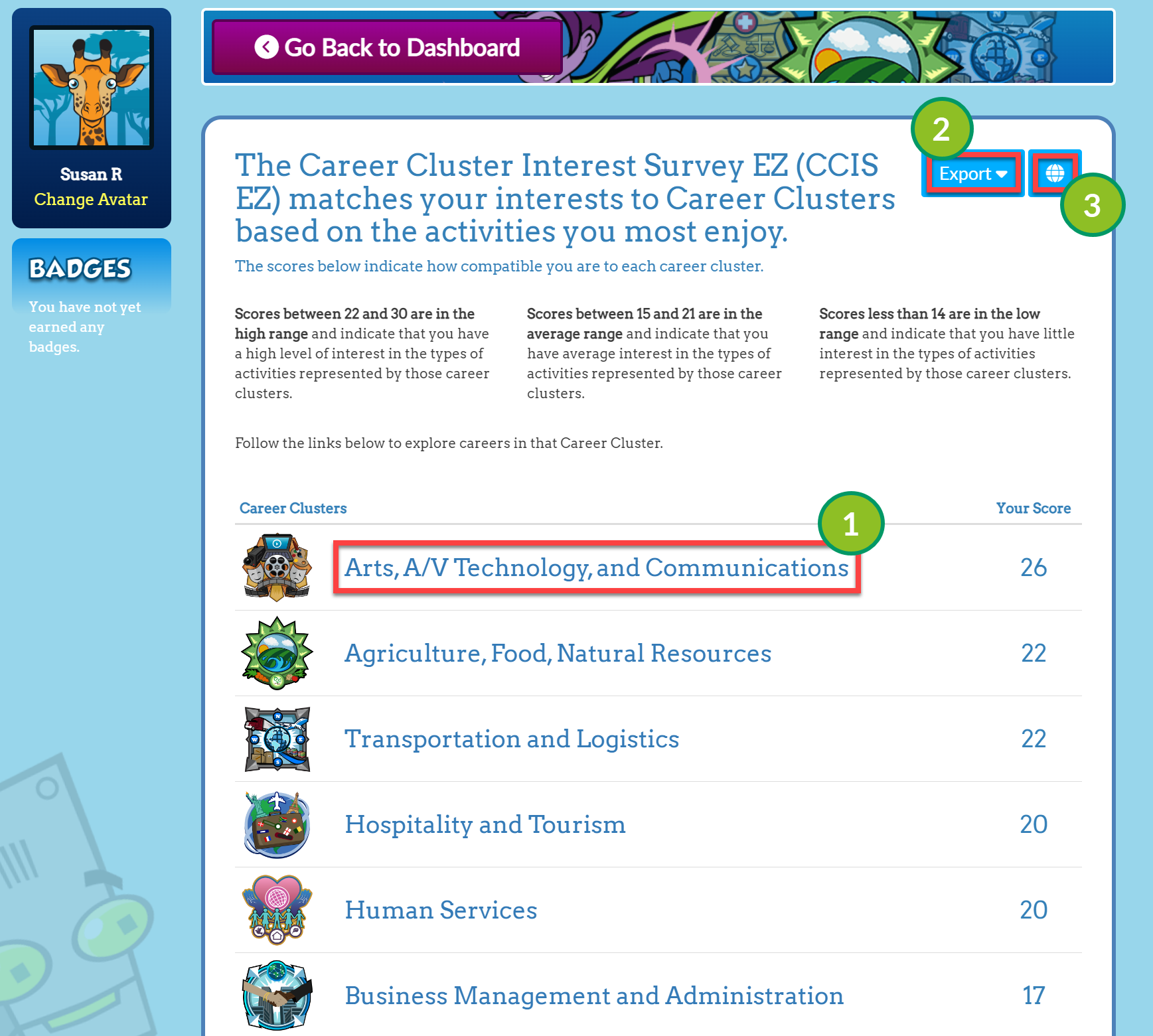
From the Results page, you can do the following:
Select a Career Cluster to learn more about careers in that Cluster.
Export your results to a PDF or Excel.
Change the language of your results.
Was this helpful?
Still need help? Ask the team