Download an Attachment from an Experience (Student)
This article explains how a student can download a copy of an Experience attachment.
Last updated 4 months ago
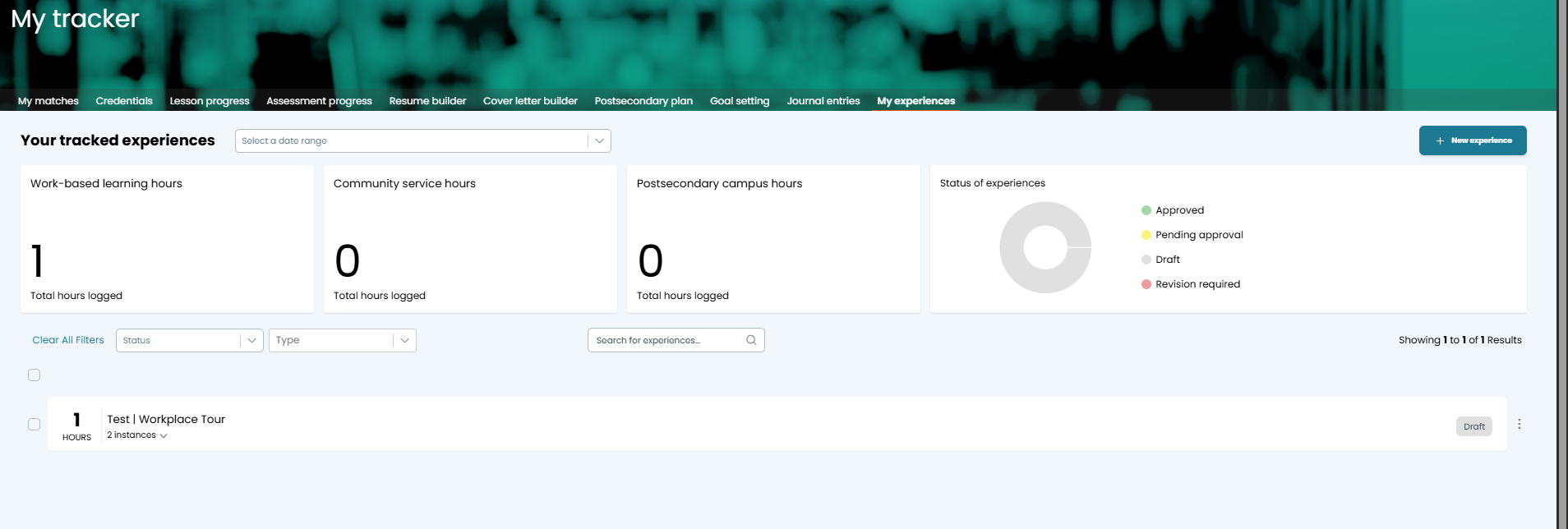
From the My Tracker menu, select My Experiences.

Select the desired Experience.
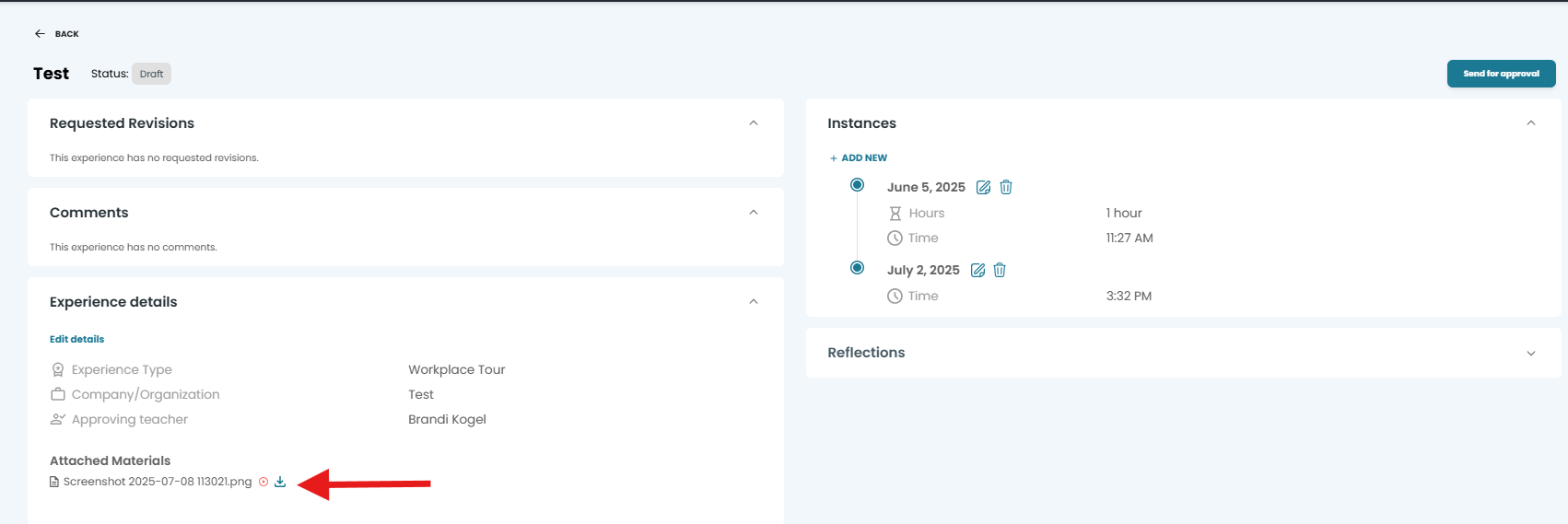
In the Experience Details section, locate the desired attachment and select the download button.
Was this helpful?
Still need help? Ask the team