Log In with a Google Account
How to log in to Pathful Explore with your Google account.
Last updated About 2 months ago
Log In with a Google Account
In order to link a Google account to Pathful Explore, you must first confirm you are not already integrated with a separate SSO (Single-Sign-On) system, such as Clever. Once that’s confirmed, log in normally with your username and password and follow the steps below:
Select the user icon in the upper right corner and select Profile.
Scroll down to Other Details and select Connect with Google.
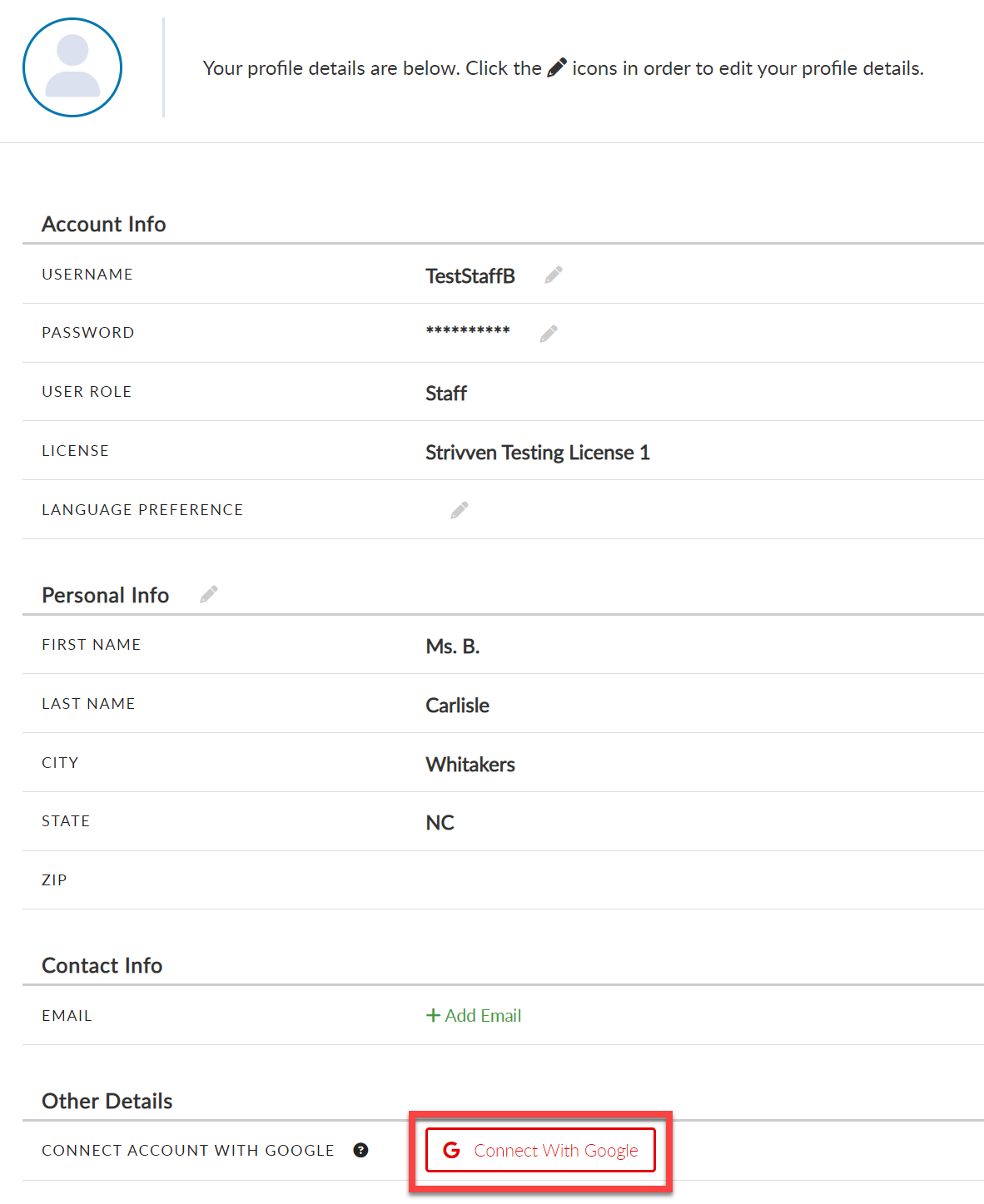
Your Gmail and Patful Explore accounts are now linked. You must be logged into your Gmail account on the same browser as Pathful Explore.
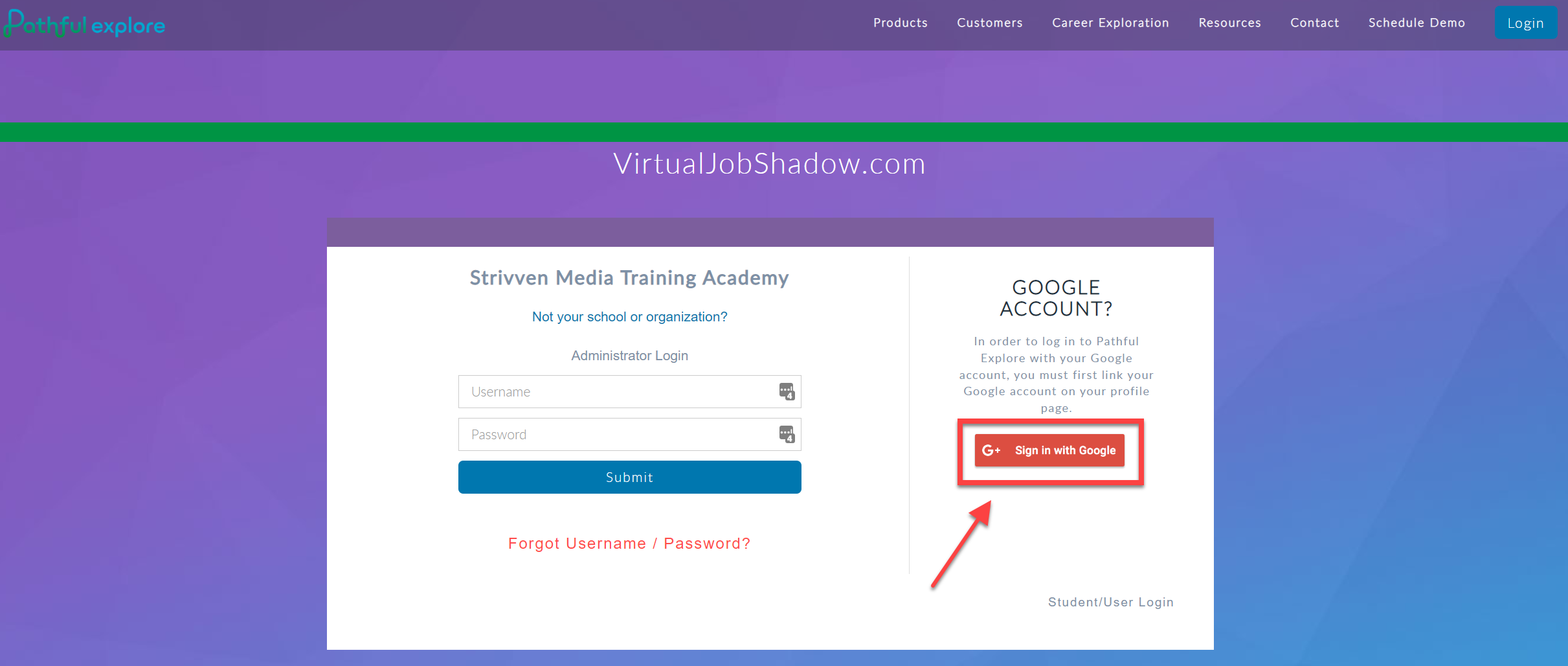
The next time you log in to Pathful Explore, select the Sign in with Google option on the right side of the page.
To disconnect, repeat steps 1- 2 and select Disconnect with Google.
Was this helpful?
Still need help? Ask the team