How to Log In to Your Pathful Account
Last updated 23 days ago
Accessing the Login Page
To log in to your Pathful account, navigate to the Pathful login page at https://app.pathful.com/login and search for the name of your school/organization if known.

How to Use "Find My Account"
Step 1: Accessing Account Recovery
To begin account recovery, start on the main sign-in page by searching for your school or organization. If you are unsure of your school name, click the "Don't know your school? Find my account" link beneath the search field.
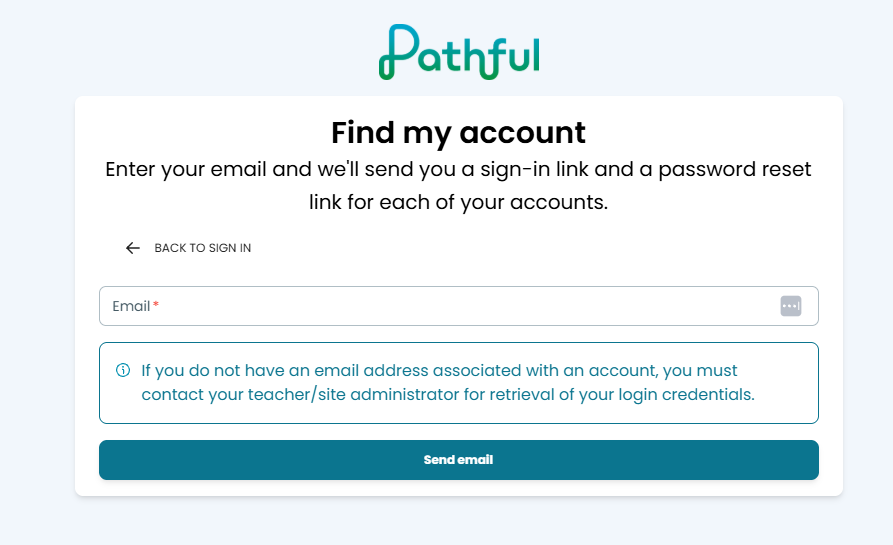
Login Steps for Manual Login
Enter your username in the username field
Enter your password in the password field
Click the "Sign In" button to access your account

Login via Single Sign-On from the Pathful Site
If your license has rostering set up, a portal will appear next to the login for Single Sign-on. Below is an example of what this portal would look like:
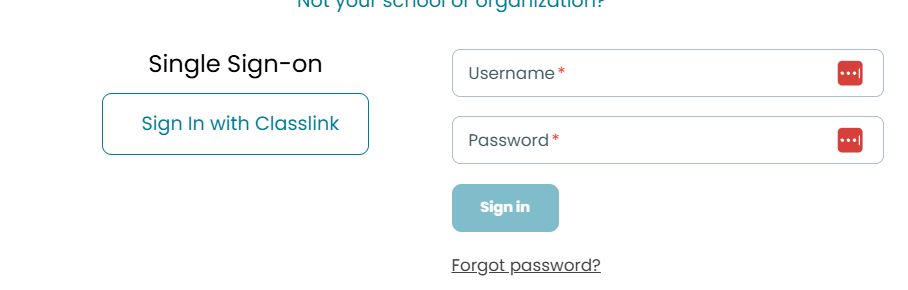
Forgot Your Password?
If you've forgotten your password:
Click the "Forgot Password?" link below the “Sign In” button
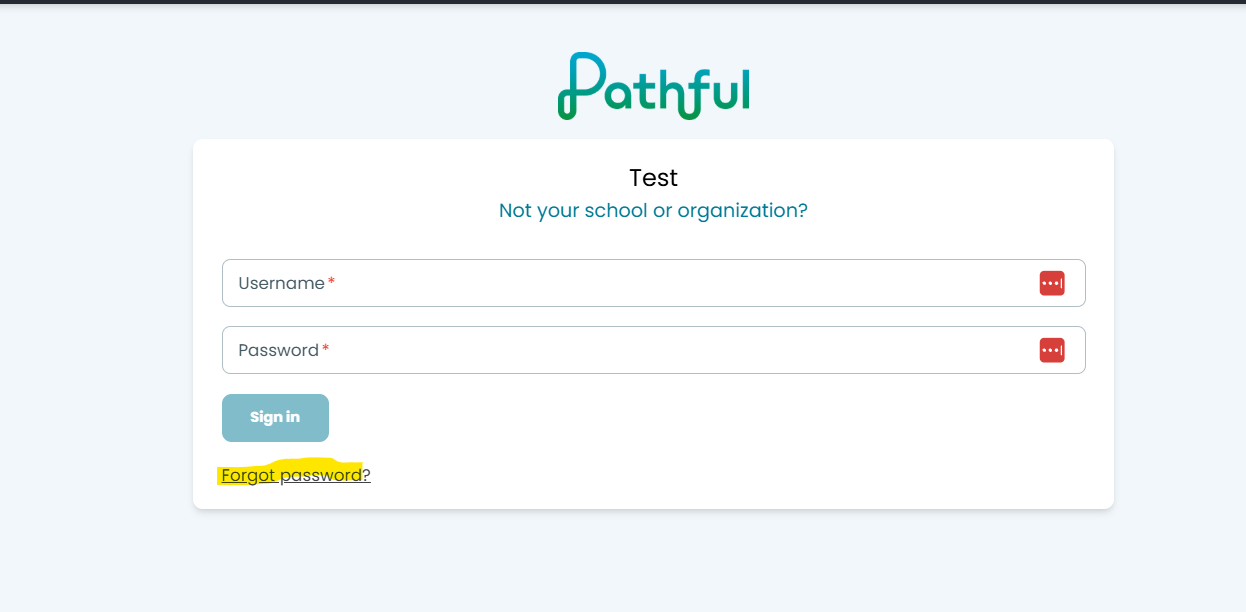
Enter the email address associated with your account
Check your email for a password reset link
Click the link in the email and follow the instructions to create a new password
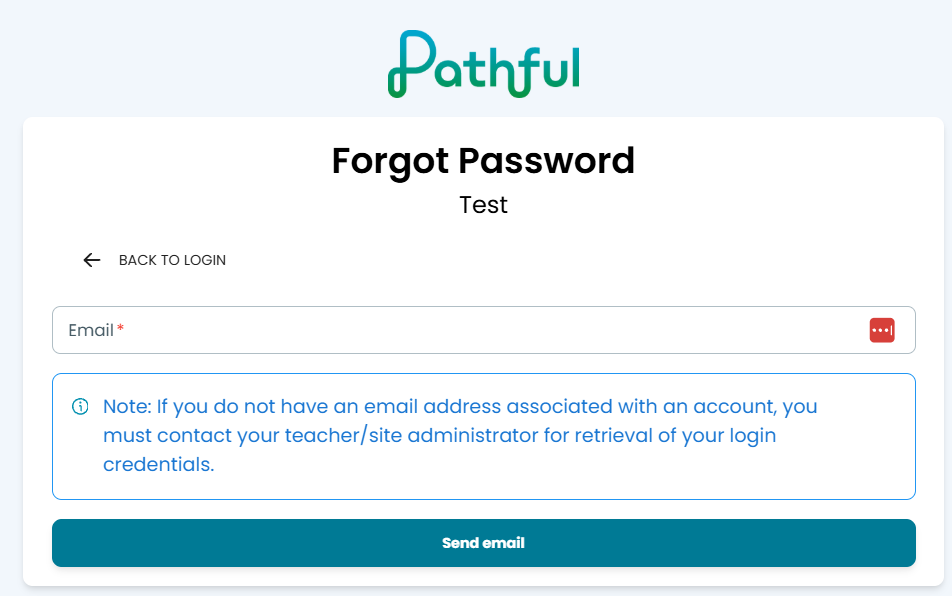
Return to the login page and log in with your new password
Trouble Logging In?
If you're having difficulty accessing your account, try these solutions:
Check your credentials: Make sure you're using the correct email address and password. Passwords are case-sensitive.
Clear your browser cache: Sometimes cached data can interfere with the login process. Clear your browser's cache and cookies, then try again.
Try a different browser: If the issue persists, attempt to log in using a different web browser or device.
Check your internet connection: Ensure you have a stable internet connection.
If you continue to have trouble, please email support@pathful.com.
Was this helpful?
Still need help? Ask the team