Add a User
Learn how to add new users to your license.
Last updated About 2 months ago
Add a User
If your school uses manual login (username and password), administrators and some educators will be able to manually create users.
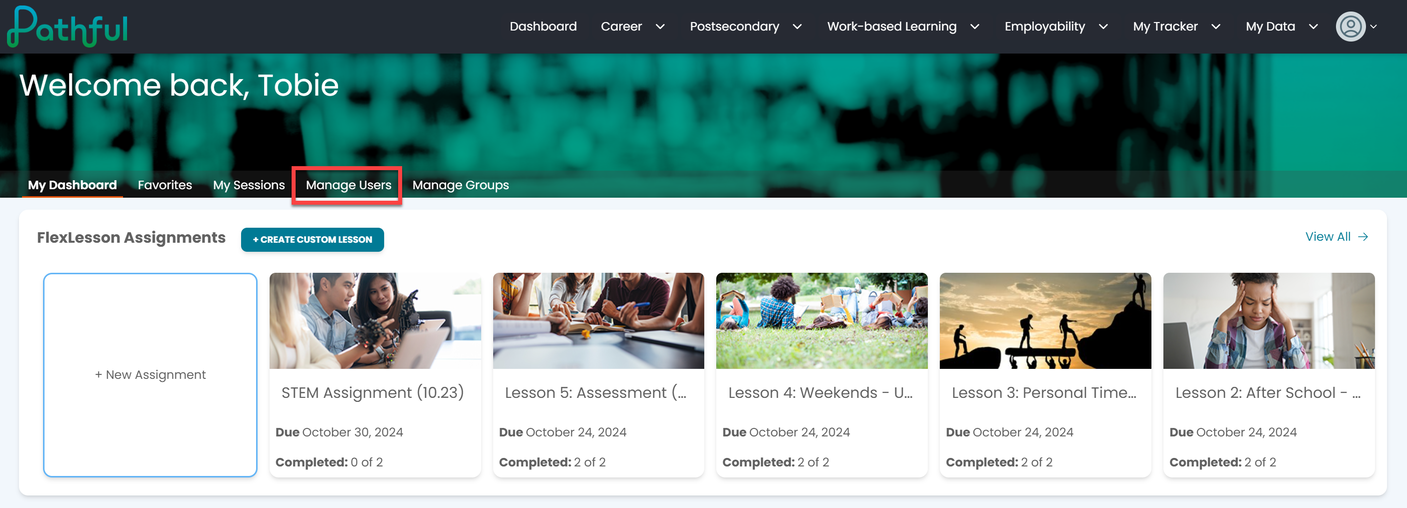
On your Dashboard, select Manage Users.
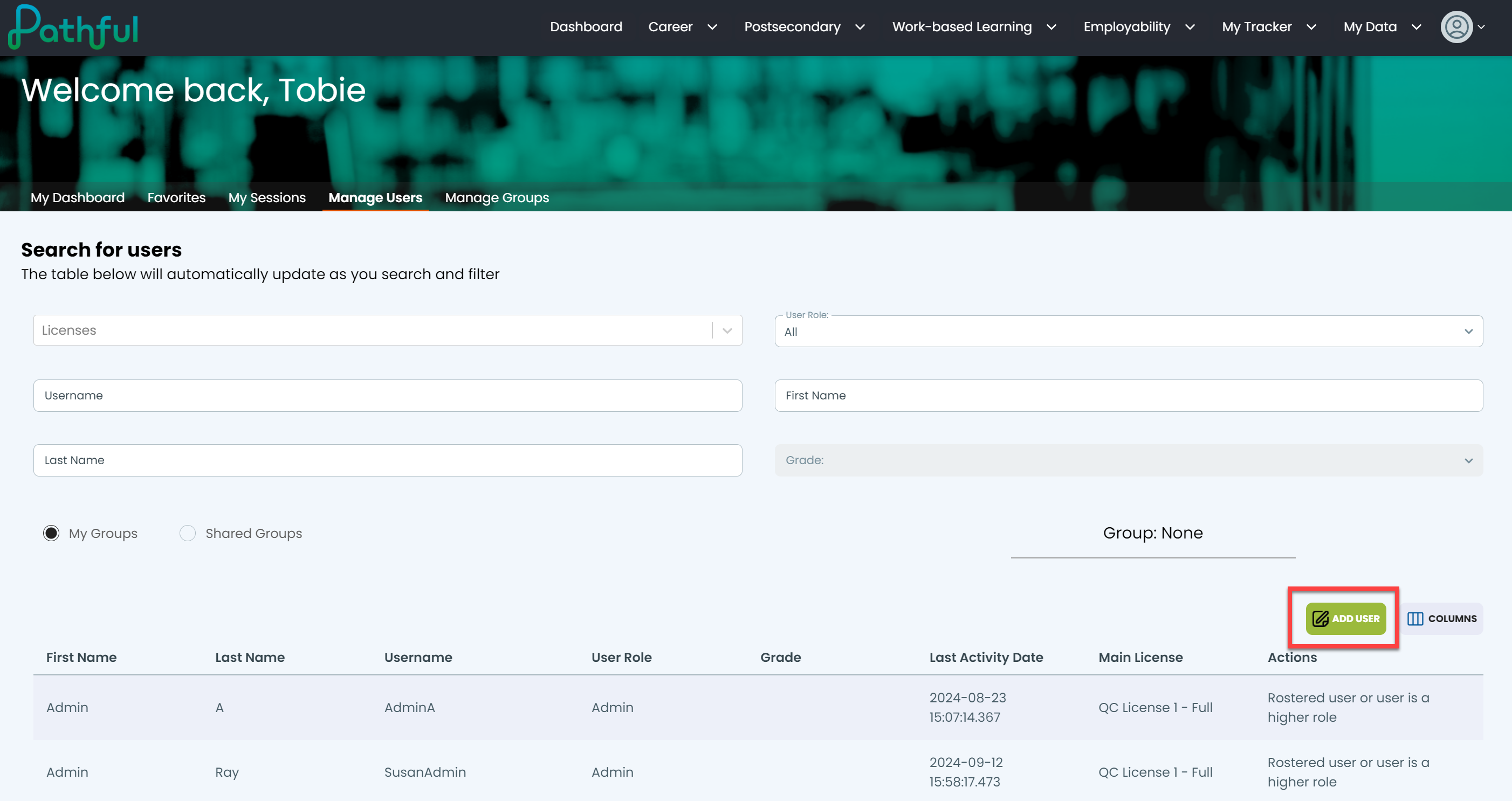
Select Add User.
Complete all required fields and any additional fields as needed. Required fields may change based on the selected user role. Note: "user" in user role refers to a student.
Select Create.
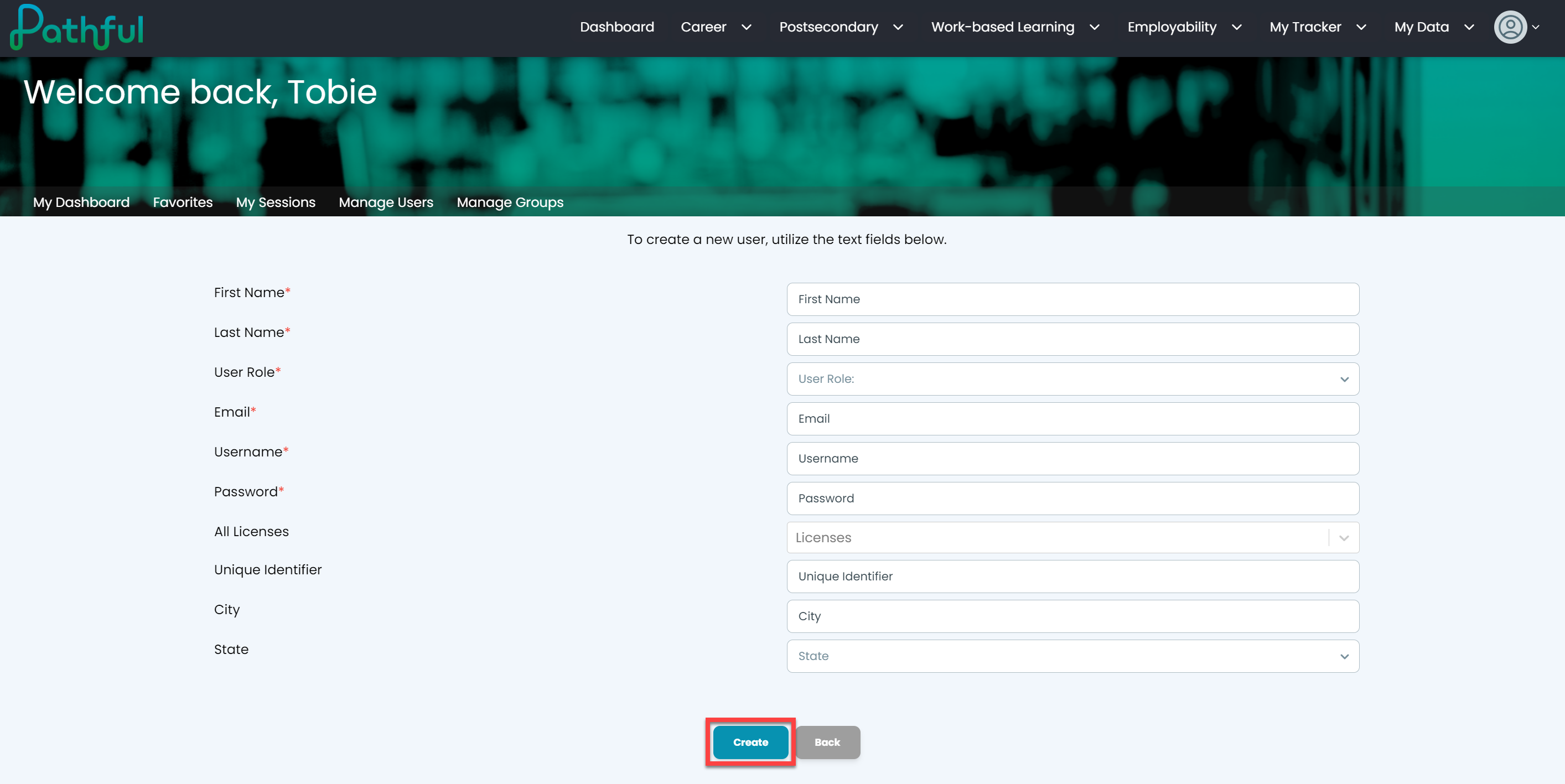
Select Back to return to the User Management page.
NOTE: You will get a confirmation message. It can take up to three hours for changes to be effective.