Delete a Group
Easily delete a group you no longer need. Note: Groups can only be deleted if they were not created using a rostering service (Clever, Classlink, Google, etc).
Last updated About 2 months ago
Delete a Group
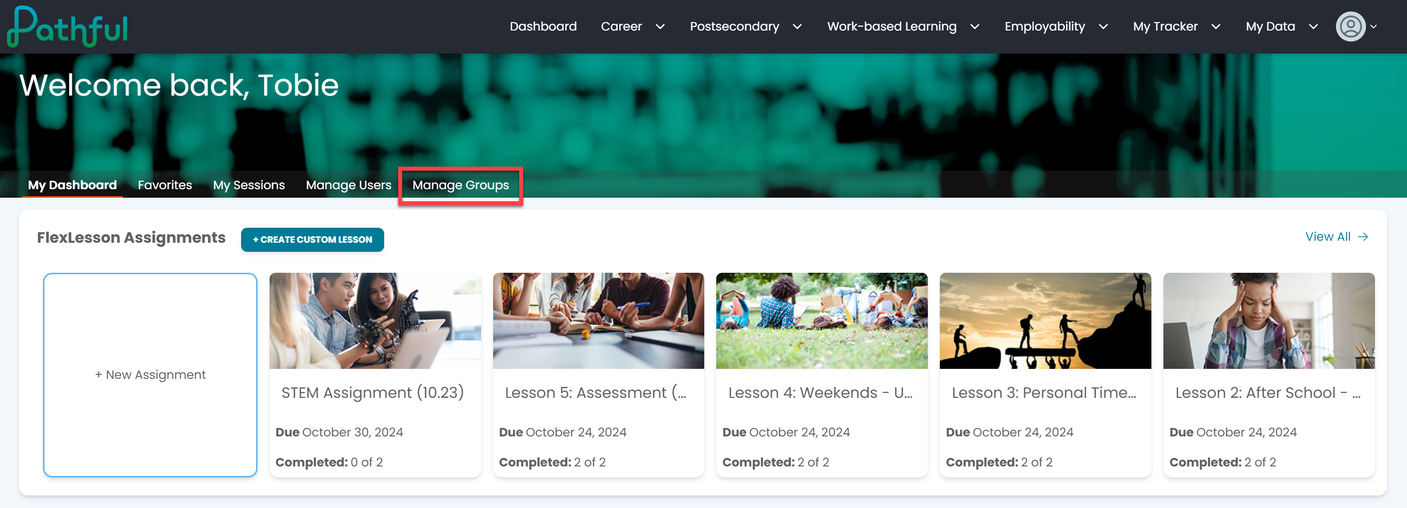
From your Dashboard, select the Manage Groups tab.
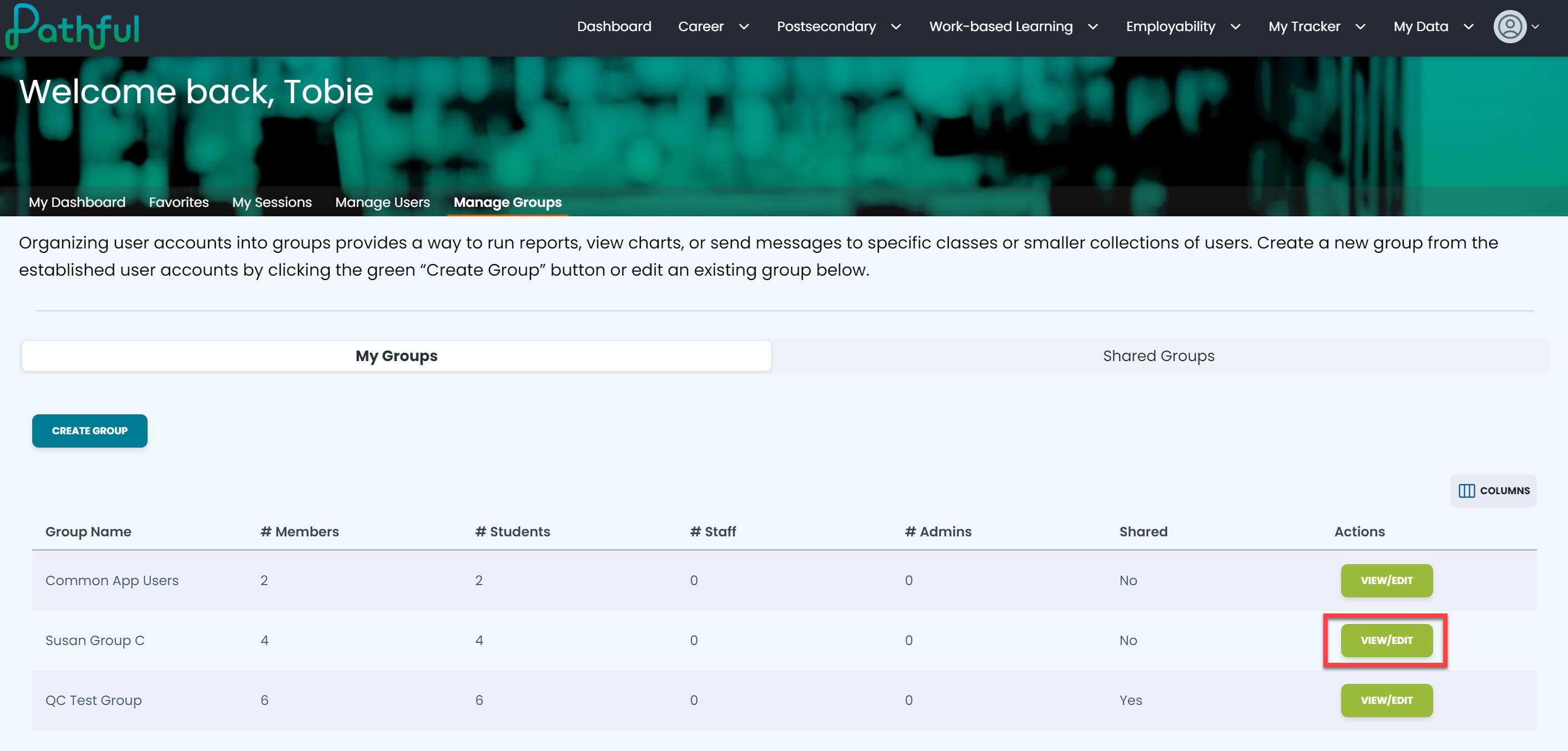
Locate the desired group.
Under the Actions column, select View/Edit.
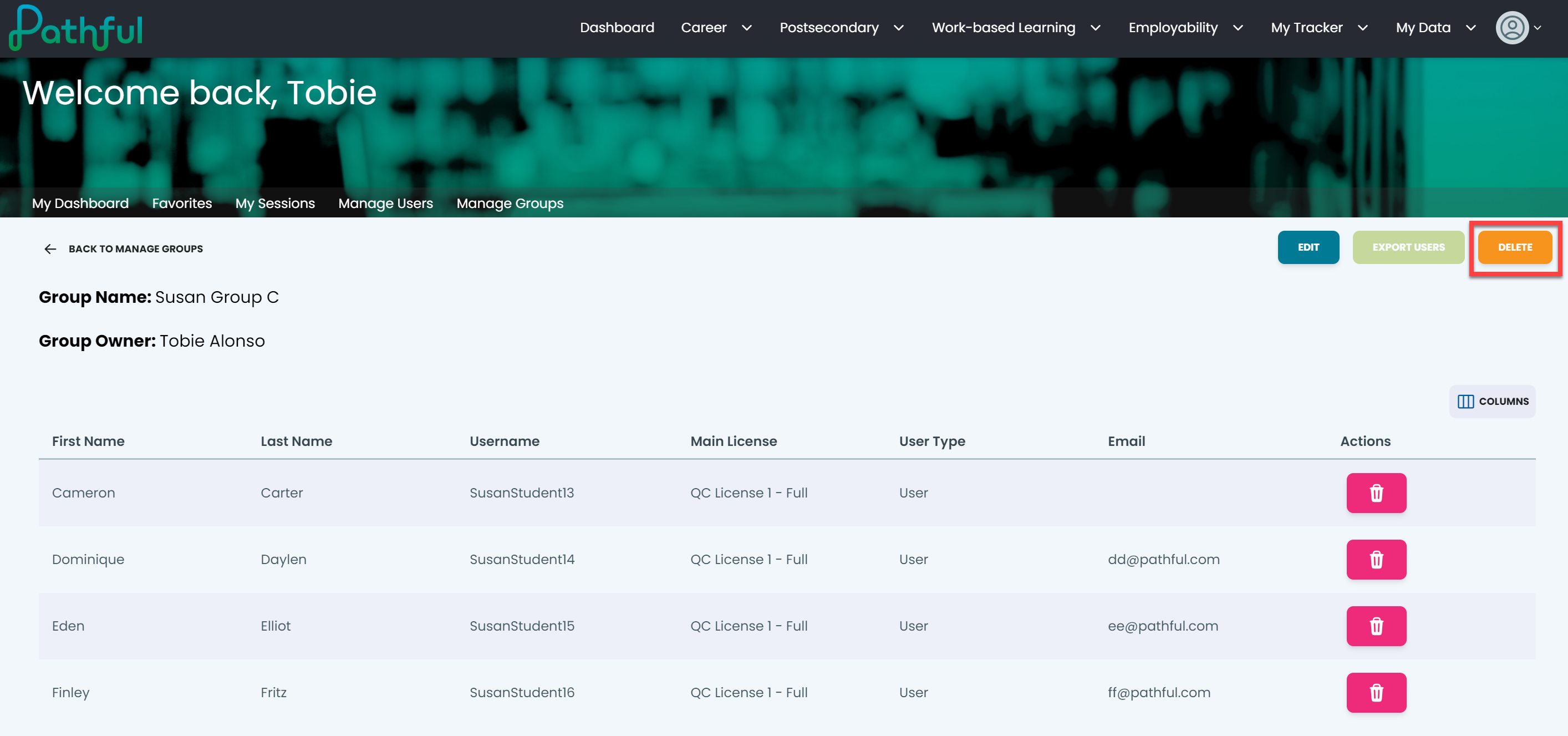
Select Delete.
In the Are you Sure pop-up window, select Yes, Delete It.
Select Cancel if you prefer to keep the group and not delete it. Deleting a group is immediate and permanent.
