Assign an Assessment
You can assign the Career Clusters Interest Survey (CCIS EZ) to your students at any time. The CCIS EZ is recommended for students starting at age 8.
Last updated About 4 hours ago
Assign an Assessment
Overview
You can assign the Career Clusters Interest Survey (CCIS EZ) to your students at any time.
The CCIS EZ is recommended for students age 8 and up, and it can be taken multiple times as students' interests grow and expand with age.
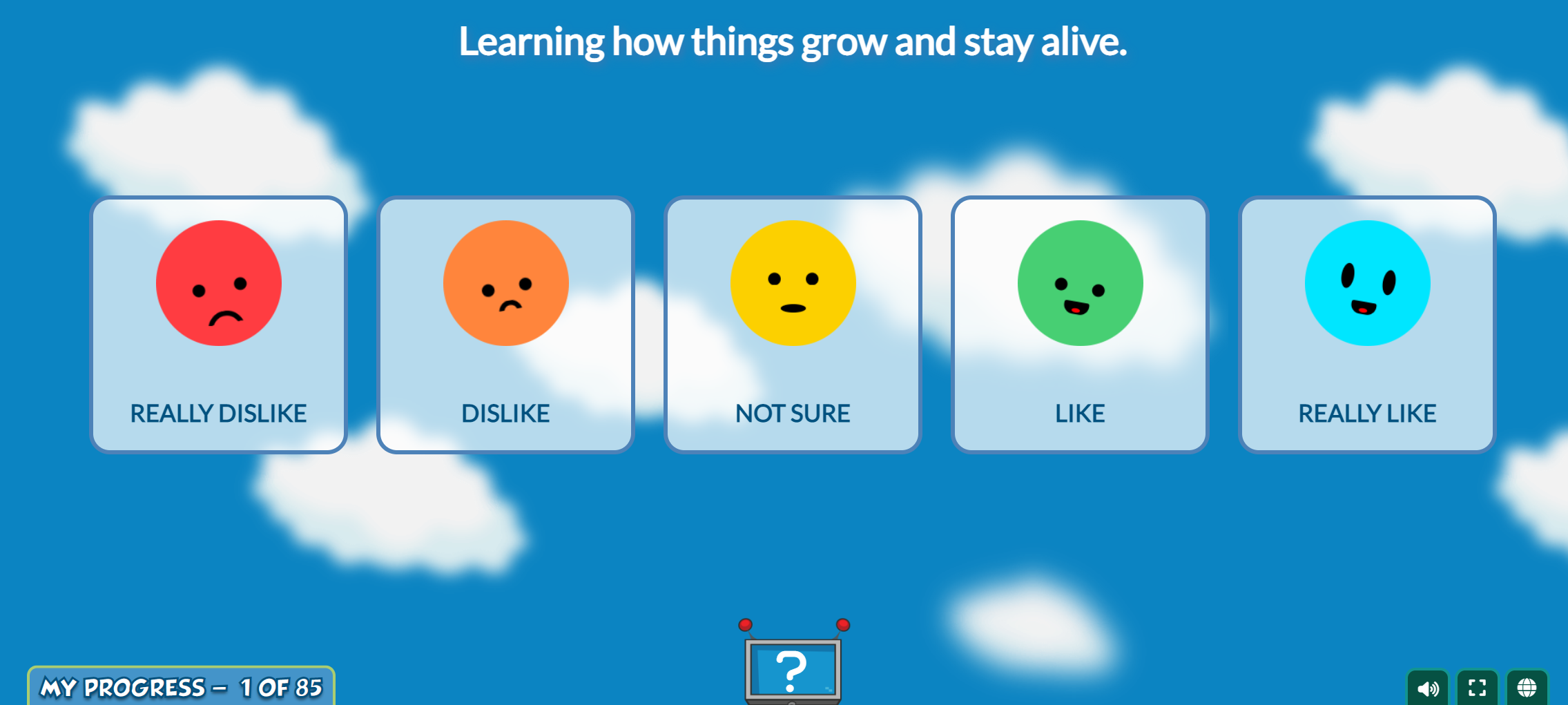
Each statement in the assessment is read orally, and students click the emoji that corresponds with how they feel about that statement. Students may click on a statement to have it reread to them.
Students can go back to previously answered questions.
There are 85 questions.
Students do not have to complete the assessment in one sitting. They can return at a later time and resume where they left off. The assessment autosaves with each submitted answer.
Assign an Assessment
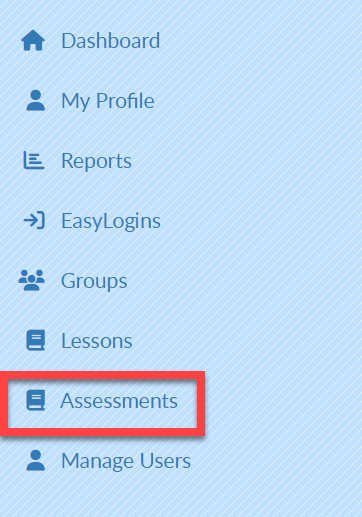
Select Assessments on the left menu.
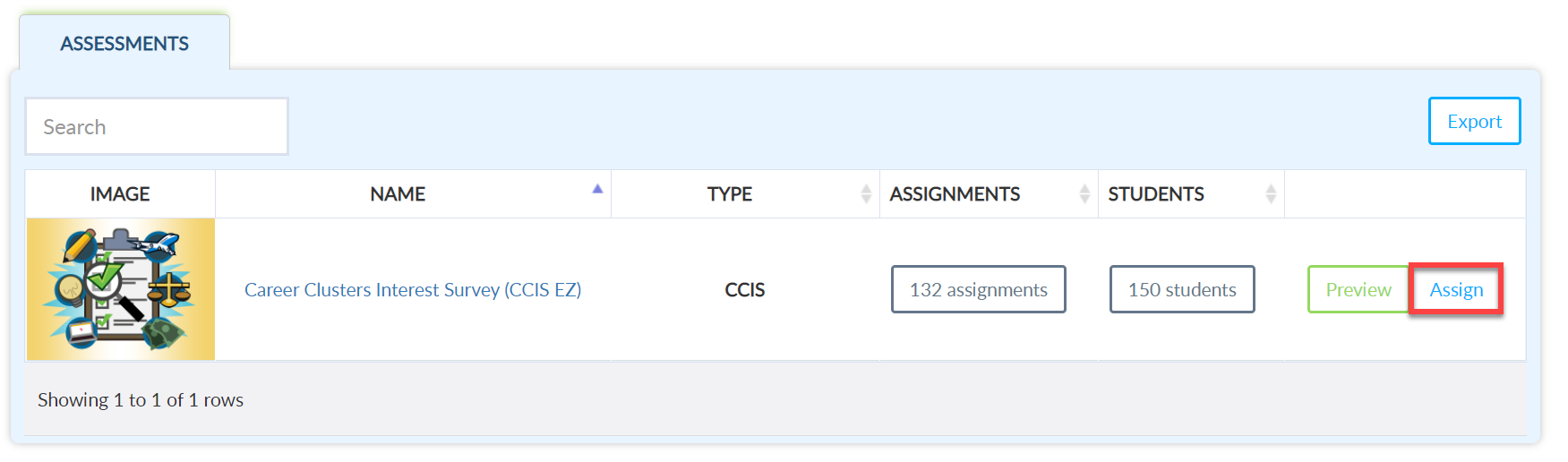
On the Assessments screen, select Assign.
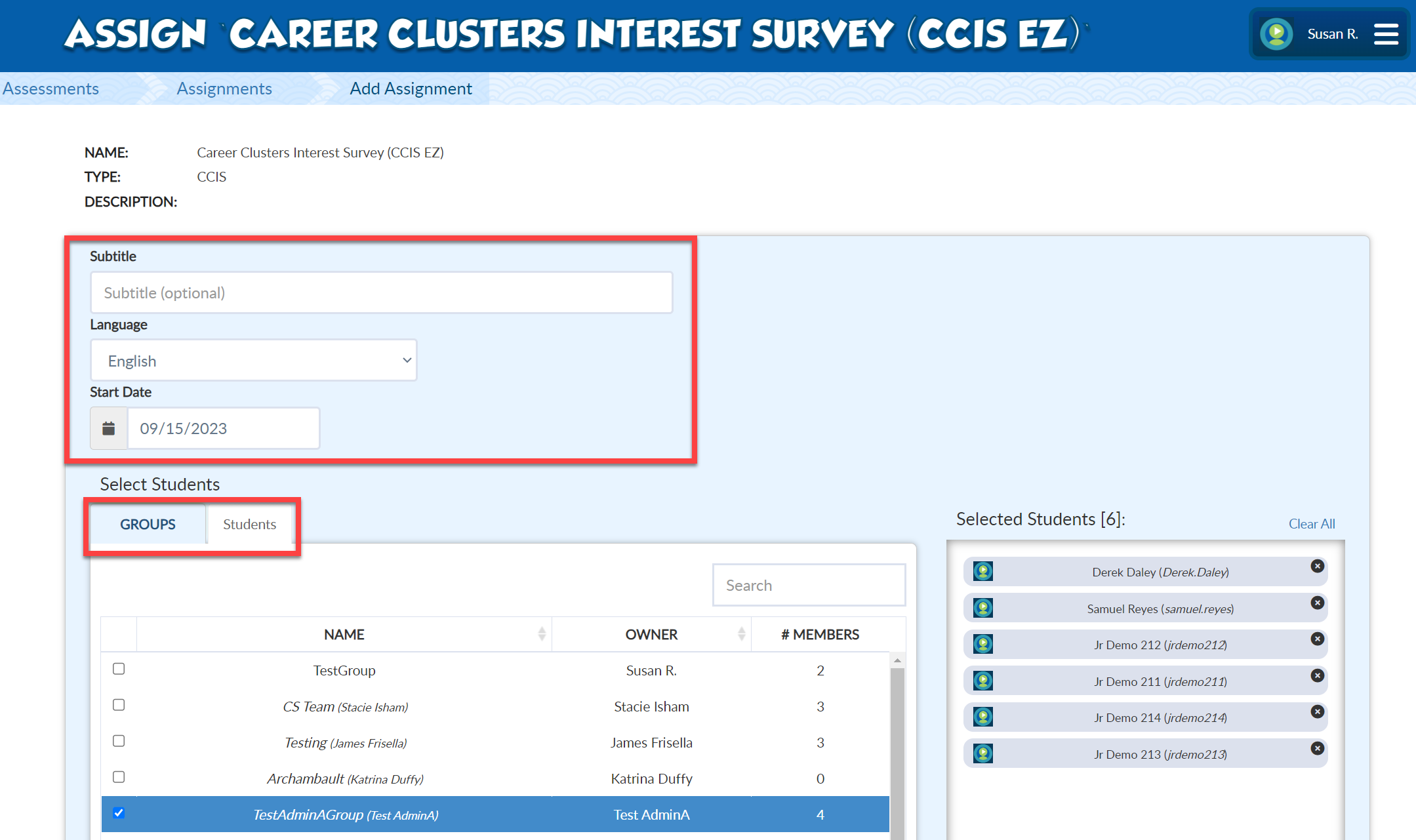
Give the assignment a Subtitle if desired.
Select a Language if desired.
Select a Start Date. This defaults to today, but you can change it to start in the future if desired.
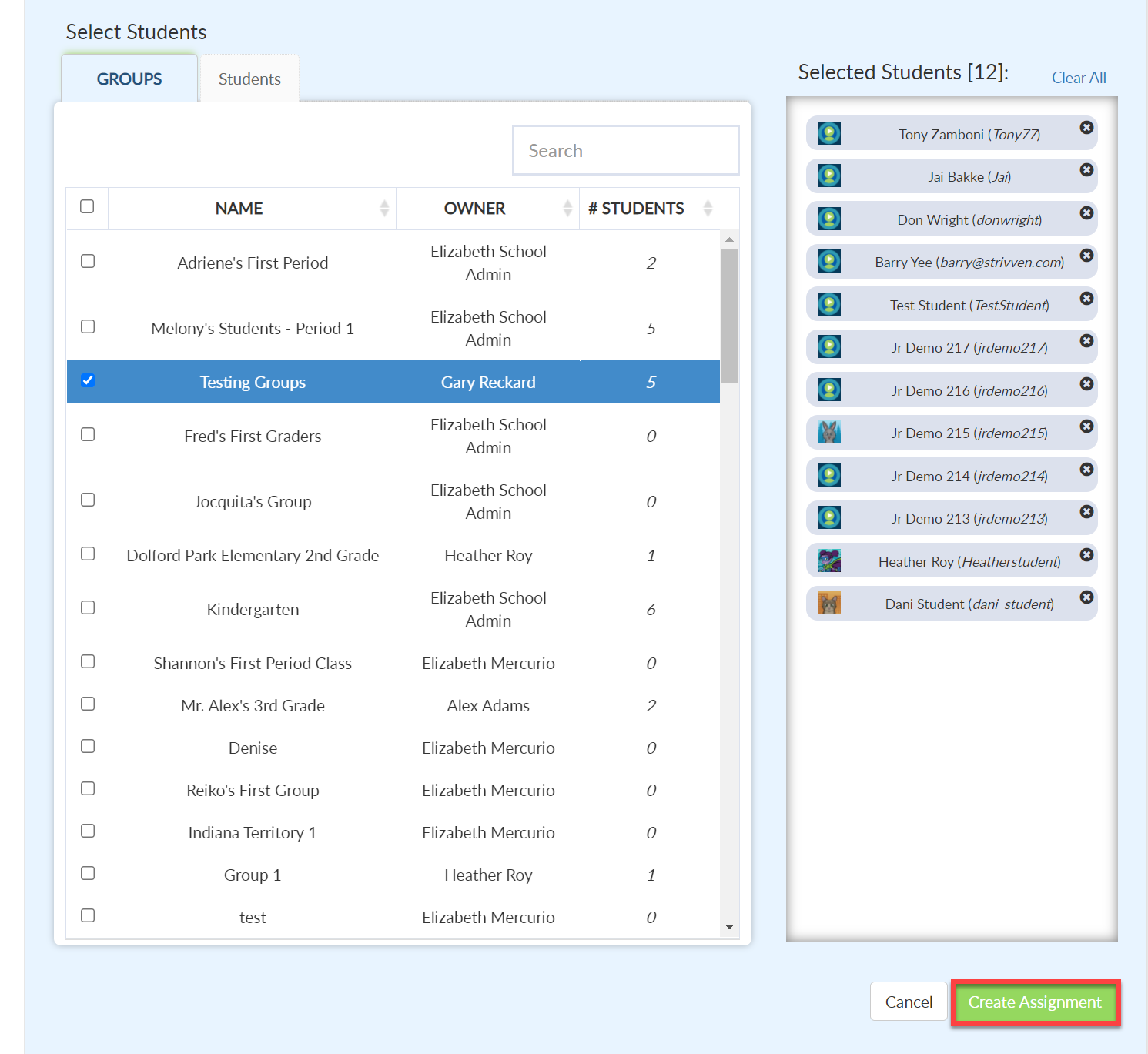
To select Students by Groups:
Select the Groups tab.
Click the checkbox next to the group of students you want to assign the assessment to.
To select Students individually:
Select the Students tab.
Click the checkbox next to the student's name(s) to whom you want to assign the assessment.
Select Create Assignment at the bottom of the screen when all students have been added.
Video Tutorial
Your browser does not support HTML5 video.